How. Change notes to list
eant to view iPad iOS16.6 as a list
Apple TV HD, tvOS 16
eant to view iPad iOS16.6 as a list
Apple TV HD, tvOS 16
Thanks for reaching out Gegie45,
It sounds like you have a note, and you'd like to convert the contents into a list. We can help.
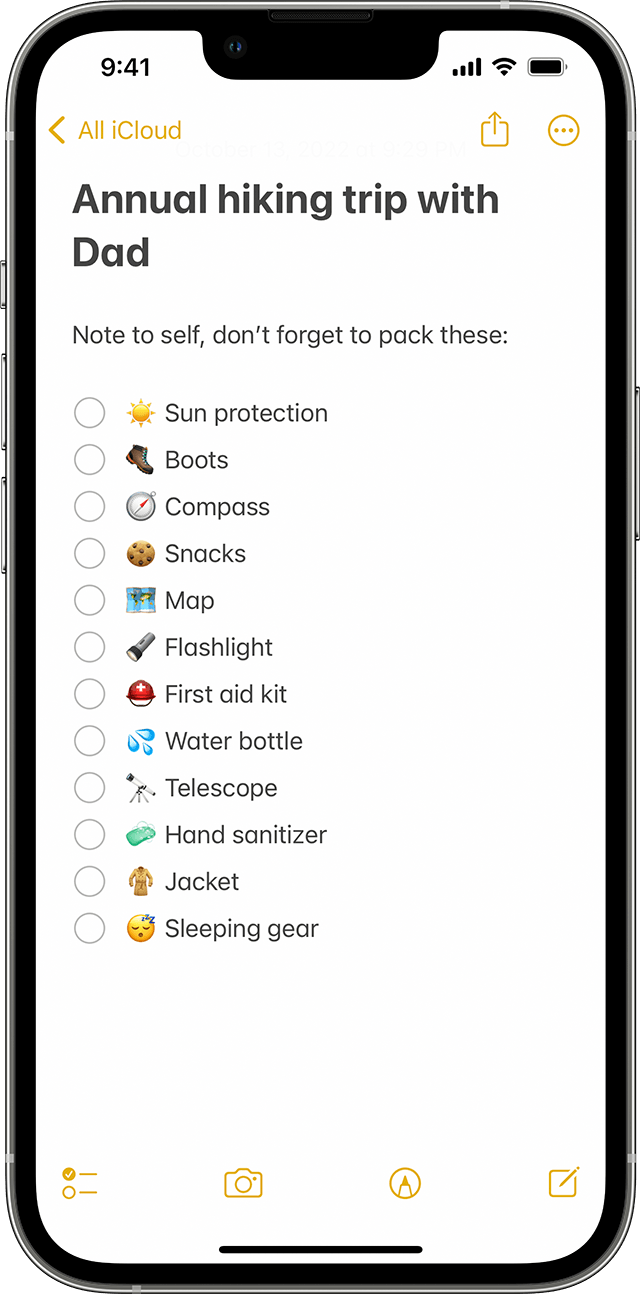
Check out these steps to Create a checklist with Notes:
Before you begin
* Make sure that your iPhone, iPad, or iPod touch has the latest version of iOS or iPadOS.
* To use the latest features of Notes, make sure that you set up Notes with iCloud or have your notes saved on your device. To set up Notes with iCloud, go to Settings > Notes > Default Account, then select iCloud. To set up Notes on your device only, go to Settings > Notes, then select "On My [device]" Account. Many features won't work with other email providers.
How to create a checklist
1. Open the Notes app.
2. Tap the Compose buttonto create a new note.
3. Enter a title and tap return.
4. Tap the Checklist buttonto start the list. Each time you tap return, a new item is added to the list.
5. Tap the empty circle to mark an item as complete.
To create a list in an existing note, place the cursor where you want to start. Then tap the Checklist button
Hope that helps.
Take care.
Thanks for reaching out Gegie45,
It sounds like you have a note, and you'd like to convert the contents into a list. We can help.
Check out these steps to Create a checklist with Notes:
Before you begin
* Make sure that your iPhone, iPad, or iPod touch has the latest version of iOS or iPadOS.
* To use the latest features of Notes, make sure that you set up Notes with iCloud or have your notes saved on your device. To set up Notes with iCloud, go to Settings > Notes > Default Account, then select iCloud. To set up Notes on your device only, go to Settings > Notes, then select "On My [device]" Account. Many features won't work with other email providers.
How to create a checklist
1. Open the Notes app.
2. Tap the Compose button
3. Enter a title and tap return.
4. Tap the Checklist button
5. Tap the empty circle to mark an item as complete.
To create a list in an existing note, place the cursor where you want to start. Then tap the Checklist button
Hope that helps.
Take care.
How. Change notes to list