Can’t add payment method after leaving family sharing

I have been trying to add my own payment method. I shut off family sharing so I could do so, but it continues to say payment methods can only be added by family organizer and will not let me add a payment method.

iPhone 12, iOS 16

Posted on Oct 1, 2023 6:53 AM

Reply
1 reply

Oct 3, 2023 7:39 AM in response to JWryr23

Hello JWryr23,


Welcome to Apple Support Communities. To get started, let's make sure you followed these steps to leave the Family Sharing group:


Remove yourself from a family group
Any family member age 13 or older* can remove themselves from a family group. If you have Screen Time turned on for your account, the family organizer must remove you
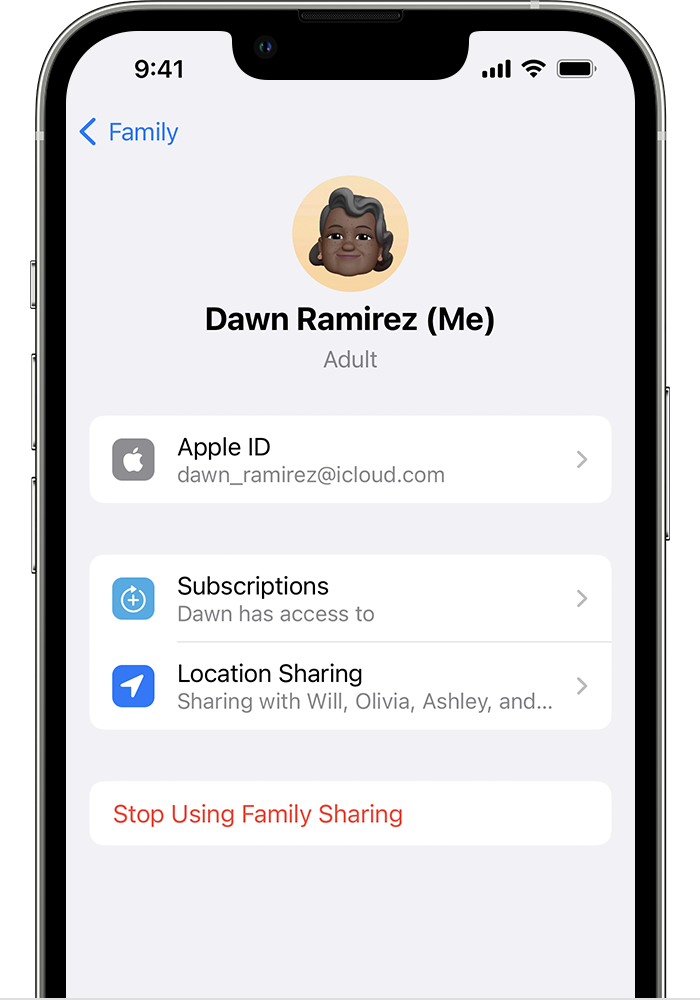
On your iPhone, iPad, or iPod touch
1. Go to Settings.
2. Tap Family. If you don't see Family, tap your name, then tap Family Sharing. 
3. Tap your name.
4. Tap Stop Using Family Sharing.
5. Stop Using Family Sharing is located below Location Sharing.
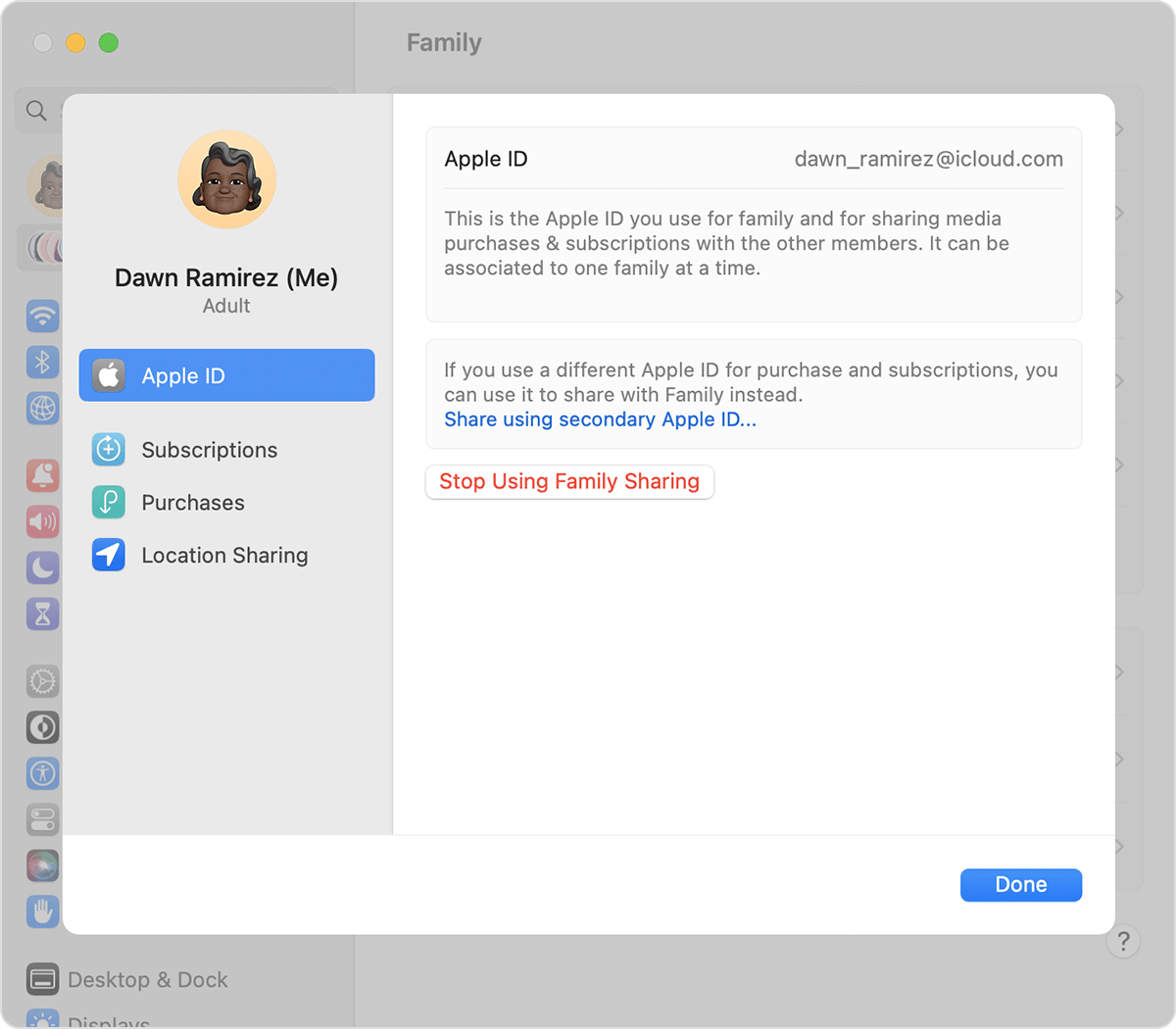
On your Mac
In macOS Ventura or later:
1. Choose Apple menu  > System Settings.
2. Click Family.
3. Click your name. 
4. Click Stop Using Family Sharing.
5. Stop Using Family Sharing is located below 'Share using secondary Apple ID.'
In macOS Monterey or earlier: 
1. Choose Apple menu  > System Preferences.
2. Click Family Sharing. 
3. Click Details next to your name.
4. Click Stop Using Family Sharing.
When you leave Family Sharing, you lose access to any shared purchases or services shared by the family group.

Remove your account from a family group
If your Apple ID is being used to share purchases with a family group that you no longer want to be part of, you can visit your Apple ID account page and remove the account from the family directly. Go to appleid.apple.com and sign in with the Apple ID and password for the account you want to remove. 
In the Family Sharing section:
1. On your iPhone, iPad, iPod touch or Mac, sign in to appleid.apple.com with your Apple ID and password. 
2. On your iPhone or iPod touch, tap the downward-facing arrow at the top of the page, then tap Family Sharing. On your iPad or Mac, click Family Sharing on the left side of the page.
3. Tap or click Disconnect Account.
4. Tap or click Disconnect. 

Leave Family Sharing


Let us know if the issue persists after completing these steps. Kind regards.

This thread has been closed by the system or the community team. You may vote for any posts you find helpful, or search the Community for additional answers.

Can’t add payment method after leaving family sharing

Welcome to Apple Support Community
A forum where Apple customers help each other with their products. Get started with your Apple Account.