Move, Stand and Exercise data recorded while sleeping??

My Apple Watch 7 has recently started recording Move, Stand and Exercise data at midnight. 189 cals, 40 mins exercise and 1 hour standing. I was asleep…. What’s happening?

Apple Watch Series 7, watchOS 9

Posted on Oct 1, 2023 1:42 PM

Reply
Question marked as Top-ranking reply

Posted on Oct 3, 2023 8:31 AM

Hello Trek99,


Thanks for reaching out to Apple Support Communities. We see you have some questions about your exercise data while sleeping, and we'd like to help. We'd recommend trying to calibrate your watch again, as this may be able to help ensure your data is being tracked accurately: Calibrate your Apple Watch for improved Workout and Activity accuracy - Apple Support


Calibrate your Apple Watch
1. While wearing your Apple Watch, go to a flat, open outdoor area that offers good GPS reception and clear skies.
2. If you have Apple Watch Series 2 or later, you just need your Apple Watch.* If you have Apple Watch Series 1 or earlier, bring your iPhone for GPS. Hold your iPhone in your hand, or wear it on an armband or waistband.
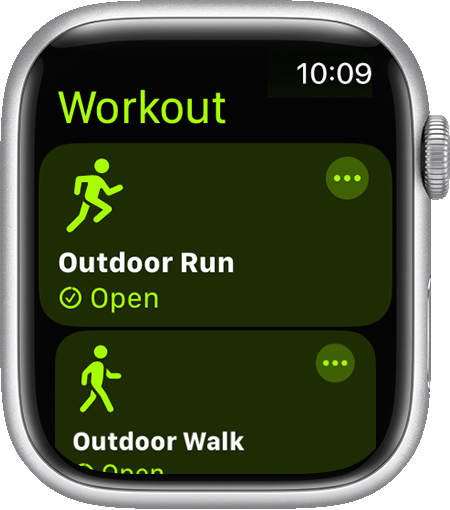
3. Open the Workout app, then tap Outdoor Walk or Outdoor Run. To set a goal before starting, tap the ... icon.
Outdoor Walk workout on watch with white band.
4. Walk or run at your normal pace for about 20 minutes.
If you don't have time to finish the workout, you can complete 20 minutes over multiple outdoor Workout sessions. If you work out at different speeds, you should also calibrate for 20 minutes at each of the speeds that you walk or run.
Whenever you walk or run outside using the above steps, your Apple Watch continues to calibrate the accelerometer by learning your stride length at different speeds. Calibration can also improve the accuracy of your calorie calculations in the Workout app, and the calorie, distance, Move, and Exercise calculations in the Activity app. 

Let us know if this helps.


Regards.

2 replies
Question marked as Top-ranking reply

Oct 3, 2023 8:31 AM in response to Trek99

Hello Trek99,


Thanks for reaching out to Apple Support Communities. We see you have some questions about your exercise data while sleeping, and we'd like to help. We'd recommend trying to calibrate your watch again, as this may be able to help ensure your data is being tracked accurately: Calibrate your Apple Watch for improved Workout and Activity accuracy - Apple Support


Calibrate your Apple Watch
1. While wearing your Apple Watch, go to a flat, open outdoor area that offers good GPS reception and clear skies.
2. If you have Apple Watch Series 2 or later, you just need your Apple Watch.* If you have Apple Watch Series 1 or earlier, bring your iPhone for GPS. Hold your iPhone in your hand, or wear it on an armband or waistband.
3. Open the Workout app, then tap Outdoor Walk or Outdoor Run. To set a goal before starting, tap the ... icon.
Outdoor Walk workout on watch with white band.
4. Walk or run at your normal pace for about 20 minutes.
If you don't have time to finish the workout, you can complete 20 minutes over multiple outdoor Workout sessions. If you work out at different speeds, you should also calibrate for 20 minutes at each of the speeds that you walk or run.
Whenever you walk or run outside using the above steps, your Apple Watch continues to calibrate the accelerometer by learning your stride length at different speeds. Calibration can also improve the accuracy of your calorie calculations in the Workout app, and the calorie, distance, Move, and Exercise calculations in the Activity app. 

Let us know if this helps.


Regards.

This thread has been closed by the system or the community team. You may vote for any posts you find helpful, or search the Community for additional answers.

Move, Stand and Exercise data recorded while sleeping??

Welcome to Apple Support Community
A forum where Apple customers help each other with their products. Get started with your Apple Account.