
How to turn my location of my AirPods off
How to turn my location off on my airpods
iPhone 11, iOS 16
How to turn my location off on my airpods
iPhone 11, iOS 16
Hi Sorawmaddie,
You started from a good resource. In the same article you started from there's an image at the top of the page. If you're looking to turn off Find My for your AirPods, toggle this switch off. If you get an alert in the Find My app that your AirPods setup is incomplete
"Make sure that you turned on Find My: In Settings, tap your name > Find My, then tap Find My iPhone.
Make sure that both Find My iPhone and Find My network are turned on.
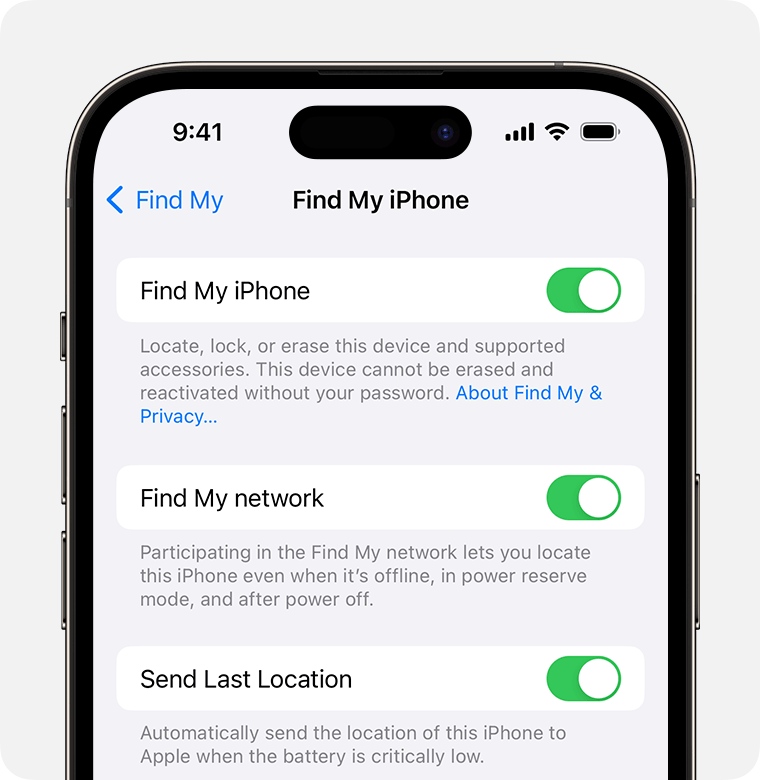
"
You can also complete the steps below found in the guide here: Turn off Find My on your devices and items - Apple Support
"Remove your AirPods or Beats headphones from Find My
To remove your AirPods or Beats headphones from Find My, unpair it from Bluetooth settings on each of your devices, then remove it from your devices list.
See Unpair, restart, or reset your AirPods in the AirPods User Guide."
Cheers.
How to turn my location of my AirPods off

