Perhaps this Apple Support Document has some insights for this issue
refer to link below
Clock User Guide
Except from above
See the time in cities worldwide
You can see the local time, sunrise, and sunset in different time zones around the world.
Siri: Say something like: “What time is it in Paris?” Learn how to use Siri.
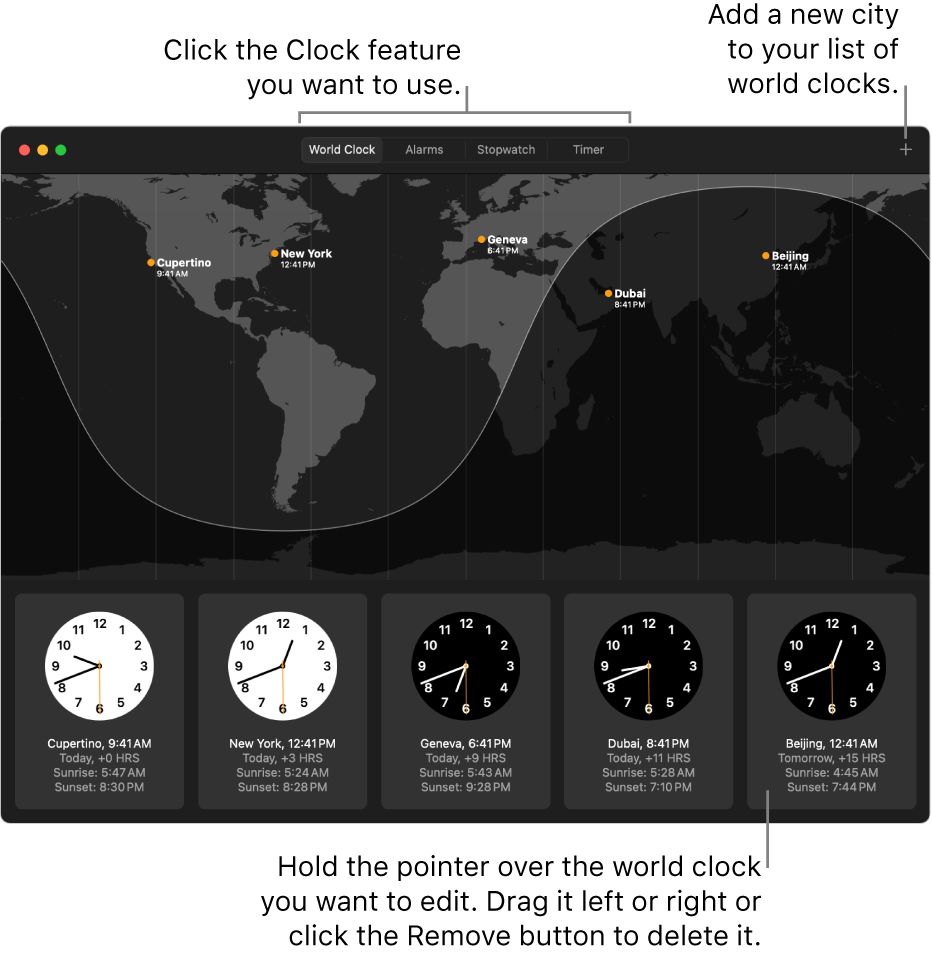
- In the Clock app
 on your Mac, click World Clock at the top of the window (or choose View > World Clock).
 - To manage your list of world clocks, do any of the following:
- Add a clock: Click the Add button
 in the top-right corner of the window, then choose a city.
 - Delete a clock: Hold the pointer over the clock you want to delete, then click the Remove button
 in the top-left corner.
 - Reorder the clocks: Hold the pointer over the clock you want to move, then drag it to a new position.



