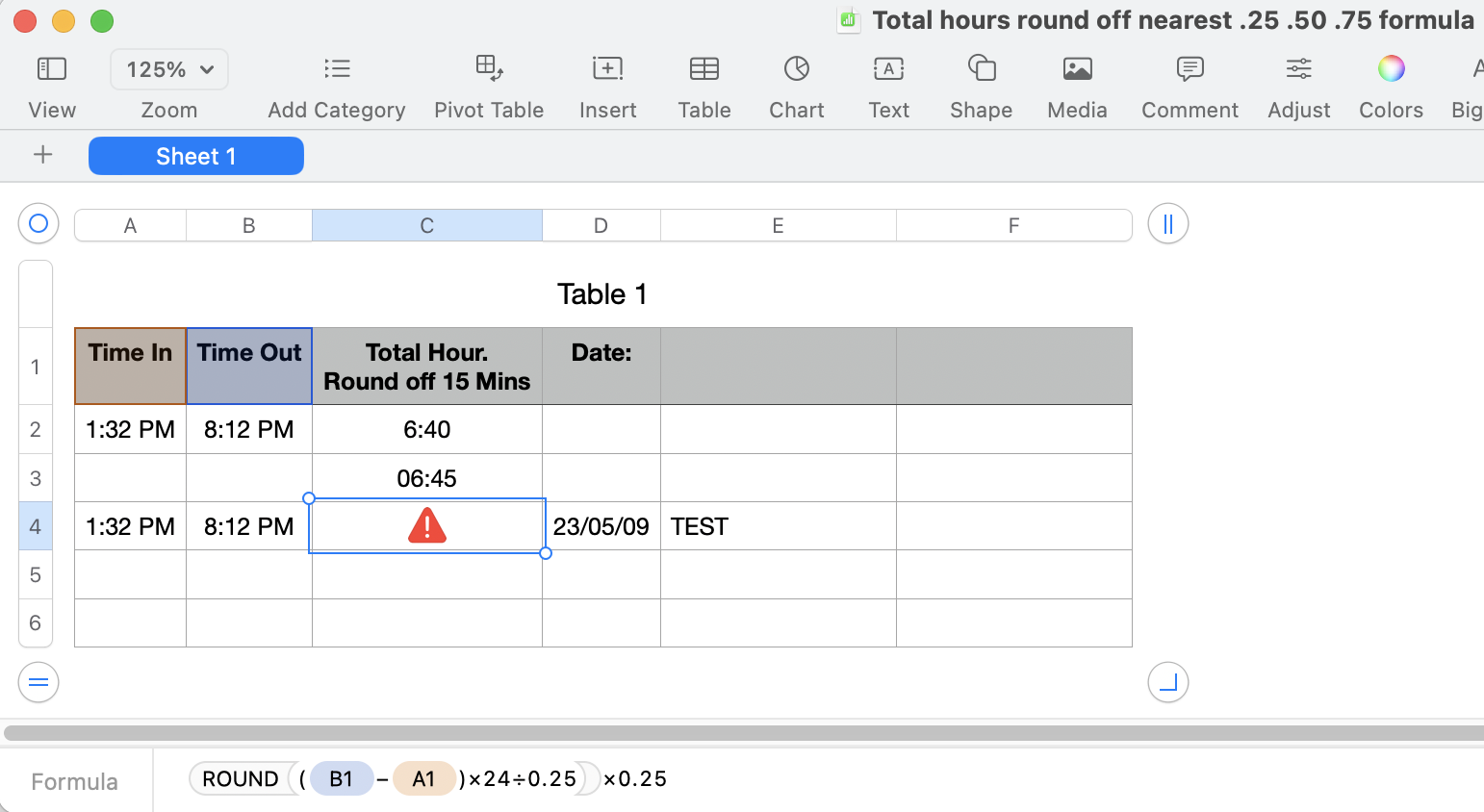
I got an answer from ChatGPT, but I got the error as you can see in the screenshot below.
In Apple Numbers, the formula syntax can be a bit different than in Excel. To calculate the time difference and round it to the nearest 0.25, 0.5, or 0.75, you can try the following steps:
1. Assume that A1 contains the time in and B1 contains the time out.
2. To calculate the time difference in hours, you can use the formula `=(B1 - A1) * 24` in C1.
3. To round off to the nearest 0.25, you can use the formula `=ROUND((B1 - A1) * 24 / 0.25) * 0.25`.
Put the above formula in a cell to get the rounded-off time difference between time in and time out.
This should give you the total hours worked, rounded to the nearest 0.25, 0.5, or 0.75.
I want the end with round off by .25 .50 .75 as it should answer from 6:40 to round off by 6:45
I did try with this formula, but it won’t work as I must have something type wrong formula entry.
I hope this helps to see.
Thank you,
Jeff

