Swipe screen won't work
Can not access my phone. Swipe doesn't work. Rebooted. Nothing.
Can not access my phone. Swipe doesn't work. Rebooted. Nothing.
Hi thomcat1836,
Thanks for posting in Apple Support Communities.
With iPhone not responding, you want to force restart. Make sure that iPhone has been charged at least 30 minutes with a certified cable and adapter. Try charging from a different power source.
Check that nothing is obstructing the display. If no accidental damage has occurred, force restart iPhone.
If your screen is black or frozen
Follow the steps for your device.
On your iPhone 8 or later, including iPhone SE (2nd and 3rd generation)
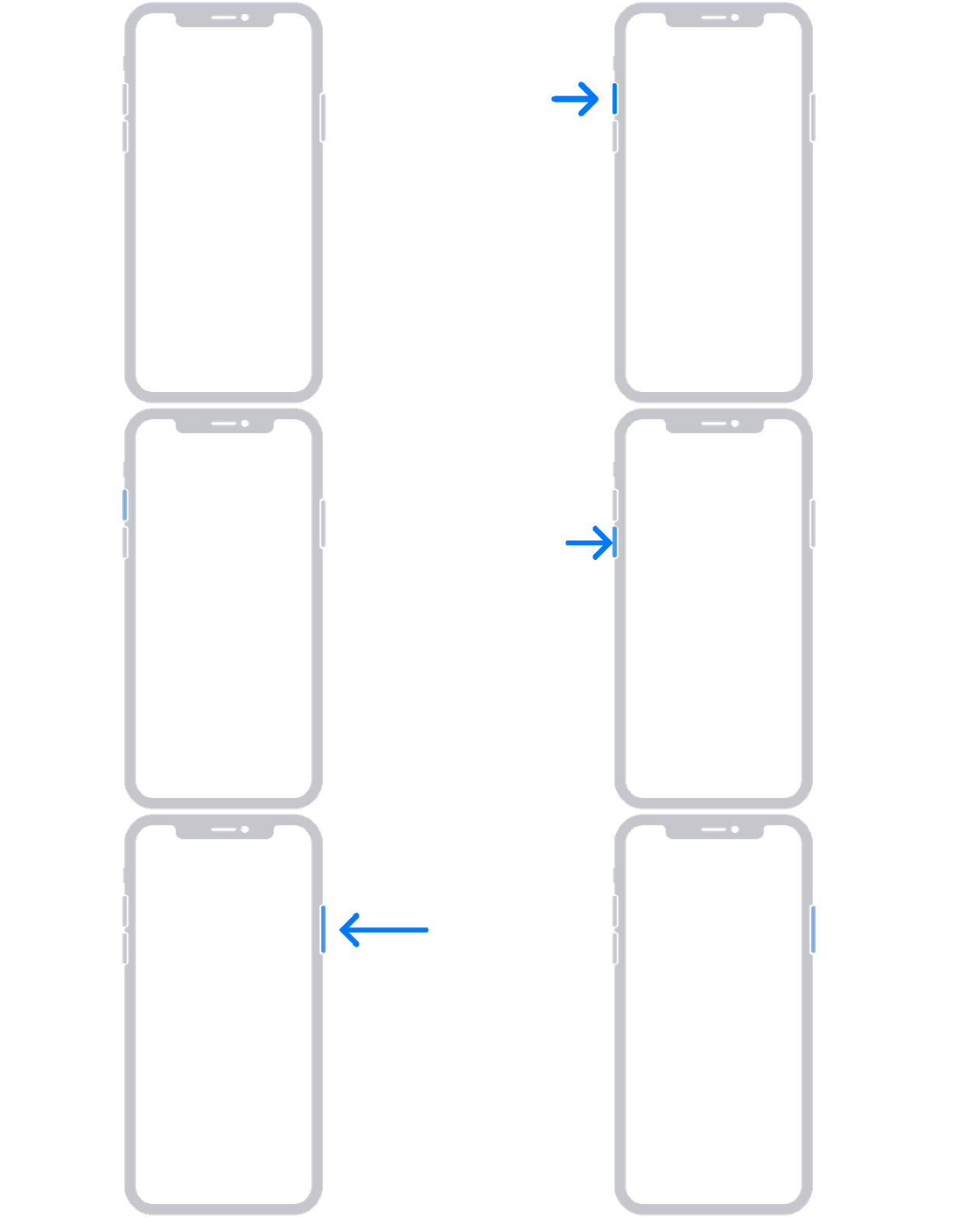
1. Press and quickly release the volume up button.
2. Press and quickly release the volume down button.
3. Press and hold the side button until you see the Apple logo.
4.
5. If your phone doesn't turn on, follow these steps to check your hardware and charge your phone. You might need to charge for up to an hour.
6. If your phone still doesn't turn on, contact Apple Support.
If your iPhone won't turn on or is frozen - Apple Support
Contact Apple Support for option or find a nearby Apple Authorized Service Provider to have a look at your iPhone if it continues.
Regards.
Hi thomcat1836,
Thanks for posting in Apple Support Communities.
With iPhone not responding, you want to force restart. Make sure that iPhone has been charged at least 30 minutes with a certified cable and adapter. Try charging from a different power source.
Check that nothing is obstructing the display. If no accidental damage has occurred, force restart iPhone.
If your screen is black or frozen
Follow the steps for your device.
On your iPhone 8 or later, including iPhone SE (2nd and 3rd generation)
1. Press and quickly release the volume up button.
2. Press and quickly release the volume down button.
3. Press and hold the side button until you see the Apple logo.
4.
5. If your phone doesn't turn on, follow these steps to check your hardware and charge your phone. You might need to charge for up to an hour.
6. If your phone still doesn't turn on, contact Apple Support.
If your iPhone won't turn on or is frozen - Apple Support
Contact Apple Support for option or find a nearby Apple Authorized Service Provider to have a look at your iPhone if it continues.
Regards.
Swipe screen won't work