Sign into iCloud
How do I sign into my iCloud account?
iPad mini 5, iPadOS 17
How do I sign into my iCloud account?
iPad mini 5, iPadOS 17
🙄 well, that was easy. Thank you.
Hi there joa128,
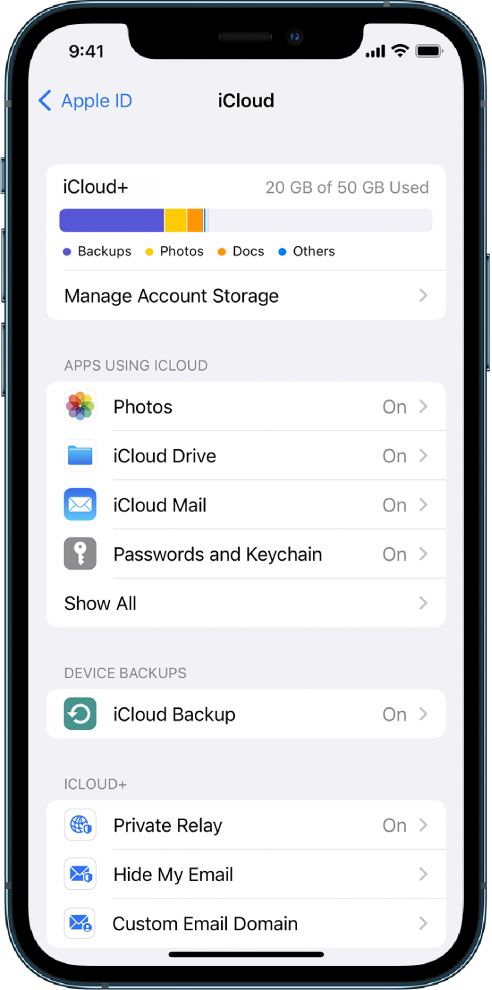
To sign into your iCloud account on your iPad mini, follow these steps from Sign in to iCloud on all your devices:
Set up iCloud on your iPhone, iPad, or iPod touch
1. On your iPhone, iPad, or iPod touch, go to Settings > [your name].
2. If you don’t see [your name], tap “Sign in to your [device],” enter your Apple ID (or a Reachable At email address or phone number that you added in Apple ID settings), then enter your password.
3. Do one of the following:
* iOS 16, iPadOS 16, or later: Tap iCloud, then turn on each app or feature you want to use. Tap Show All to see more apps.
* iOS 15, iPadOS 15, or earlier: Tap iCloud, then turn on each app or feature you want to use.
If you want to sign into the iCloud website, this walks you through how to do this: Sign in and use iCloud.com
If something else is occurring, please provide more details so that we can continue to assist.
Cheers!
Sign into iCloud