Keychains

How can I see my saved password in iCloud without iphone

Posted on Oct 13, 2023 1:35 PM

Reply
Question marked as Top-ranking reply

Posted on Oct 14, 2023 1:25 PM

Hey S78A,


Storing passwords in iCloud Keychain is only possible with an iPhone, iPad or macOS device. You can learn more about that here: Set up iCloud Keychain - Apple Support


"How to turn on iCloud Keychain

Before you turn on iCloud Keychain, update your device to the latest iOS or iPadOS, or the latest version of macOS, and make sure that two-factor authentication is turned on for your Apple ID.

Turn on iCloud Keychain on your iPhone or iPad
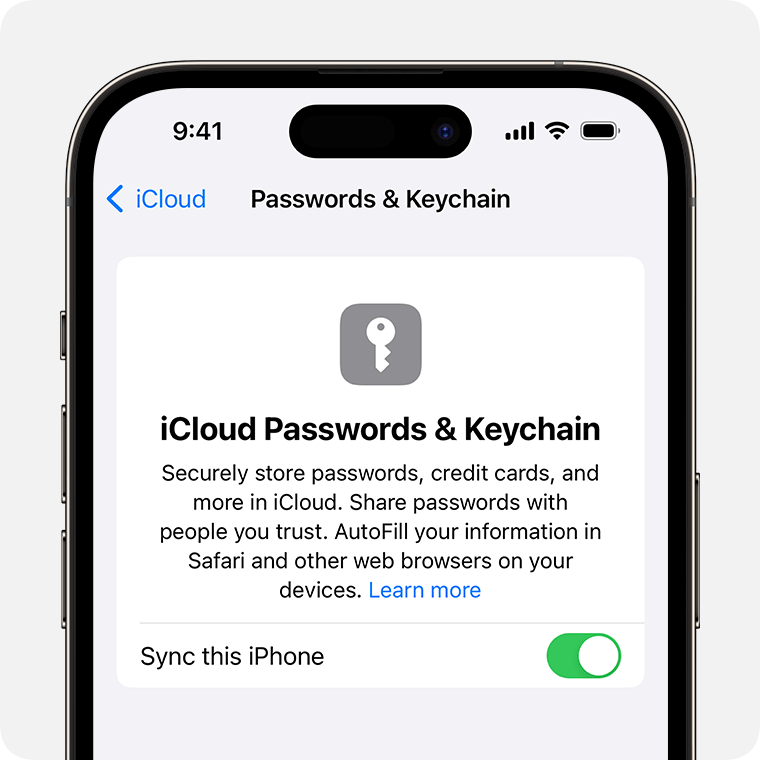
  1. Tap Settings, tap your name, then choose iCloud.
  2. Tap Passwords and Keychain.*
  3. Turn on iCloud Keychain. You might be asked for your passcode or Apple ID password. 
  4. In iPhone settings, turn on iCloud Keychain to sync passwords and other important information to your iPhone.

Find your saved passwords and passkeys on your iPhone or iPad

Turn on iCloud Keychain on your Mac
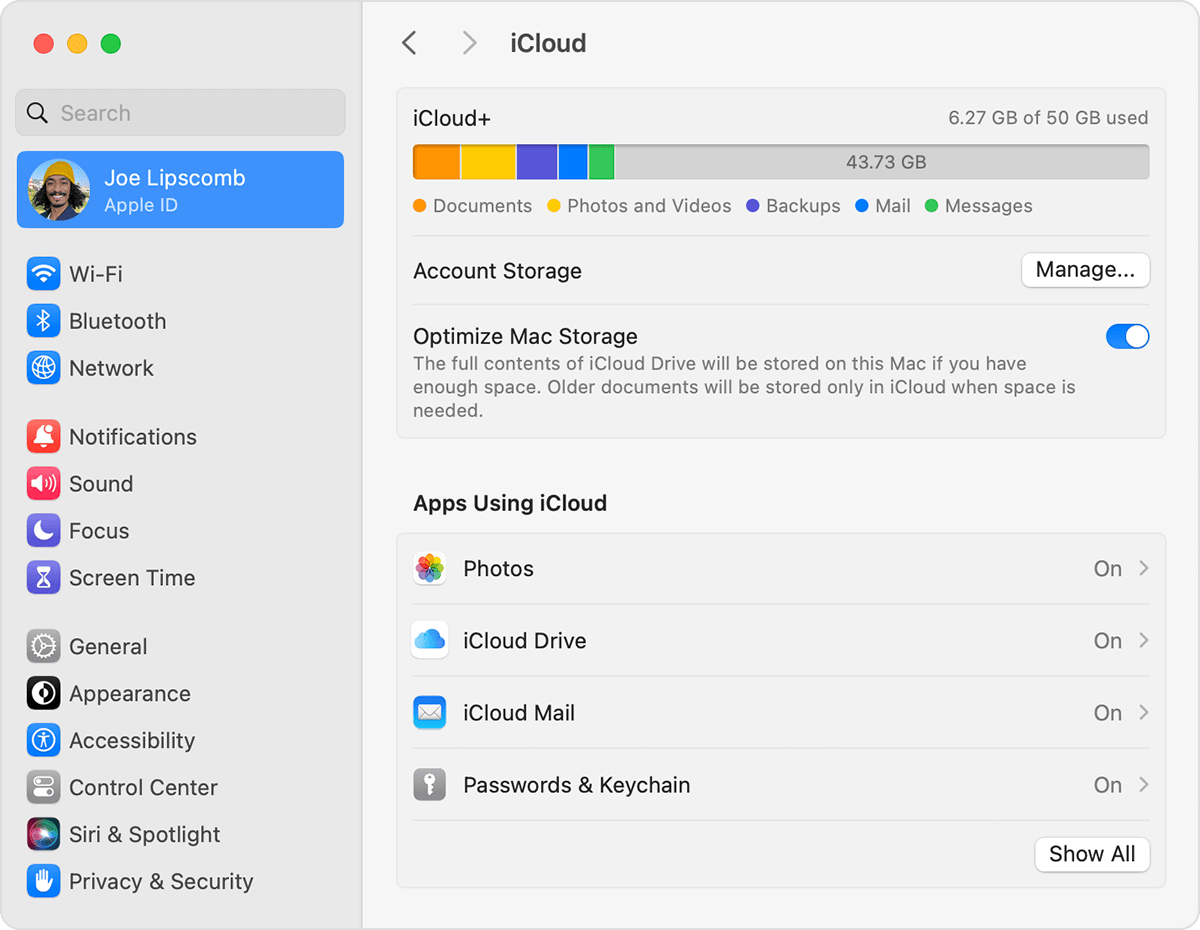
  1. Choose Apple menu  > System Settings (or System Preferences). 
  2. Click your name, then click iCloud. In earlier versions of macOS, click Apple ID, then click iCloud in the sidebar.
  3. Turn on Passwords & Keychain.

  4. If you choose to "Approve Later" when signing in to your Apple ID, you need to approve with an old passcode or from another device when prompted. If you're unable to approve, reset your end-to-end encrypted data when prompted.

Find your saved passwords and passkeys on Mac"


Thanks!

1 reply
Question marked as Top-ranking reply

Oct 14, 2023 1:25 PM in response to S78A

Hey S78A,


Storing passwords in iCloud Keychain is only possible with an iPhone, iPad or macOS device. You can learn more about that here: Set up iCloud Keychain - Apple Support


"How to turn on iCloud Keychain

Before you turn on iCloud Keychain, update your device to the latest iOS or iPadOS, or the latest version of macOS, and make sure that two-factor authentication is turned on for your Apple ID.

Turn on iCloud Keychain on your iPhone or iPad

  1. Tap Settings, tap your name, then choose iCloud.
  2. Tap Passwords and Keychain.*
  3. Turn on iCloud Keychain. You might be asked for your passcode or Apple ID password. 
  4. In iPhone settings, turn on iCloud Keychain to sync passwords and other important information to your iPhone.

Find your saved passwords and passkeys on your iPhone or iPad

Turn on iCloud Keychain on your Mac

  1. Choose Apple menu  > System Settings (or System Preferences). 
  2. Click your name, then click iCloud. In earlier versions of macOS, click Apple ID, then click iCloud in the sidebar.
  3. Turn on Passwords & Keychain.

  4. If you choose to "Approve Later" when signing in to your Apple ID, you need to approve with an old passcode or from another device when prompted. If you're unable to approve, reset your end-to-end encrypted data when prompted.

Find your saved passwords and passkeys on Mac"


Thanks!

This thread has been closed by the system or the community team. You may vote for any posts you find helpful, or search the Community for additional answers.

Keychains

Welcome to Apple Support Community
A forum where Apple customers help each other with their products. Get started with your Apple Account.