Hello Sparky 48,
Thanks for posting in Apple Support Communities. We noticed you were reviewing the resource, Monitor your heart rate with Apple Watch. The following details may be able to assist you:
"How Apple Watch measures your heart rate
The optical heart sensor in Apple Watch uses what is known as photoplethysmography. This technology, while difficult to pronounce, is based on a very simple fact: Blood is red because it reflects red light and absorbs green light. Apple Watch uses green LED lights paired with light‑sensitive photodiodes to detect the amount of blood flowing through your wrist at any given moment. When your heart beats, the blood flow in your wrist — and the green light absorption — is greater. Between beats, it’s less. By flashing its LED lights hundreds of times per second, Apple Watch can calculate the number of times the heart beats each minute — your heart rate. The optical heart sensor supports a range of 30–210 beats per minute. In addition, the optical heart sensor is designed to compensate for low signal levels by increasing both LED brightness and sampling rate.
The optical heart sensor can also use infrared light. This mode is what Apple Watch uses when it measures your heart rate in the background, and for heart rate notifications. Apple Watch uses green LED lights to measure your heart rate during workouts and Breathe sessions, and to calculate walking average and Heart Rate Variability (HRV).
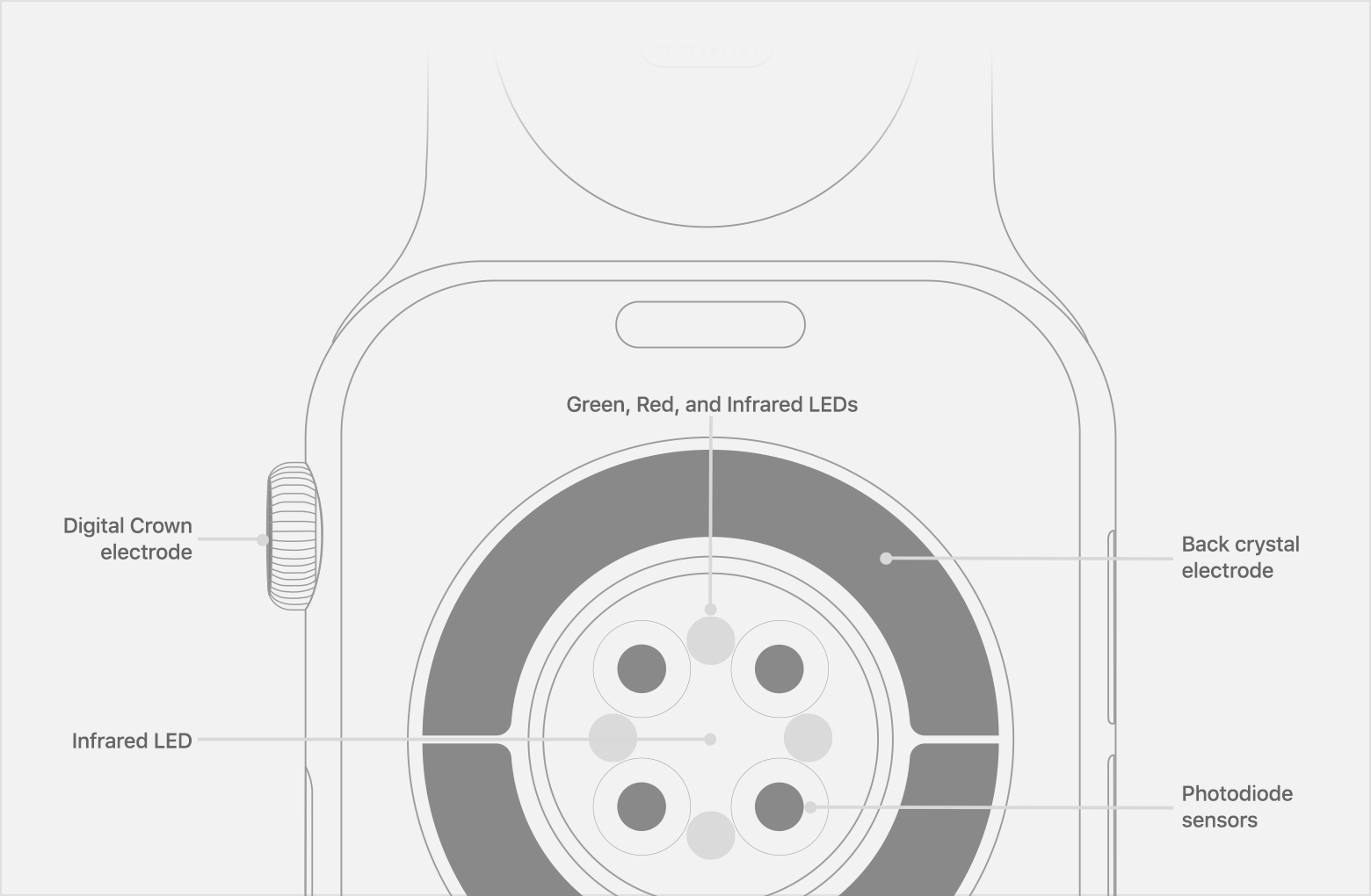
Apple Watch Series 4 and later and all models of Apple Watch Ultra also have built-in electrodes in the Digital Crown and the back of Apple Watch, which can measure the electrical signals across your heart when used with the Heart Rate app or the ECG app. When you place your finger on the Digital Crown, it creates a closed circuit between your heart and both arms, capturing the electrical impulses across your chest.
To use the electrical heart sensor to measure your heart rate, open the Heart Rate app and place your finger on the Digital Crown. You will get a faster reading with higher fidelity — getting a measurement every second instead of every 5 seconds. You’ll see "ECG" in Heart Rate Context when looking at recorded data for Heart Rate in the Health app. You can also use the electrical heart sensor to take an ECG with the ECG app.
The ECG app is currently available only in certain countries and regions. Learn where the ECG app is available."
If you need further assistance, we suggest that you reach out to Apple directly. You can follow this link to connect with them: Get Support
Take care.


