
Dots on iPhone 11 Pro Max camera
I have an iPhone 11 promax and noticing dots on my camera. I cleaned it so many times but it wont come off. How can I fix thia?
[Re-Titled by Moderator]
I have an iPhone 11 promax and noticing dots on my camera. I cleaned it so many times but it wont come off. How can I fix thia?
[Re-Titled by Moderator]
Hello joannacachola,
We would like to see how we can help you with your camera. Where are you seeing dots in the photos? We are unsure if its physical dots on the walls. If you restart the iPhone with the steps in this link, does the issue return: Restart your iPhone - Apple Support
"How to restart your iPhone X, 11, 12, 13, or later
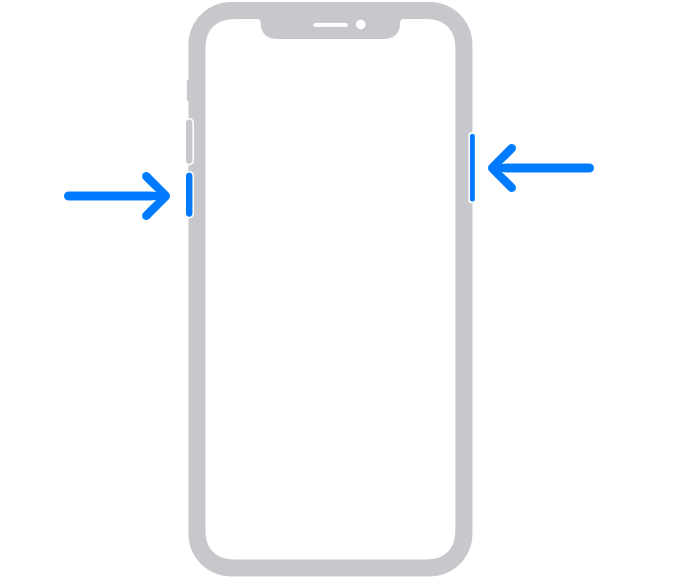
2.Drag the slider, then wait 30 seconds for your device to turn off. If your device is frozen or unresponsive, force restart your device.
3.To turn your device back on, press and hold the side button (on the right side of your iPhone) until you see the Apple logo."
Sometimes a step as simple as this can clear up an issue like this. If the issue persists, we suggest that you reach out to Apple Support for further assistance.
Cheers!
Dots on iPhone 11 Pro Max camera

