
Mmm…So I can play games because on Apple store I try to get a game but It’s say update so that’s why
Update, won’t let me play games ,
iPhone SE, iOS 14
Update, won’t let me play games ,
iPhone SE, iOS 14
Hello malleigh,
We're not clear on what the specific issue is you are facing. Do you need to update your iPhone to use the App Store? If so, these steps explain that process: Update your iPhone or iPad - Apple Support. Follow this guidance:
"Update your iPhone or iPad wirelessly
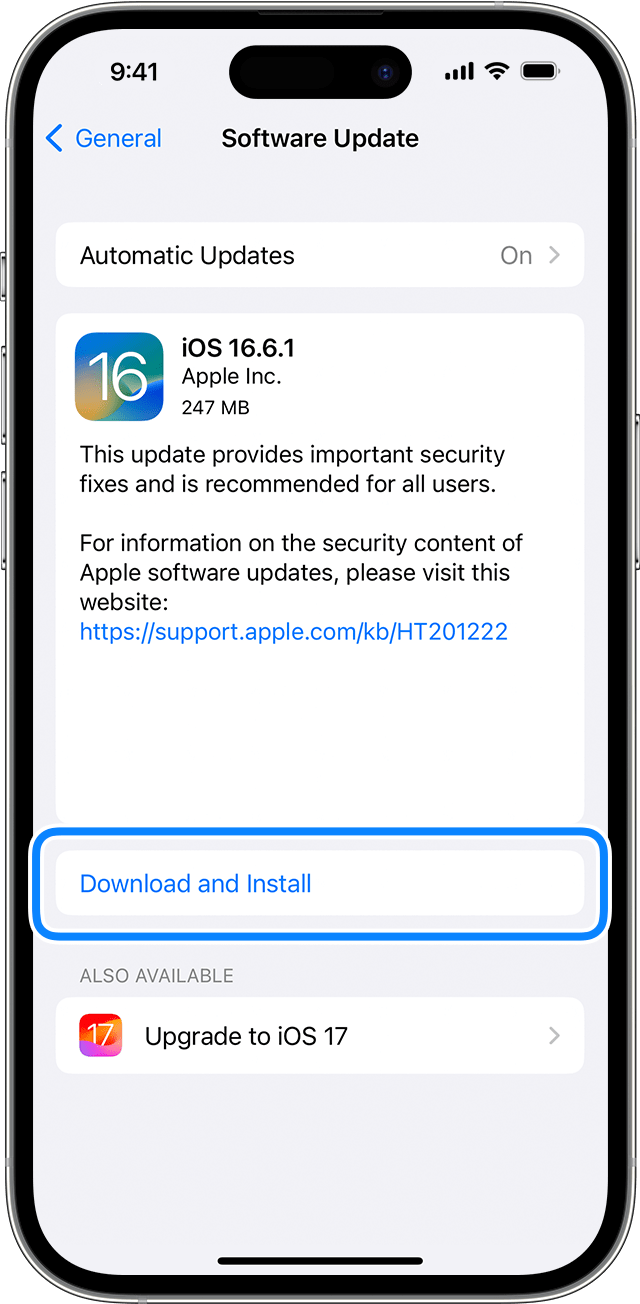
If you get an alert when updating wirelessly
Learn what to do if you see an alert message while trying to update your device wirelessly.
Some software updates aren't available wirelessly. VPN or proxy connections might prevent your device from contacting the update servers.
If you need more space when updating wirelessly
If a message asks to temporarily remove apps because the software needs more space for the update, tap Continue to allow apps to be removed. After installation is complete, those apps are automatically reinstalled. If you tap Cancel instead, you can delete content manually from your device to add more space.
Customize automatic updates
Your device can update automatically overnight while it's charging.
Turn on automatic updates
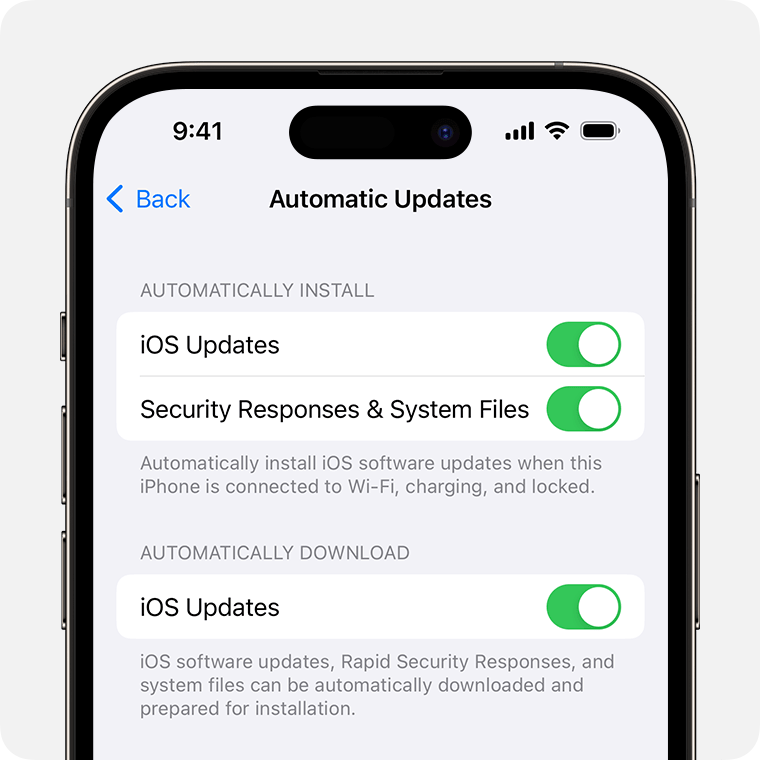
Install Rapid Security Responses
Rapid Security Responses deliver important security improvements quicker, before they are included in future software updates.
To get Rapid Security Responses automatically:
If you don't want Rapid Security Responses to be installed automatically, you can install Rapid Security Responses like software updates.
If you need to remove a Rapid Security Response:
You can reinstall the Rapid Security Response later, or wait for it to be installed permanently as part of a standard software update.
Upgrading to the latest version of iOS or iPadOS software provides the latest features, security updates, and bug fixes. Not all features are available on all devices or in all countries and regions. Battery and system performance may be influenced by many factors including network conditions and individual use; actual results may vary."
We hope this helps. Let us know if we can assist with anything else at all. Take care.
Hello malleigh,
We're not clear on what the specific issue is you are facing. Do you need to update your iPhone to use the App Store? If so, these steps explain that process: Update your iPhone or iPad - Apple Support. Follow this guidance:
"Update your iPhone or iPad wirelessly
If you get an alert when updating wirelessly
Learn what to do if you see an alert message while trying to update your device wirelessly.
Some software updates aren't available wirelessly. VPN or proxy connections might prevent your device from contacting the update servers.
If you need more space when updating wirelessly
If a message asks to temporarily remove apps because the software needs more space for the update, tap Continue to allow apps to be removed. After installation is complete, those apps are automatically reinstalled. If you tap Cancel instead, you can delete content manually from your device to add more space.
Customize automatic updates
Your device can update automatically overnight while it's charging.
Turn on automatic updates
Install Rapid Security Responses
Rapid Security Responses deliver important security improvements quicker, before they are included in future software updates.
To get Rapid Security Responses automatically:
If you don't want Rapid Security Responses to be installed automatically, you can install Rapid Security Responses like software updates.
If you need to remove a Rapid Security Response:
You can reinstall the Rapid Security Response later, or wait for it to be installed permanently as part of a standard software update.
Upgrading to the latest version of iOS or iPadOS software provides the latest features, security updates, and bug fixes. Not all features are available on all devices or in all countries and regions. Battery and system performance may be influenced by many factors including network conditions and individual use; actual results may vary."
We hope this helps. Let us know if we can assist with anything else at all. Take care.
Mmm…So I can play games because on Apple store I try to get a game but It’s say update so that’s why

