verification code is not being sent to iwatch. no way of getting into new phone

I have the iphone 14 pro max, it was acting wonky so verizon sent a new one. got into new phone no problem but my storage is full. I was deleting a ton of pics when I saw that my text messages had pictures in them too, but I accidently deleted all my texts (which were very important) and I was told by apple support to go in and erase my phone and go back to my sept backup. However, I can't get the id verification code. I only have this iphone and an Iwatch and the verification code isn't being sent to the iwatch and its not being sent to the phone. I would like it sent to my email or is there a way to override the verification code?

Windows, Windows 10

Posted on Oct 19, 2023 6:27 AM

Reply
1 reply

Oct 20, 2023 7:57 AM in response to BMW14

Hi BMW14,


It sounds like you're looking to access a verification code for your Apple ID. If so, you can get one directly on your Apple Watch using the steps below found here: Get a verification code and sign in with two-factor authentication - Apple Support


"Use the code displayed on your trusted device


If you have a trusted device running iOS 9 or later, OS X El Capitan or later, iPadOS 13 or later, or watchOS 6 or later, the verification code is displayed automatically on your trusted devices.

  1. Sign in with your Apple ID and password on a new device or browser.
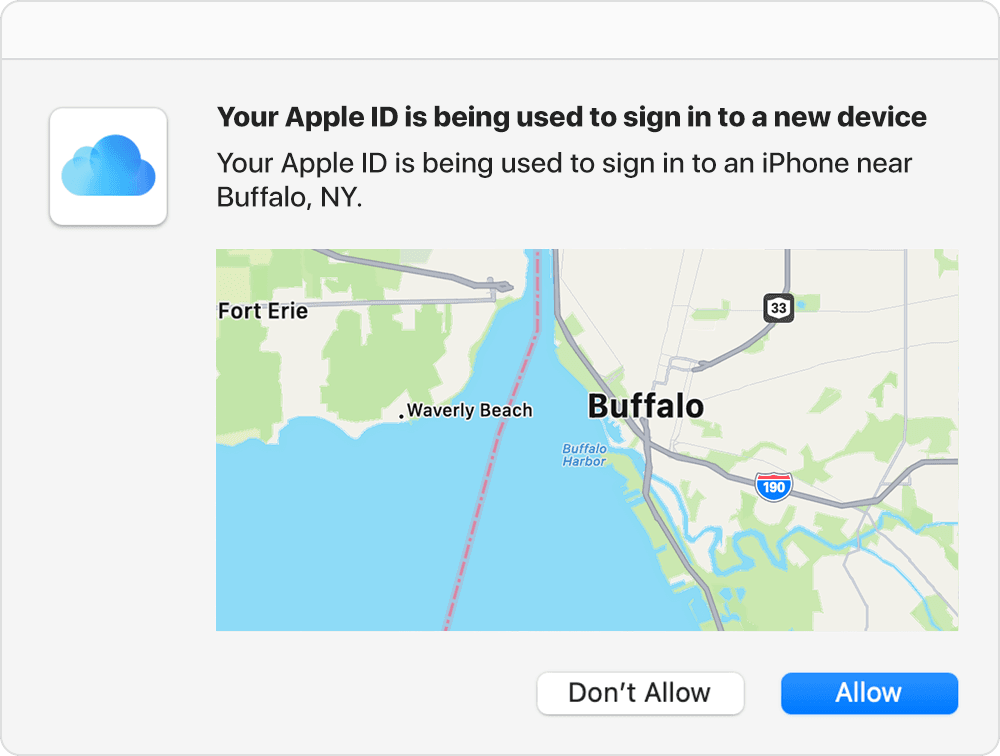
  2. Look for a sign in notification on any of your trusted devices.*

Map with Buffalo, NY prominently marked on it. The caption indicates that an Apple ID is being used to sign in to an iPhone near Buffalo.3. Tap Allow to receive your verification code.

4. Enter the verification code on your other device to complete sign in.


*The notification might include a map of the approximate location of the sign-in attempt. This location is based on the new device's IP address and might reflect the network that it's connected to, rather than the exact physical location. If you know that you're the person trying to sign in but don't recognize the location, you can still tap Allow and view the verification code."


If you're unable to obtain a code from the settings using the steps above or with the remaining steps in the article you may need to request account recovery. You can find out more here: How to use account recovery when you can’t reset your Apple ID password - Apple Support


Cheers.

This thread has been closed by the system or the community team. You may vote for any posts you find helpful, or search the Community for additional answers.

verification code is not being sent to iwatch. no way of getting into new phone

Welcome to Apple Support Community
A forum where Apple customers help each other with their products. Get started with your Apple Account.