
Turning off Screen Time on Mac
The “turn off” screen time option is not popping up. Can someone help me on this
The “turn off” screen time option is not popping up. Can someone help me on this
Hello Menuggy14,
We would like to see how we can help you with turning off Screen Time on your Mac. Follow the exact steps in this link and get back to us if the issue persists: Turn off Screen Time on your Mac - Apple Support
"Turn off Screen Time on your Mac
If you no longer want to track your app and device usage on your Mac, you can turn off App & Website Activity in Screen Time settings. You can turn it off for yourself or for a child you manage.
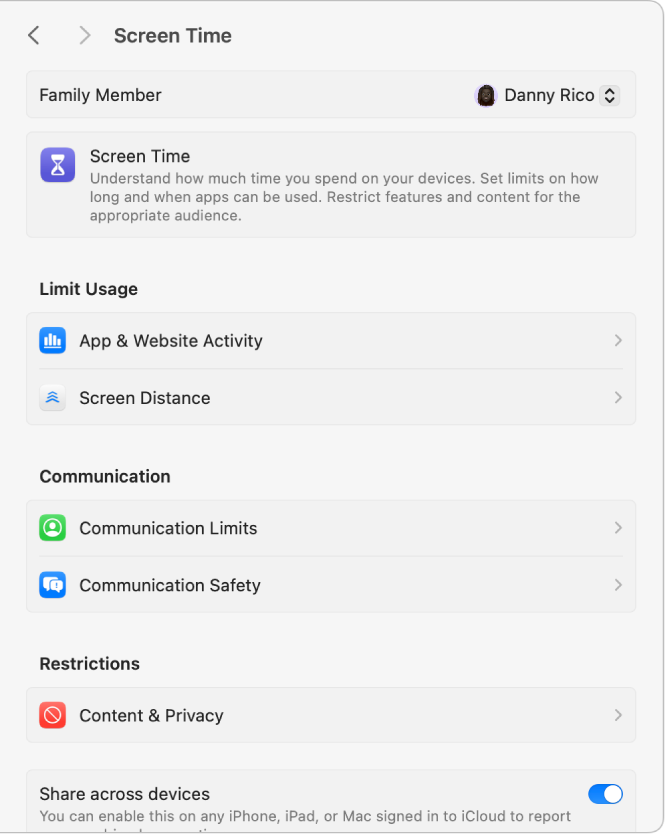
Turn off App & Website Activity for yourself
 > System Settings, then click Screen Time
  in the sidebar. (You may need to scroll down.)
After you turn it off, you can no longer track your app and device usage, notifications, or pickups, or set up downtime or app limits."
Cheers!
Hello Menuggy14,
We would like to see how we can help you with turning off Screen Time on your Mac. Follow the exact steps in this link and get back to us if the issue persists: Turn off Screen Time on your Mac - Apple Support
"Turn off Screen Time on your Mac
If you no longer want to track your app and device usage on your Mac, you can turn off App & Website Activity in Screen Time settings. You can turn it off for yourself or for a child you manage.
Turn off App & Website Activity for yourself
> System Settings, then click Screen Time in the sidebar. (You may need to scroll down.)After you turn it off, you can no longer track your app and device usage, notifications, or pickups, or set up downtime or app limits."
Cheers!
Turning off Screen Time on Mac

