
Does IOS 17.0.3 silence the notifications for some of the apps?
I have the 15 pro max and the notifications to some of my apps have been silenced. I have to check those apps in order to see my notifications.
iPhone 15 Pro Max, iOS 17
I have the 15 pro max and the notifications to some of my apps have been silenced. I have to check those apps in order to see my notifications.
iPhone 15 Pro Max, iOS 17
Hi zanamasha,
Thanks for contacting Apple Support Communities!
We understand that you're not seeing notifications for some apps.
You may first consider checking your notification settings for your apps to ensure that they haven't been included in a group notification and that the alerts are enabled as outlined here: Use notifications on your iPhone or iPad - Apple Support
"Schedule a notification summary
With iOS 15 and iPadOS 15 or later, you can schedule times to receive a summary of notifications each day so you can catch up when it's convenient for you. The summary is personalized to you and ordered by priority based on how you use your apps, with the most relevant notifications at the top.
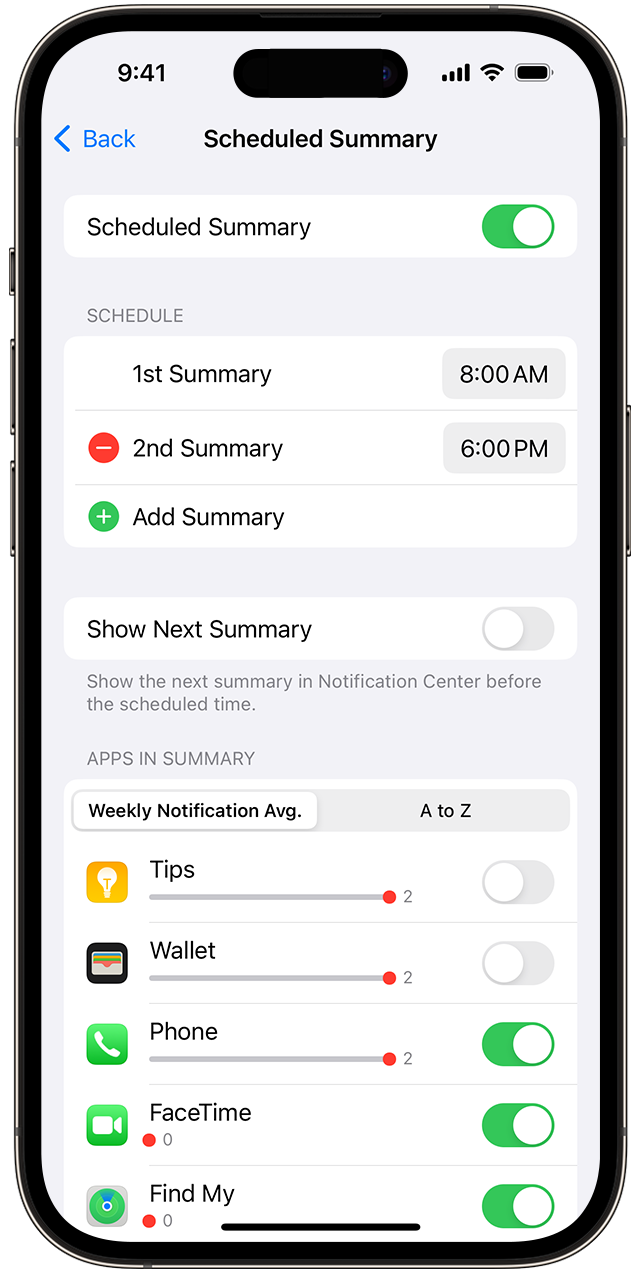
To schedule a notification summary:
 to add a new schedule or the Remove button
  to remove a schedule. Then adjust the time for each scheduled summary you have set up.
To add new apps to the summary, go back to Settings > Notifications > Scheduled Summary and select the apps under Apps in Summary. Each app appears with a number showing the average number of notifications that you receive each day from that app."
If you already have the notifications enabled for these apps, you can also refresh your notification settings by disabling the notifications for the affected app, restart your device then enable the notifications again.
We hope this helps you.
Cheers!

Hi zanamasha,
Thanks for contacting Apple Support Communities!
We understand that you're not seeing notifications for some apps.
You may first consider checking your notification settings for your apps to ensure that they haven't been included in a group notification and that the alerts are enabled as outlined here: Use notifications on your iPhone or iPad - Apple Support
"Schedule a notification summary
With iOS 15 and iPadOS 15 or later, you can schedule times to receive a summary of notifications each day so you can catch up when it's convenient for you. The summary is personalized to you and ordered by priority based on how you use your apps, with the most relevant notifications at the top.
To schedule a notification summary:
to add a new schedule or the Remove button to remove a schedule. Then adjust the time for each scheduled summary you have set up.To add new apps to the summary, go back to Settings > Notifications > Scheduled Summary and select the apps under Apps in Summary. Each app appears with a number showing the average number of notifications that you receive each day from that app."
If you already have the notifications enabled for these apps, you can also refresh your notification settings by disabling the notifications for the affected app, restart your device then enable the notifications again.
We hope this helps you.
Cheers!
Does IOS 17.0.3 silence the notifications for some of the apps?

