Hello Psychdoc666,
It sounds like you're having an issue with transferring data from a quick start or updating your iPhone. For help, check out the steps below found in the article here: Use Quick Start to transfer data to a new iPhone or iPad
"Set up your new iOS device automatically using an iPhone or iPad.
Quick Start occupies both devices, so make sure that you choose a time when you won't need to use your current device for several minutes.
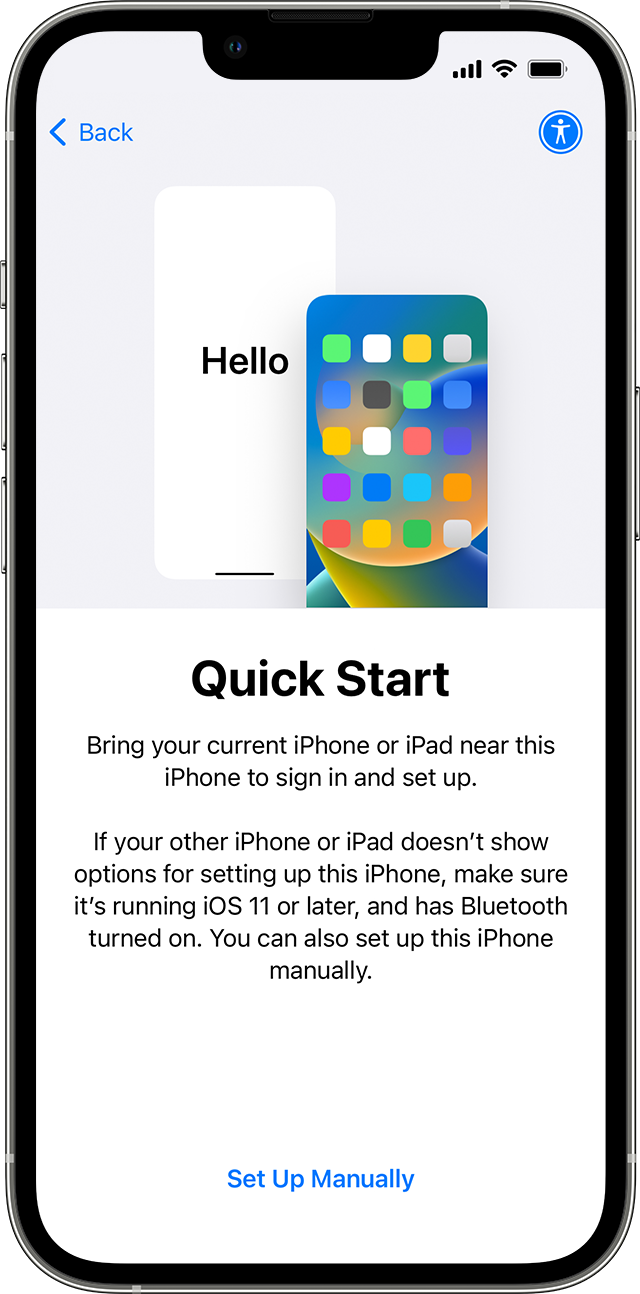
- Make sure that your current device is connected to Wi-Fi and Bluetooth is on. Turn on your new device and place it near your current device. Follow the onscreen instructions to get started. If the prompt to set up your new device disappears from your current device, restart both devices.
- Connect your device to Wi-Fi or your device's cellular network.
- You might be asked to activate your cellular service.
- Set up Face ID or Touch ID.
- Choose how you want to transfer your data.
- If you download from iCloud, your apps and data download in the background so that you can start using your new device right away.
- If you transfer directly from your previous device, you'll need to wait for the transfer to complete on both devices before you can use them.
6. Keep your devices near each other and plugged in to power until the data migration process is complete. Transfer times can vary based on factors such as network conditions and the amount of data being transferred. Still need help? Contact Apple Support."
You can also test a normal restart of both devices. Find additional ways to transfer data or restore a backup and update using the articles below.
Transfer data from your previous iOS or iPadOS device to your new iPhone or iPad - Apple Support
Restore your iPhone, iPad, or iPod touch from a backup - Apple Support
Update your iPhone or iPad - Apple Support
Reach out to Apple Support directly using the link in step six above or from the link here if you continue to have issues: Get Support
Best.


