Hello bernadett99,
Thank you for reaching out to Apple Support Communities.
If you have iOS 17, AirDrop is initiated when bringing phones together. That may be what you are seeing:
"How to use AirDrop
- Open an app, then tap Share or the Share button
 . If you share a photo from the Photos app, you can swipe left or right and select multiple photos.
 - Tap the AirDrop button.
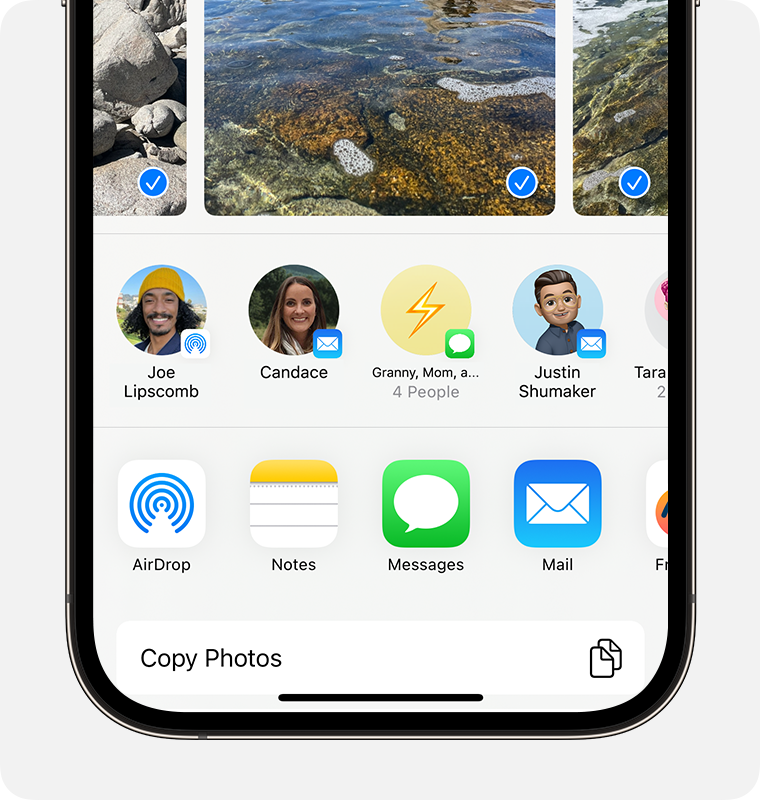
- Tap the AirDrop user1 that you want to share with. Or you can use AirDrop between your own Apple devices.
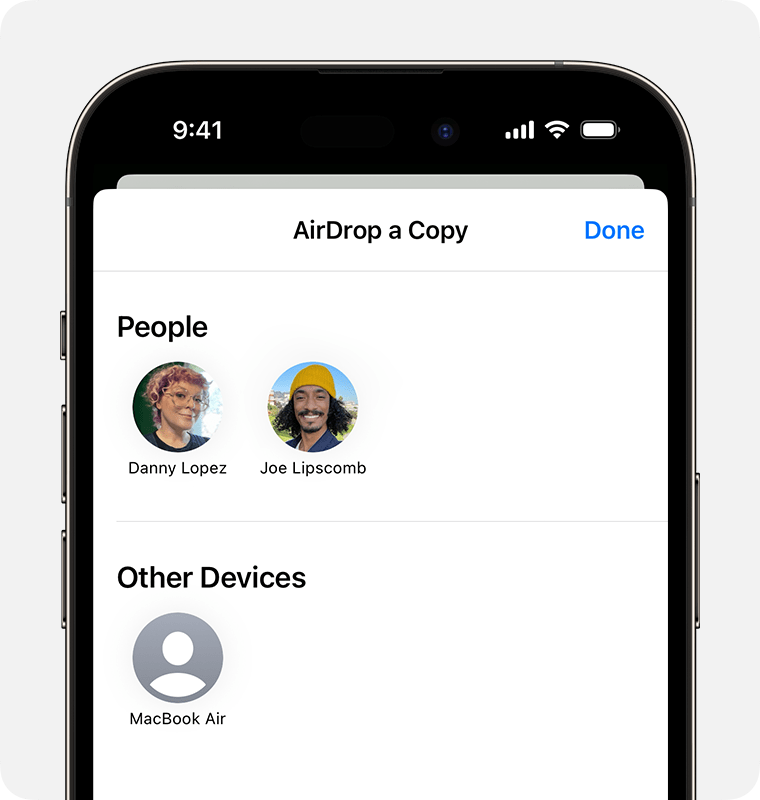 If you see a red numbered badge on the AirDrop button, there are multiple devices nearby that you can share with. Tap the AirDrop button, then tap the user that you want to share with. Learn what to do if you don't see the AirDrop user or your other device.
If you're near someone in your Contacts, you can share by opening the content that you want to share, then bringing your devices together."
Additional details can be found here: How to use AirDrop on your iPhone or iPad
If the issue persists, can you provide a few more details? Also, which iOS versions do you currently have installed?
Cheers!




