homePod wont respond to commands since ios 17 update.

Since updating to iOS 17, HomePod won’t respond to commands. Speaking ‘Siri’ the light comes up on top and immediately disappears and the command is ignored.


intermittently it may respond, typically when my phone is close to the HomePod, but only after repetitive attempts as you can see in the video.


https://youtu.be/t5FiaJY4_uI

Posted on Oct 25, 2023 9:45 AM

Reply

Similar questions

3 replies

Oct 26, 2023 9:21 AM in response to mick2001

Hello mick2001,


If your HomePod isn't responding properly, then we'd take these related steps for a solution: If HomePod or HomePod mini isn't responding


If HomePod or HomePod mini isn't responding

Learn what to do if you see No Response under HomePod or HomePod mini in the Home app.

Check for alerts in the Home app
Check your Wi-Fi connection
Restart HomePod or HomePod mini
Get more help

Check for alerts in the Home app

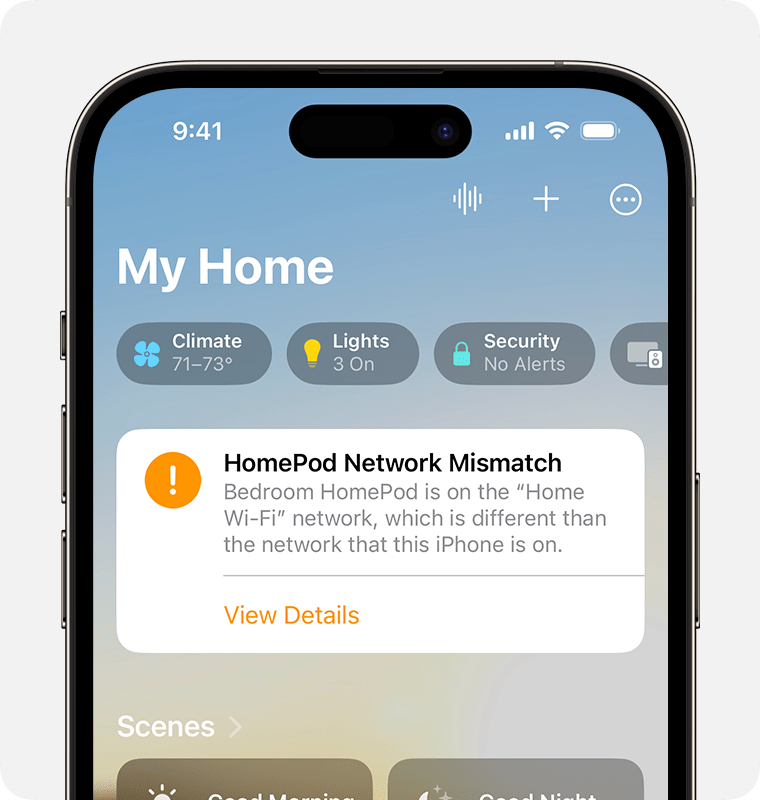
If HomePod or HomePod mini can't connect to your home Wi-Fi network, can't access your Apple ID, or has another issue, you'll see an alert with details about the issue in the Home app. To see more information about the alert, open the Home app, then tap or click HomePod.
The HomePod Network Mismatch alert appears near the top of the Home Screen in the Home app

Check your Wi-Fi connection

HomePod and HomePod mini automatically connect to the same Wi-Fi network as your iPhone or iPad. To check your Wi-Fi signal strength:

1. Open the Home app on your iPhone, iPad, or Mac.

2. Tap or click HomePod, then tap or click the Settings button .

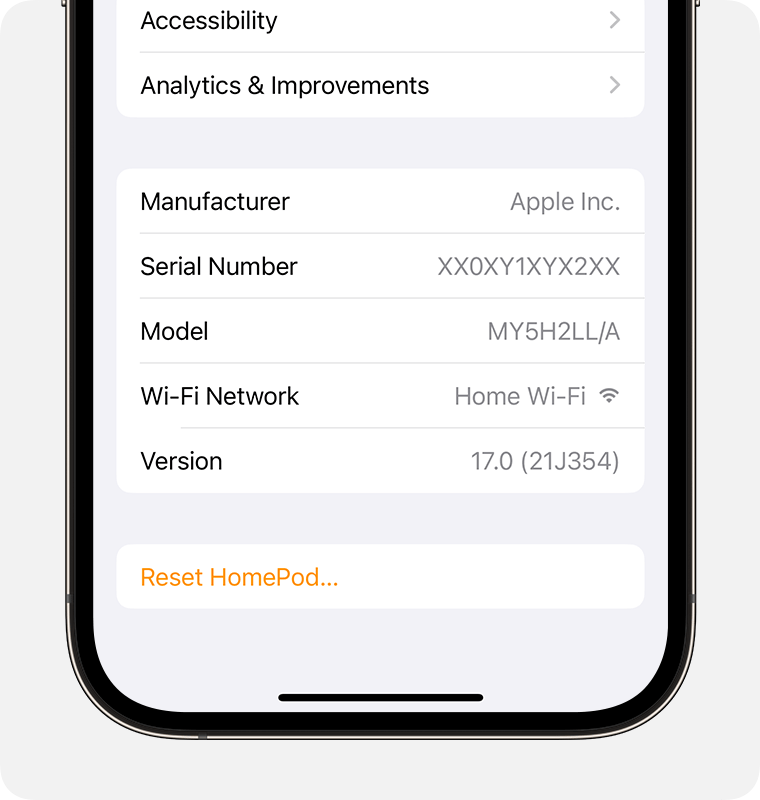
3. Scroll down to Wi-Fi Network. The Wi-Fi signal strength indicator appears next to your network name.

Wi-Fi Network appears towards the bottom of the HomePod settings screen

If the signal strength indicator shows two bars or fewer , your Wi-Fi signal strength is weak. Try moving your HomePod speaker closer to your router and remove potential sources of wireless interference.

If the signal strength indicator shows an exclamation point learn what to do.

Learn what to do if Siri on your HomePod says it can't connect to the internet

HomePod and HomePod mini support captive portal Wi-Fi networks that require additional sign-in steps, for example, those provided by hotels or dorms. Use your iPhone or iPad to connect to the network, then follow the onscreen instructions for setup.

The Wi-Fi signal strength indicator isn't supported on HomePod speakers connected to networks that block peer-to-peer traffic, like some captive networks. 

Restart HomePod or HomePod mini

1. Open the Home app on your iPhone, iPad, or Mac.

2. Tap or click HomePod, then tap or click the Settings button .

3. If you have two HomePod speakers set up as a stereo pair, select Restart HomePod. If your HomePod speaker is not set up as a stereo pair, select Reset HomePod, then select Restart HomePod. 

If you don't see an option to restart your HomePod, unplug it from power, then plug it back in and try again.

If HomePod still doesn't respond, reset it.

Get more help

If you still have issues using HomePod, contact Apple Support.


As mentioned as the last step, if you continue to have issues, then it would be best to contact Apple Support: Get Support They'd need to take it from here.


Cheers!

This thread has been closed by the system or the community team. You may vote for any posts you find helpful, or search the Community for additional answers.

homePod wont respond to commands since ios 17 update.

Welcome to Apple Support Community
A forum where Apple customers help each other with their products. Get started with your Apple Account.