
Stolen iPhone
Hi I dar or sir
I have iPhone 15 Pro max lost from me like three so how can I get this iPhone i need support please
Hi I dar or sir
I have iPhone 15 Pro max lost from me like three so how can I get this iPhone i need support please
Find IMEI & Serial No. of the Lost Device
You may use a web browser to get the Serial Number and the IMEI Number. You cannot track using the IMEI number. but you may need it so keep it handy
Log in to https://appleid.apple.com with your Apple ID credentials. All your devices will be listed there. Click on any to get the details.

Do's, If you had enabled "Find My" before it was lost
Beware of Phishing!
Be careful and be smart to --> Recognize and avoid phishing messages, phoney support calls ...
Note: Apple will never send you any info on Lost/Found iPhones. It (Phishing) may appear as the image given below.
Switched Off? Still traceable
Even if the iPhone is switched off it is findable, see the pic below.
Device Offline?
I see my device in Find My, but it's offline
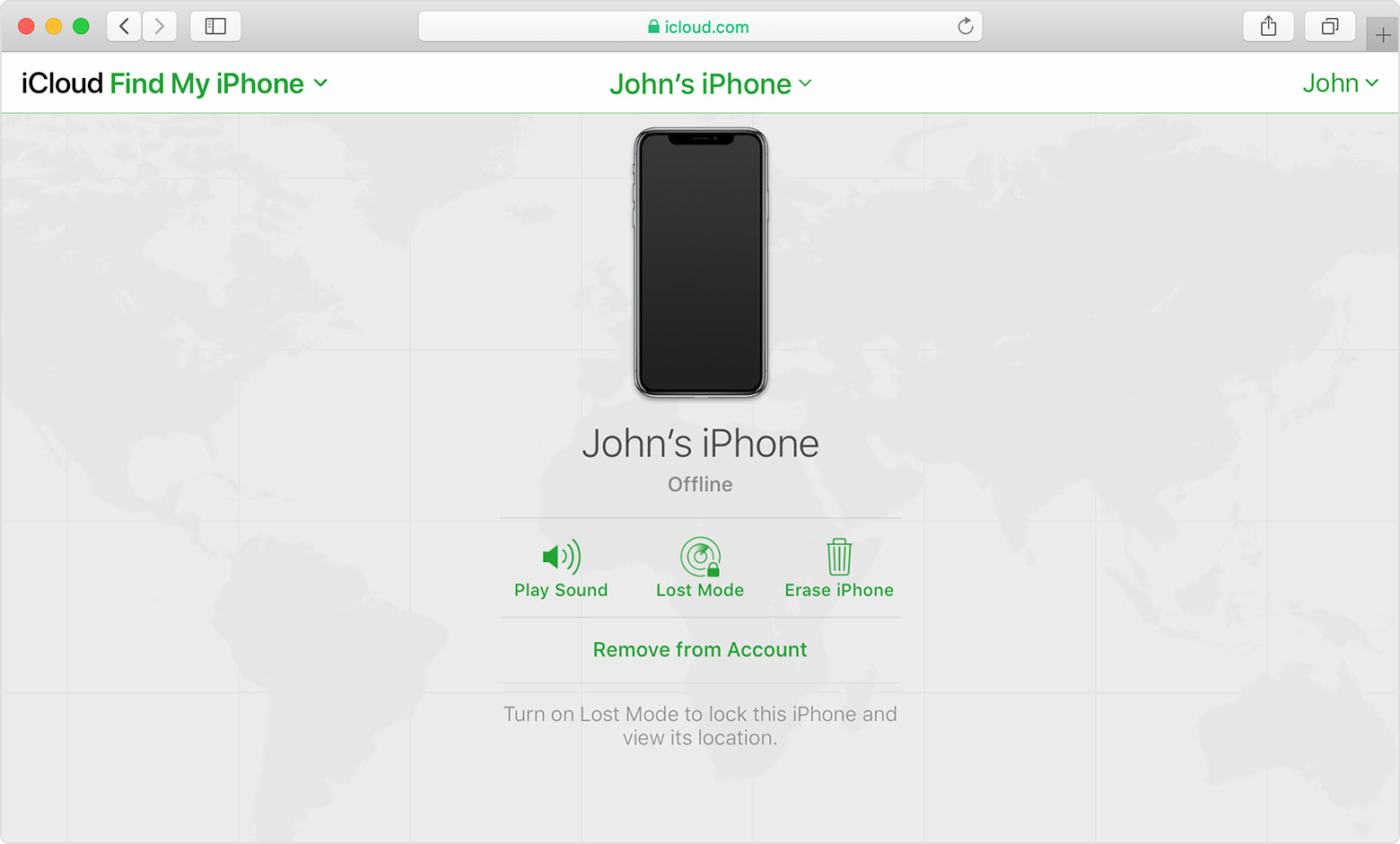
If you see "Offline," "No location available," or "Location Services Off," your device might be offline for one of these reasons:
Don't see your device?
Find IMEI & Serial No. of the Lost Device
You may use a web browser to get the Serial Number and the IMEI Number. You cannot track using the IMEI number. but you may need it so keep it handy
Log in to https://appleid.apple.com with your Apple ID credentials. All your devices will be listed there. Click on any to get the details.
Do's, If you had enabled "Find My" before it was lost
Beware of Phishing!
Be careful and be smart to --> Recognize and avoid phishing messages, phoney support calls ...
Note: Apple will never send you any info on Lost/Found iPhones. It (Phishing) may appear as the image given below.
Switched Off? Still traceable
Even if the iPhone is switched off it is findable, see the pic below.
Device Offline?
I see my device in Find My, but it's offline
If you see "Offline," "No location available," or "Location Services Off," your device might be offline for one of these reasons:
Don't see your device?
SravanKrA wrote:
Find IMEI & Serial No. of the Lost Device
1. If an iPhone, iPad, or iPod touch is lost or stolen - Apple ...
Find the serial number or IMEI on an iPhone, iPad, or iPod ...1.
You may use a web browser to get the Serial Number and the IMEI Number. You cannot track using the IMEI number. but you may need it so keep it handy
You cannot track using an IMEI number, but if you report the theft of your phone to your carrier (cellular phone company), they may put the phone onto a "blacklist". This is by IMEI number, though they'll probably get that number out of their own records (for security reasons).
Then no phone company who uses that "blacklist" will ever provide cellular phone, text, or data service to that stolen phone ever again. (Absent strong proof of ownership that a thief wouldn't have.)
This may interfere with Find My – if you shut off cellular service, you're shutting off one way that the phone can get to the Internet to learn it is Lost, learn that it should Erase itself, and/or report its location.
But like Activation Lock, it serves the purpose of making a stolen phone a "brick"; and of making theft of phones less attractive once thieves and their customers learn that stolen phones are likely to be "bricks."
Don'ts
If the device is removed from an account after it is erased, Activation Lock will be turned off. This allows another person to turn on and use the device.
An example of my iPhone 5 is given in the GIF below. There is no "Undo" after you remove it from your account.
Stolen iPhone

