
text message forwarding

iphone text messages stopped forwarding to mac (ios17.1.1) (macos 14.1.1). No changes

in settings on either system except OS updates

iPhone 13 Pro, iOS 17
Posted on Nov 18, 2023 3:42 PM

Reply
1 reply

Nov 19, 2023 1:19 AM in response to dwh77

  1. Use the same Apple ID on both the devices.
  2. Follow the process here --> How to forward SMS/MMS text messages from your iPhone to ...
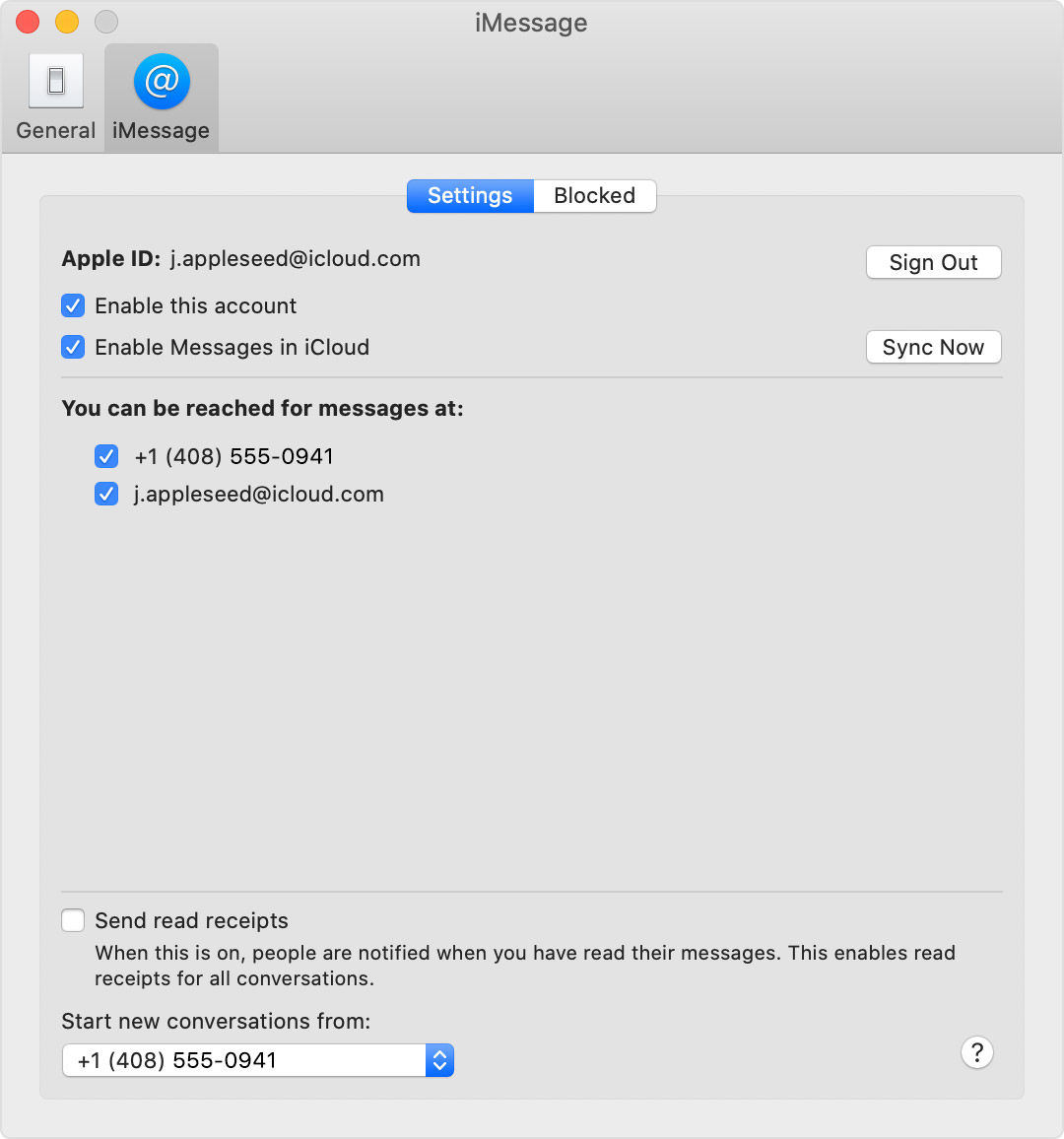
  3. Turn your phone number on or off for your Mac
    1. After you set up your phone number, you can turn it on or off for Messages and FaceTime on your Mac.
    2. Open Messages or FaceTime. If asked, sign in with the Apple ID that you're using with Messages and FaceTime on your iPhone.
    3. For Messages, choose Messages > Preferences, then click Accounts and select your iMessage account. For FaceTime, choose FaceTime > Preferences, then click Settings.
  4. Turn your phone number on or off:
      1. To turn on your phone number, select it and your Apple ID in the list. If you don't see your phone number, get help with your settings or contact Apple Support. If you see a number that isn't yours, change your Apple ID password.
  5. To turn off your phone number, deselect it in the list.
  6. If you want recipients to see your phone number and not your Apple ID, select your phone number from the “Start new conversations from” or ”Start new calls from” pop-up menu.


Learn how to make messages that you send and receive on your iPhone appear on your Mac, iPad, and iPod touch.


This thread has been closed by the system or the community team. You may vote for any posts you find helpful, or search the Community for additional answers.

text message forwarding

Welcome to Apple Support Community
A forum where Apple customers help each other with their products. Get started with your Apple Account.
