Have you installed and run any "cleaning", "optimizing", "speed-up", anti-virus or VPN apps on your Mac?
Maybe you should see if you have any 3rd party software installed that might be causing the performance degradation. It could save you some $$ and extend the life of the current iMac.
Download and run Etrecheck. Be sure to give it Full Disk access before running.
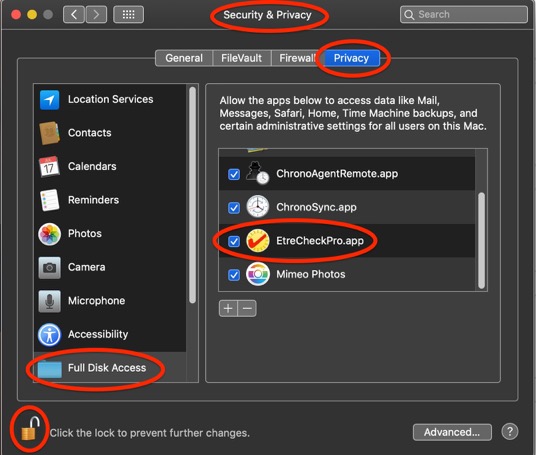
Copy and paste the results into your reply. Etrecheck is a diagnostic tool that was developed by one of the most respected users here in the ASC and recommended by Apple Support to provide a snapshot of the system and help identify the more obvious culprits that can adversely affect a Mac's performance.
Copy the report
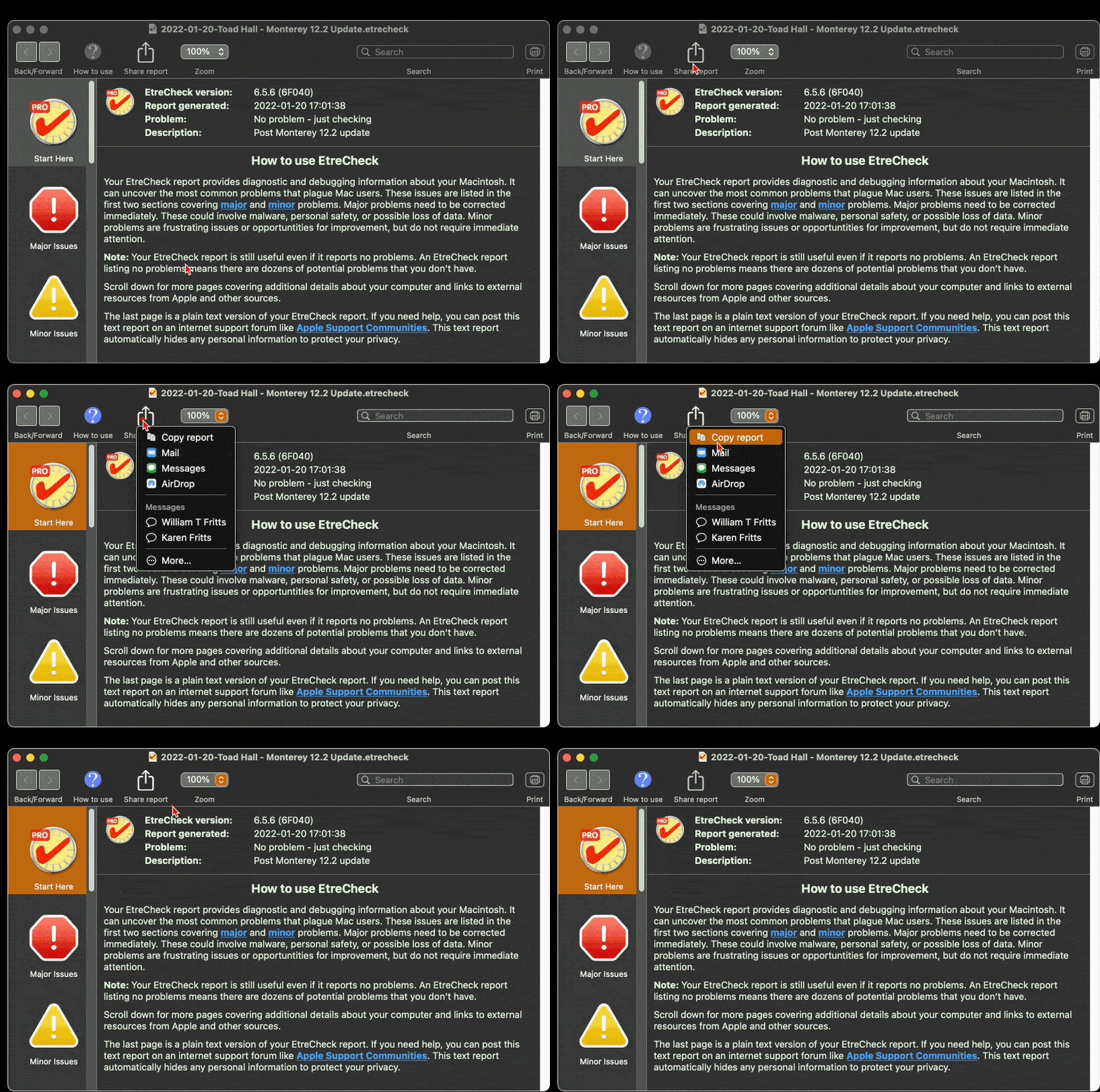
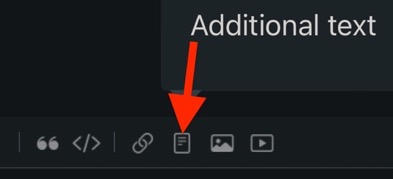
and use the Additional Text button to paste the report in your reply.
Then we can evaluate the report to see if we can determine the cause of the problem.
By the way I wholeheartedly agree with Jack-19 on the RAM and SSD size for a new M3 iMac. I have a 2017 iMac with 16 GB of RAM and had had no issues with Photoshop Elements in editing Photos except when running the Smudge tool on a 500 MB image file. 16 MB RAM might be all you need.