Scan from where? I often scan documents into Notes using my iPhone, and if the scan has multiple pages, it will export to pdf with those pages. I have not seen any change in this regard in Sonoma.
It seems that you may have scanned separate documents instead. It stands to reason that they would then export separately as well. Again, I don't think that has changed.
Now, it is easy to put all these pages together in one pdf, if they are separate. It can be done manually, by opening one of them in Preview, open the Sidebar, and dragging the other pages.
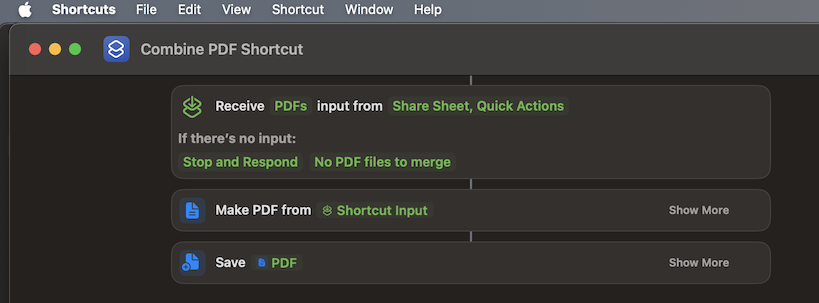
And it can be done with a shortcut or service: combine pdf pages. I always have that in my Quick Actions contextual menu. Select a bunch of pdf files, control-click, choose Quick Actions->Combine PDF Pages.
I probably did that using Automator, but it is easy to do it in Shortcuts: