
I mistakenly scratched my Apple Gift Card
I mistakenly scratched Apple Card I need help to get the E code I still have the receipt with me
[Re-Titled by Moderator]
I mistakenly scratched Apple Card I need help to get the E code I still have the receipt with me
[Re-Titled by Moderator]
Hi Foza1,
Welcome to the Apple (user-to-user) Community!
Re: I mistakenly scratched Apple Card
I need help to get the E code I still have the receipt with me
Apple Card is Apple's Credit Card. I expect it is an Apple Gift Card you scratched.
If so:
As you can't read the code on the back of your card because it's scratched or damaged, you need to contact Apple Support.
You might need to provide:
___________________________
How to: Find your serial number :
The serial number is not the same thing as the code that begins with "X" that you use to redeem the card. Serial numbers are located on the back of your card.
Here are some examples of where you might see the serial number:
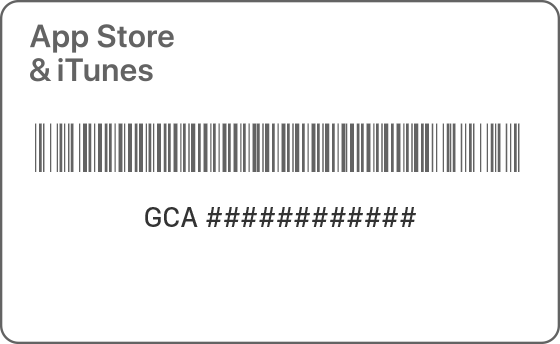
Serial number begins with "GCA"
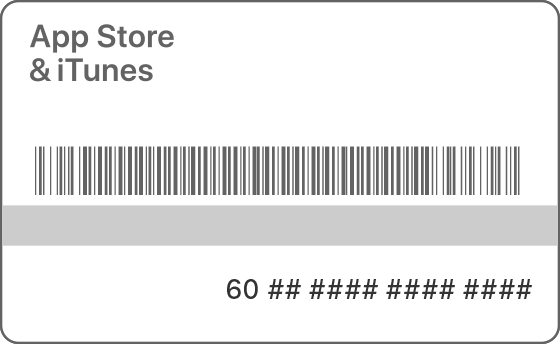
Serial number begins with "60"
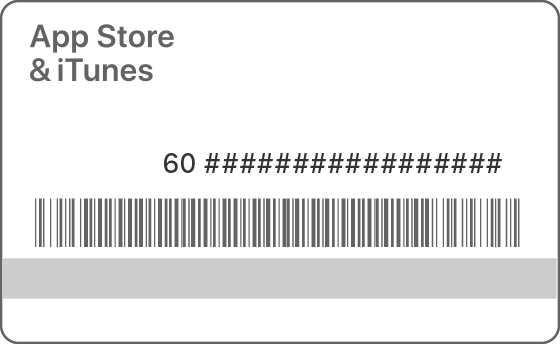
Serial number begins with "60" (Australia Gift Cards)

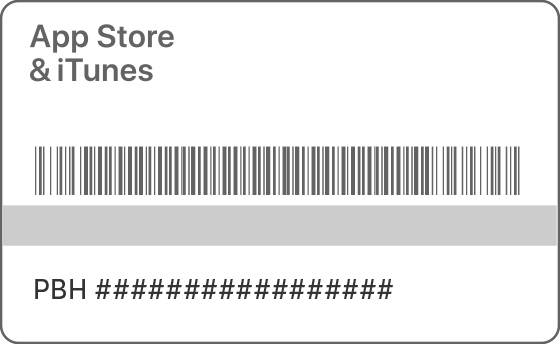
Serial number begins with "PBH"
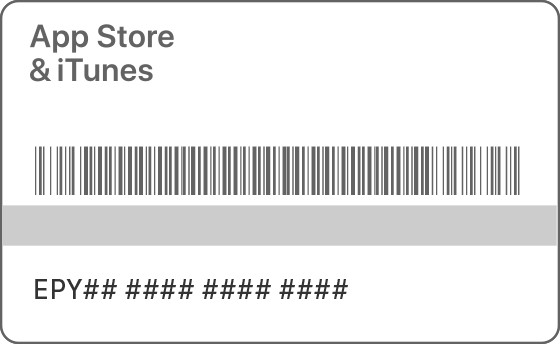
Serial number begins with "EPY"
Above comes from complete article below:
What to do: If you can't redeem your Apple Gift Card or App Store & iTunes Gift Card - Apple Support
All the best :-)
Hi Foza1,
Welcome to the Apple (user-to-user) Community!
Re: I mistakenly scratched Apple Card
I need help to get the E code I still have the receipt with me
Apple Card is Apple's Credit Card. I expect it is an Apple Gift Card you scratched.
If so:
As you can't read the code on the back of your card because it's scratched or damaged, you need to contact Apple Support.
You might need to provide:
___________________________
How to: Find your serial number :
The serial number is not the same thing as the code that begins with "X" that you use to redeem the card. Serial numbers are located on the back of your card.
Here are some examples of where you might see the serial number:
Serial number begins with "GCA"
Serial number begins with "60"
Serial number begins with "60" (Australia Gift Cards)
Serial number begins with "PBH"
Serial number begins with "EPY"
Above comes from complete article below:
What to do: If you can't redeem your Apple Gift Card or App Store & iTunes Gift Card - Apple Support
All the best :-)
This link will take you to the section of the support article about what to do if your code is unreadable If you can't redeem your Apple Gift Card or App Store & iTunes Gift Card - Apple Support
I mistakenly scratched my Apple Gift Card

