iphone is stuck on turn on screen wont load past it

iPhone 11 is stuck on black screen and turns on and shows the logo and will turn off again and it has repeatedly been doing that all day. I have tried the hard restart buttons and no outcome. I have also charged it but no outcome with that


iPhone 11, iOS 17

Posted on Dec 18, 2023 4:45 PM

Reply
Question marked as Top-ranking reply

Posted on Dec 18, 2023 5:09 PM

From Apple Support:


If you see the Apple logo or a red or blue screen during startup, try these steps:


  1. Connect your iPhone to a computer.
  2. Select your iPhone on your computer.
  3. While your iPhone is connected, follow these steps:
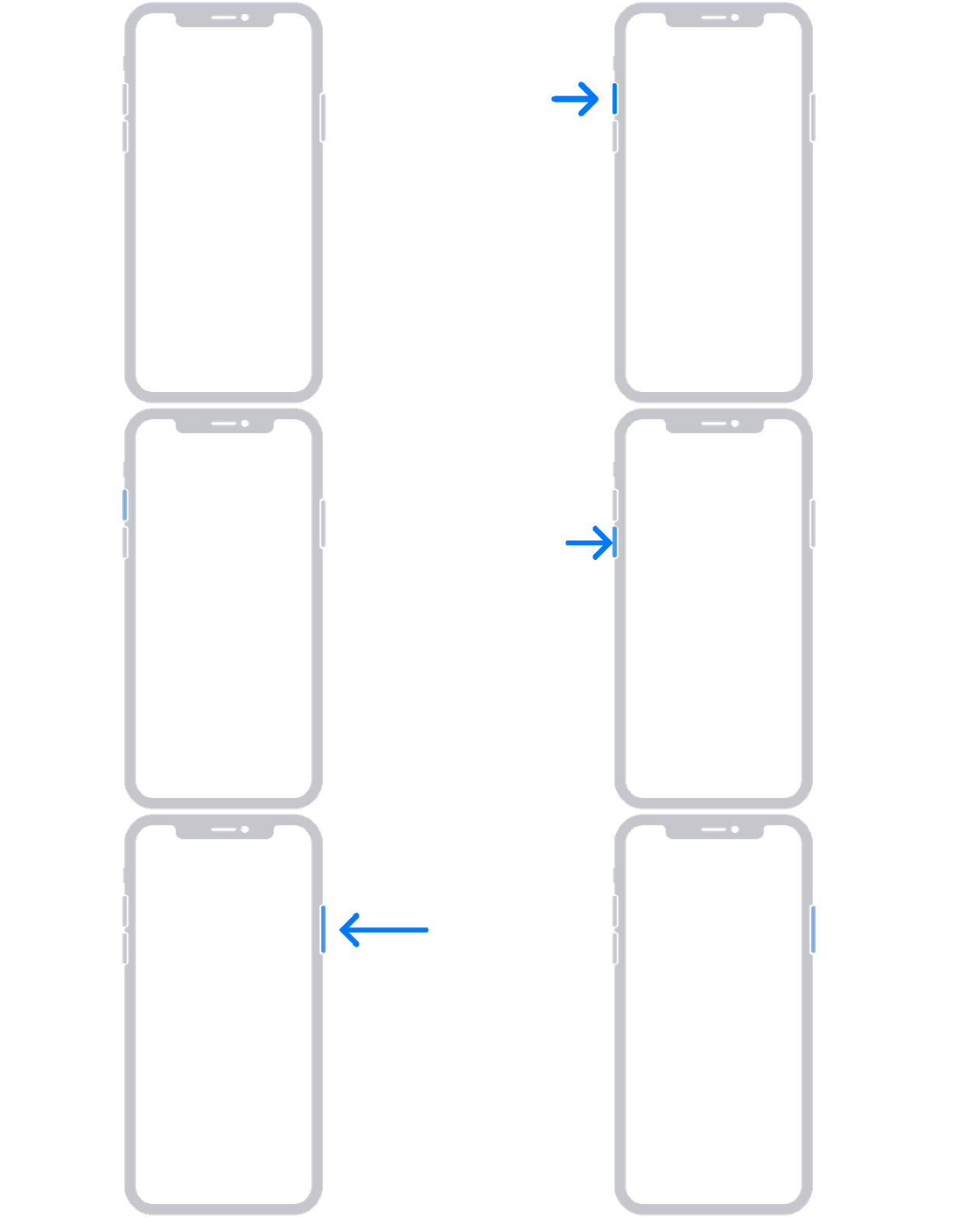
  • On your iPhone 8 or later, including iPhone SE (2nd and 3rd generation): Press and quickly release the volume up button. Press and quickly release the volume down button. Then press and hold the side button.

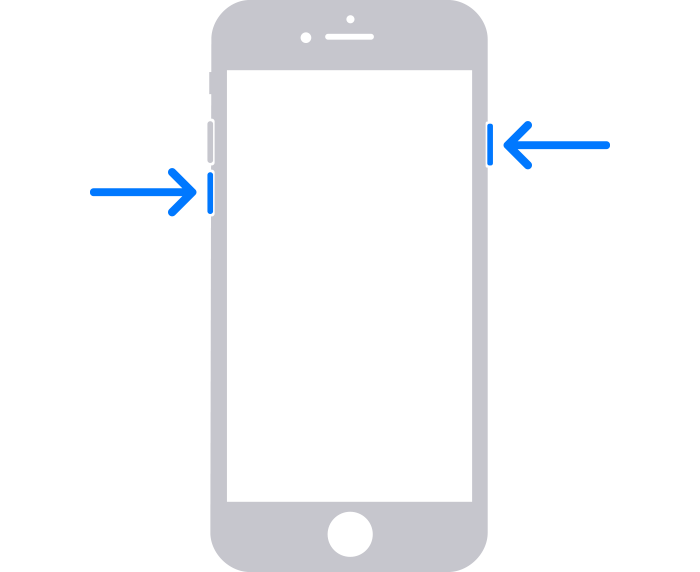
  • On your iPhone 7 or iPhone 7 Plus: Press and hold the side button and volume down button at the same time.
    • On your iPhone 6s or earlier, including iPhone SE (1st generation): Press and hold both the Home button and the side button or the top button at the same time.
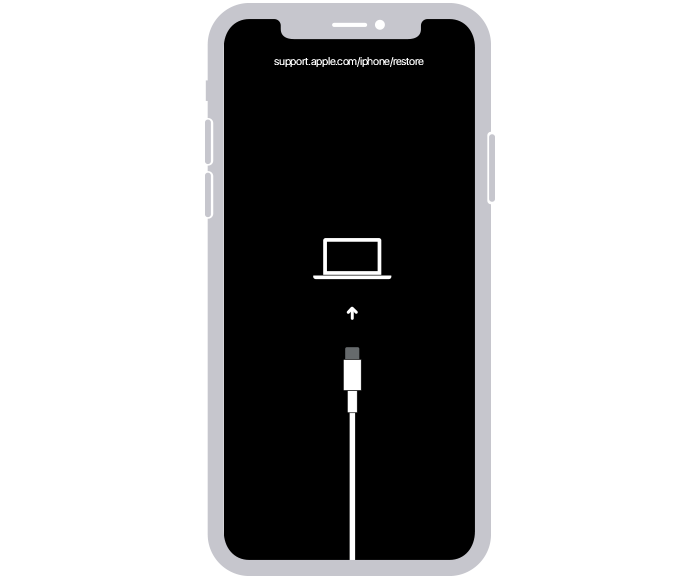
  1. Keep holding the buttons until you see the recovery mode screen.
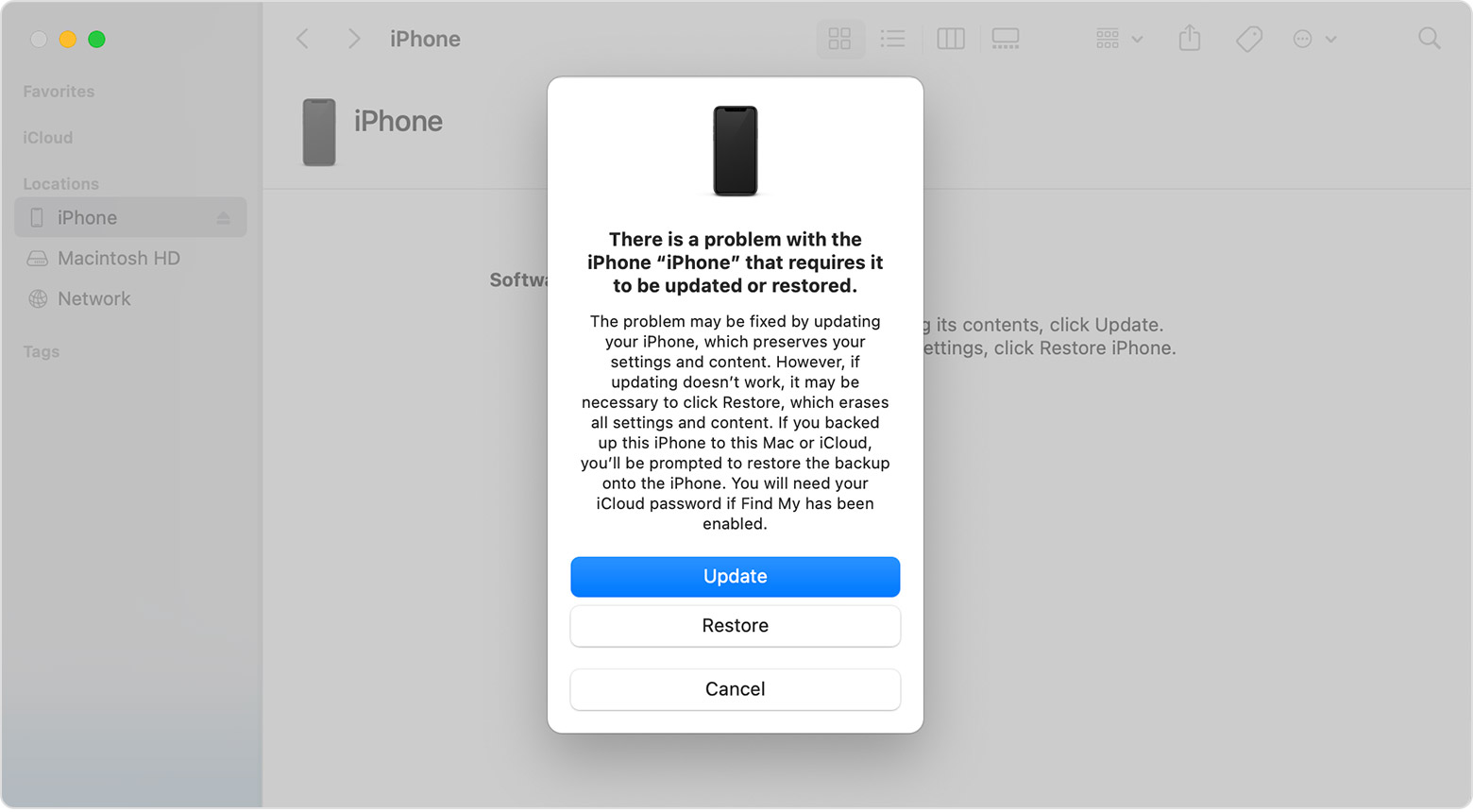
  2. When you get the option to restore or update, choose Update.
  3. Your computer will download the software for your device. If it takes more than 15 minutes, your device will exit recovery mode. Repeat steps 2-4.


I hope this helps!

1 reply
Question marked as Top-ranking reply

Dec 18, 2023 5:09 PM in response to ttofunmi12

From Apple Support:


If you see the Apple logo or a red or blue screen during startup, try these steps:


  1. Connect your iPhone to a computer.
  2. Select your iPhone on your computer.
  3. While your iPhone is connected, follow these steps:
  • On your iPhone 8 or later, including iPhone SE (2nd and 3rd generation): Press and quickly release the volume up button. Press and quickly release the volume down button. Then press and hold the side button.

  • On your iPhone 7 or iPhone 7 Plus: Press and hold the side button and volume down button at the same time.
    • On your iPhone 6s or earlier, including iPhone SE (1st generation): Press and hold both the Home button and the side button or the top button at the same time.
  1. Keep holding the buttons until you see the recovery mode screen.
  2. When you get the option to restore or update, choose Update.
  3. Your computer will download the software for your device. If it takes more than 15 minutes, your device will exit recovery mode. Repeat steps 2-4.


I hope this helps!

This thread has been closed by the system or the community team. You may vote for any posts you find helpful, or search the Community for additional answers.

iphone is stuck on turn on screen wont load past it

Welcome to Apple Support Community
A forum where Apple customers help each other with their products. Get started with your Apple Account.