My purchases on itunes do not show up on my apple tv plus app. Why is that?
I purchased a show on iTunes. It shows up on my phone, but I want to watch it on my TV. I have AppleTV plus app on my TV but none of my purchases show up.
UN65MU800D,
I purchased a show on iTunes. It shows up on my phone, but I want to watch it on my TV. I have AppleTV plus app on my TV but none of my purchases show up.
UN65MU800D,
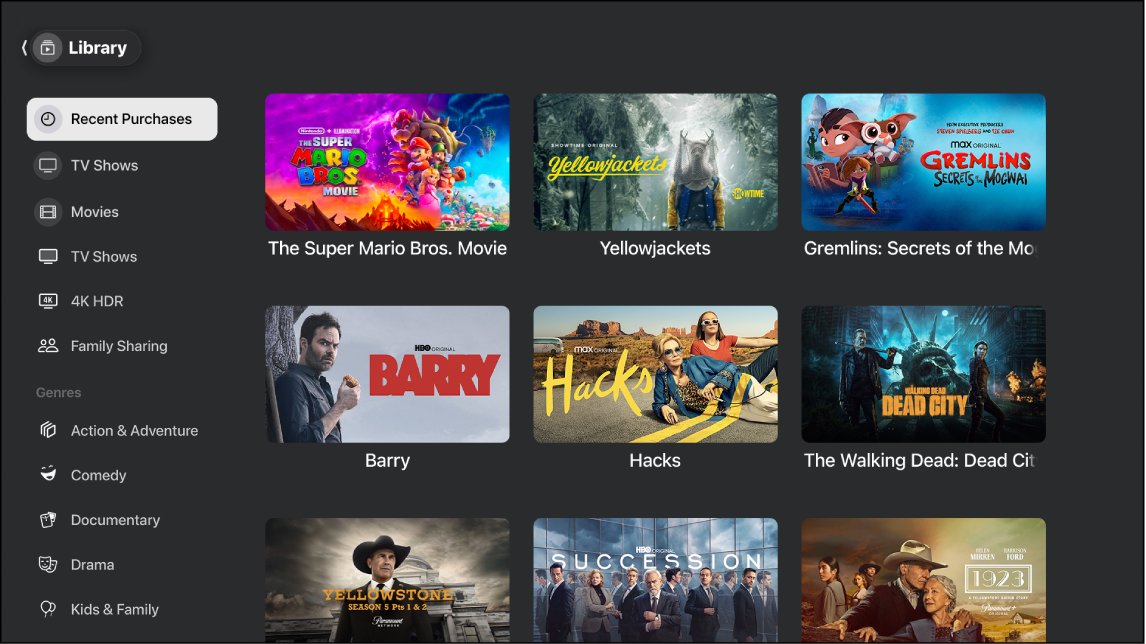
The specialized Apple TV+ app on some devices has a bit less functionality than the full Apple TV app (no Plus in the app name) on other supported devices. Some of the differences are the Library and Store.
Which one you have isn’t user choice, unfortunately. It is based on device model and year of model release, as negotiated between the manufacturer and Apple.
Get the Apple TV app or Apple TV+ app on your smart TV or streaming device - Apple Support
It seems that you may need a different device to get the full Apple TV app; a newer smart TV or possibly an external TV-connectable HDMI streaming device (Apple TV box, Roku, Fire TV, PlayStation (4, 5), Xbox (One, One S, X, S), ‘Chromecast with Google TV’ dongle, or Nvidia Shield.).
The specialized Apple TV+ app on some devices has a bit less functionality than the full Apple TV app (no Plus in the app name) on other supported devices. Some of the differences are the Library and Store.
Which one you have isn’t user choice, unfortunately. It is based on device model and year of model release, as negotiated between the manufacturer and Apple.
Get the Apple TV app or Apple TV+ app on your smart TV or streaming device - Apple Support
It seems that you may need a different device to get the full Apple TV app; a newer smart TV or possibly an external TV-connectable HDMI streaming device (Apple TV box, Roku, Fire TV, PlayStation (4, 5), Xbox (One, One S, X, S), ‘Chromecast with Google TV’ dongle, or Nvidia Shield.).
Verify that both devices are using the matching Apple ID account. Note that modern Apple TV boxes can sign in for multiple accounts, where only one of them is the active account at any time. Switch to the correct one to see its library.
Else try signing out, then sign in again, for a fresh loading of the library.
Else contact the Apple Support staff for further assistance.
In the Apple TV App swipe or click left to bring up the side panel and scroll down to Library. As long as you’re signed in to your account, they should all be there in Purchases.
“swipe or click left” - you need to click left on the remote . The side Menu actually should display as you launch the App. Select Library and your purchases should all be there.
I had to go through three stages of sign in for this. “DUH”
I have been searching for an answer to this as well. Nobody gives a credible answer. Ha e searched google to no avail. Here is the gist:
This is a TV, no swiping available
Not true I am missing TV shows and movies.
My purchases on itunes do not show up on my apple tv plus app. Why is that?