
AirPlay between my Sony TV and my iPhone keeps asking for passcode
My airplay version on my sony tv is 18.34.0 and its not connecting to my ios17.2 it keeps asking for passcode
[Re-Titled by Moderator]
iPhone 14 Pro Max
My airplay version on my sony tv is 18.34.0 and its not connecting to my ios17.2 it keeps asking for passcode
[Re-Titled by Moderator]
iPhone 14 Pro Max
According to the linked article below, your iPhone and your Sony tv must be on the same Wi-Fi network before you can get automatic and suggested AirPlay connections.
Depending on your AirPlay settings, your iPhone can suggest or automatically connect to devices you regularly use with AirPlay. To adjust your AirPlay & Handoff settings:
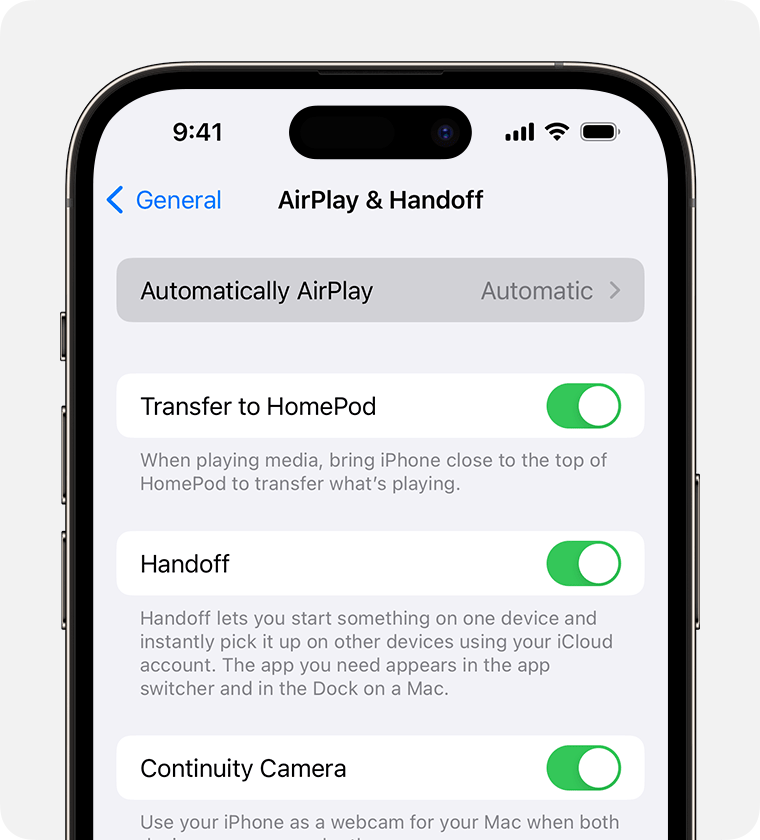
Choose a setting.
 to quickly disconnect and manually choose a different device for AirPlay.
You can also:
or
More info: See Apple Support's online article:
How to: Use AirPlay to stream video or mirror the screen of your iPhone or iPad - Apple Support
AirPlay between my Sony TV and my iPhone keeps asking for passcode
