Missing heart rate data during/after run

not sure why this keeps happening but upon completing my runs and checking through my analysis, my heart rate on the graph seems to be disappearing at certain points. I’m not sure why this is and it’s becoming really frustrating as I never had this issue with my Garmin. Any ideas?

Apple Watch Series 9, watchOS 10

Posted on Dec 29, 2023 10:37 AM

Reply
Question marked as Top-ranking reply

Posted on Dec 29, 2023 10:52 AM

Hello! Sorry that you are experiencing this issue. This same thing happened to me and here's why. My band was improperly secure and the sensors were not able to scan my heart rate as I was moving. To ensure best results here is a guide from Apple.


A better fit means better readings

Wearing your Apple Watch with the right fit — not too tight, not too loose, and with room for your skin to breathe — keeps you comfortable and lets the sensors do their jobs. You might want to tighten your Apple Watch band for workouts, then loosen it a bit when you’re finished. 

Learn more about getting the best results when you use the Blood Oxygen app.

Recommended fit
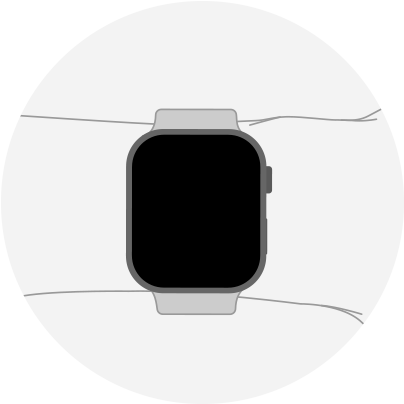
Your Apple Watch should be snug but comfortable. For best results, the back of your Apple Watch needs skin contact for features like Wrist Detect, the Taptic Engine, and the electrical and optical heart sensors. To maximize skin contact with the sensors, wear your Apple Watch above the wrist bone (towards your elbow, not your hand). 

Incorrect fit
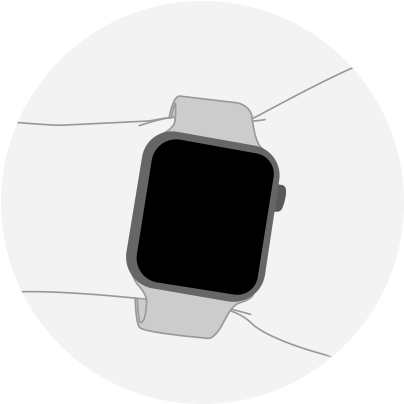
If your Apple Watch doesn’t stay in place, or the sensors aren’t reading your heart rate, check your watch placement and tighten the band. If your watch is on top of the wrist bone, move the watch above the bone. To test whether your watch is too loose, shake your wrist and then turn your palm face up. If the back of your Apple Watch loses contact with your skin, you should tighten your watch band. 

If you have a Solo Loop or Braided Solo Loop, the band size should be comfortable, but snug against your wrist. Simply pull from the bottom of the band to stretch it over your wrist when you put it on and take it off. Solo Loop may increase in length over time.


Hope that helps!


1 reply
Question marked as Top-ranking reply

Dec 29, 2023 10:52 AM in response to jamielea1408

Hello! Sorry that you are experiencing this issue. This same thing happened to me and here's why. My band was improperly secure and the sensors were not able to scan my heart rate as I was moving. To ensure best results here is a guide from Apple.


A better fit means better readings

Wearing your Apple Watch with the right fit — not too tight, not too loose, and with room for your skin to breathe — keeps you comfortable and lets the sensors do their jobs. You might want to tighten your Apple Watch band for workouts, then loosen it a bit when you’re finished. 

Learn more about getting the best results when you use the Blood Oxygen app.

Recommended fit

Your Apple Watch should be snug but comfortable. For best results, the back of your Apple Watch needs skin contact for features like Wrist Detect, the Taptic Engine, and the electrical and optical heart sensors. To maximize skin contact with the sensors, wear your Apple Watch above the wrist bone (towards your elbow, not your hand). 

Incorrect fit

If your Apple Watch doesn’t stay in place, or the sensors aren’t reading your heart rate, check your watch placement and tighten the band. If your watch is on top of the wrist bone, move the watch above the bone. To test whether your watch is too loose, shake your wrist and then turn your palm face up. If the back of your Apple Watch loses contact with your skin, you should tighten your watch band. 

If you have a Solo Loop or Braided Solo Loop, the band size should be comfortable, but snug against your wrist. Simply pull from the bottom of the band to stretch it over your wrist when you put it on and take it off. Solo Loop may increase in length over time.


Hope that helps!


This thread has been closed by the system or the community team. You may vote for any posts you find helpful, or search the Community for additional answers.

Missing heart rate data during/after run

Welcome to Apple Support Community
A forum where Apple customers help each other with their products. Get started with your Apple Account.