Wharf's ingest and propagate files have overwhelmed my Macbook Pro.

Wharf's ingest and propagate files have overwhelmed my Macbook Pro. 1.5 TB each for a 500 GB storage. How do I fix this? And how do I keep it from happening again?


MacBook Pro 16″, macOS 12.4

Posted on Jan 9, 2024 3:12 AM

Reply
7 replies

Feb 13, 2024 4:46 AM in response to pendle

On another similar post, the person found all of the files seem to be referencing one specific file or folder. They moved that folder from the top level in documents to a sub folder and everything went back to normal.

I imagine it was the function of moving it not necessarily moving it down one level that had anything to do with the problem. I suspect it was somehow hung up on that file or folder in the move. Just broke it free.

Jan 9, 2024 6:18 AM in response to bobpark

I do have iCloud Drive. Is that what's causing problems? Can I use iCloud for backups and synchronizations without using iCloud Drive? In any case, what can I do about the large folders in Wharf. The link you cites seems not to address that question

The synchronization (Desktop, Documents) is done by FileProvider.

I have a wharf folder, but do not have any files inside of it. The parent folder is named with a unique ID and I cannot map that back to any of the iCloud FileProvider folders or the OneDrive FileProvider (I don't use OneDrive).

Jan 9, 2024 7:44 AM in response to bobpark

Much like my learned Colleague @Barney-15E


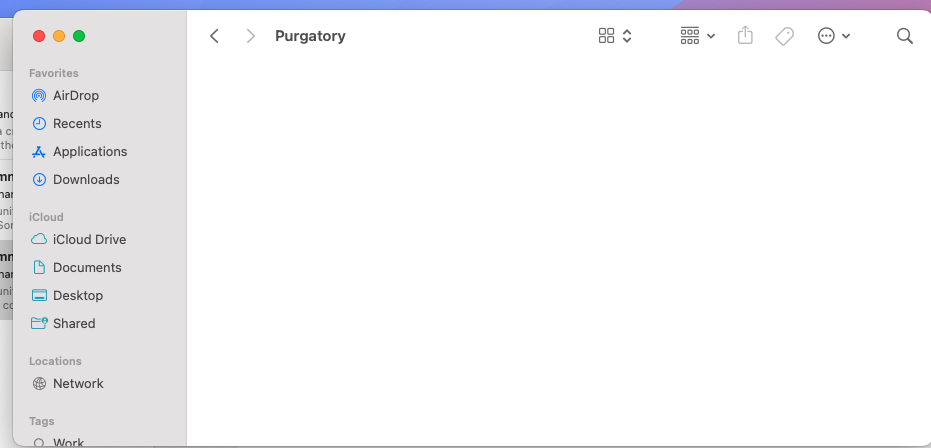
I too have as per below image including the " Purgatory " folder


Further, that folder in empty as per second image below


If I may go a little sideways User wrote " Can I use iCloud for backups and synchronizations without using iCloud Drive? "


Perhaps the reason the Purgatory files on your machine is so large is because you are syncing something like iPhone to the computer over a Direct Cabled Connection


I can not speak to that as I do not sync my iPhone to computer but to iCloud


This thread has been closed by the system or the community team. You may vote for any posts you find helpful, or search the Community for additional answers.

Wharf's ingest and propagate files have overwhelmed my Macbook Pro.

Welcome to Apple Support Community
A forum where Apple customers help each other with their products. Get started with your Apple Account.