How to separate camera clicked photos from the other media on the photos app on an iphone ?

I am trying to separate the photos clicked using my iphone camera from the other types of photos in my "Recents" album. In the same way, I'm looking for a way to separate camera shot videos. Can someone help me with the most basic solution to do so ? I have been an active android user and I'm used to the idea of using logically partitioned albums, with separate albums for Camera, Videos etc. If this capability does not exist, I urge the developers at Apple to build this, because this appears to be the most basic and the most convenient way to view the Gallery, rather than searching through all photos or keeping all photos together in the "Recents" album.

iPhone 15 Pro, iOS 17

Posted on Feb 6, 2024 11:54 AM

Reply
Question marked as Top-ranking reply

Posted on Feb 7, 2024 6:50 AM

I see you haven't responded to muguy, so here's more detail: You found the "Recents" album in the My Albums section of the Albums view on the phone. If you go down further past Shared Albums and People & Places, you will find the Media Types section. That's were you find build-in views of Videos, Selfies, and so on.


Let us know if this was what you needed....

Similar questions

6 replies
Question marked as Top-ranking reply

Feb 7, 2024 6:50 AM in response to aabhasg

I see you haven't responded to muguy, so here's more detail: You found the "Recents" album in the My Albums section of the Albums view on the phone. If you go down further past Shared Albums and People & Places, you will find the Media Types section. That's were you find build-in views of Videos, Selfies, and so on.


Let us know if this was what you needed....

Feb 9, 2024 11:17 PM in response to aabhasg

On iPhone Photos there is a less-than-obvious way to accomplish that.


On your iPhone, open Photos.

Click on Albums, second from the right at the bottom of the screen.

In the Albums view, you'll see My Albums in thumbnail views that you can scroll through.

Click the + at the upper left to create a new album


Select New Album from the pop-up

In the blank that pops up, name the new album, and click Save.


At the top of the next screen you'll see a view of thumbnails and

Cancel Photos Albums Add

and a gray pop-up with a searchlight and the words Photos, People, Places...

In the box, type iPhone


If your Library contains photos from other iPhones, you'll see a list of all iPhone models used to create the images, and the number of matching images, saved in your iPhone Photos library.


Select the specific iPhone model if necessary
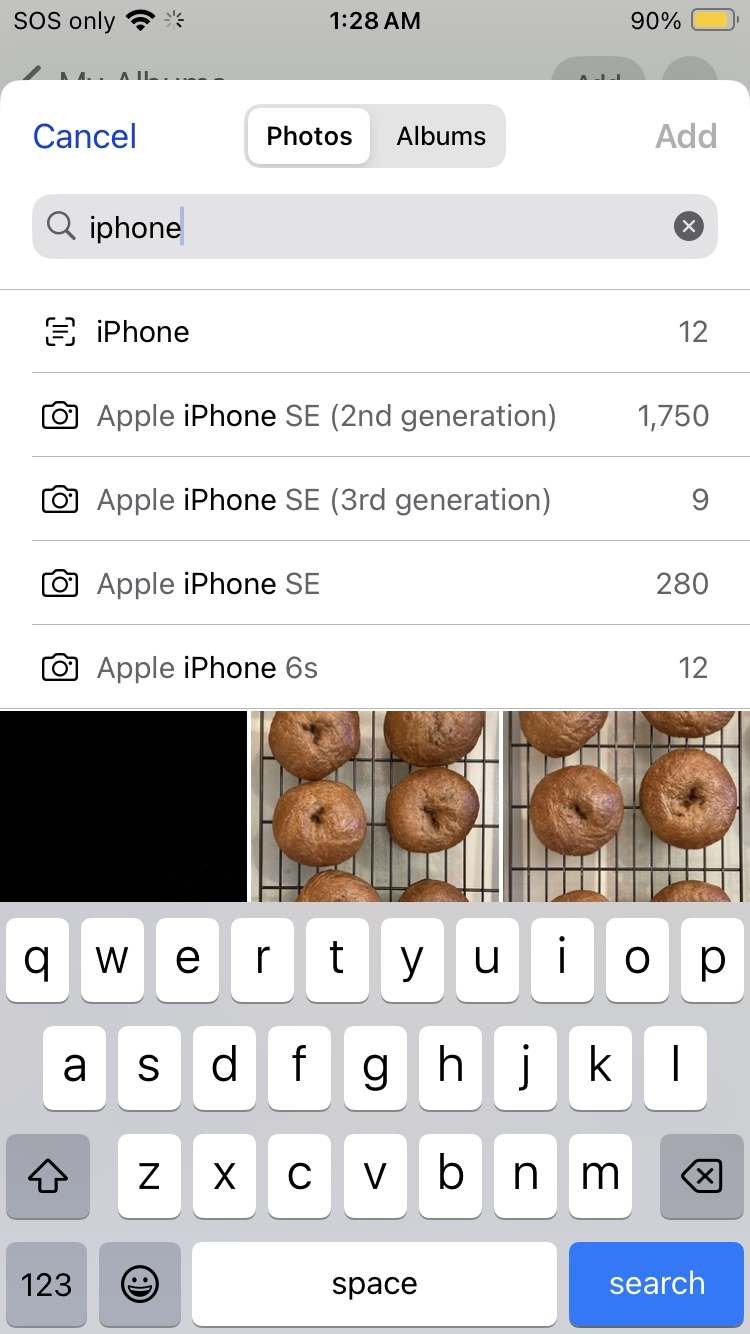

If the images taken by that device also have other sub-criteria in common, like season, person, or location, a list of those criteria will now be displayed, and you can quickly select those images matching that sub-criteria by selecting one of the criteria listed.


You need to tap on every image you want to add to your new device-specific album, so that a blue check-mark is displayed on each image.


Videos will have a number displayed over the image like 0:14 for a 14-second video, so if you don't want them, don't select (checkmark) them at this step.


You might be able to click and drag your finger down over the images to select them quickly.

Sometimes clicking and dragging my finger down the screen works, sometimes not.

If not, I have to tap on every image I want to select.


When every image you want to be in your new Album is selected, click the blue Add in the upper right corner of the screen.


I'm using iOS 17.3 on iPhone SE 2nd generation


======

On macOS Photos, you have far more control over specifying the image criteria, including things like aperture, shutter speed, and focal length.


First, create a Photos Smart Album that specifies your iPhone as the Camera Model.


Open Photos


Select File, Create New Smart Album, and give it a unique name


Then select the criteria for Match the following condition:


First, select - Camera Model from the dropdown list
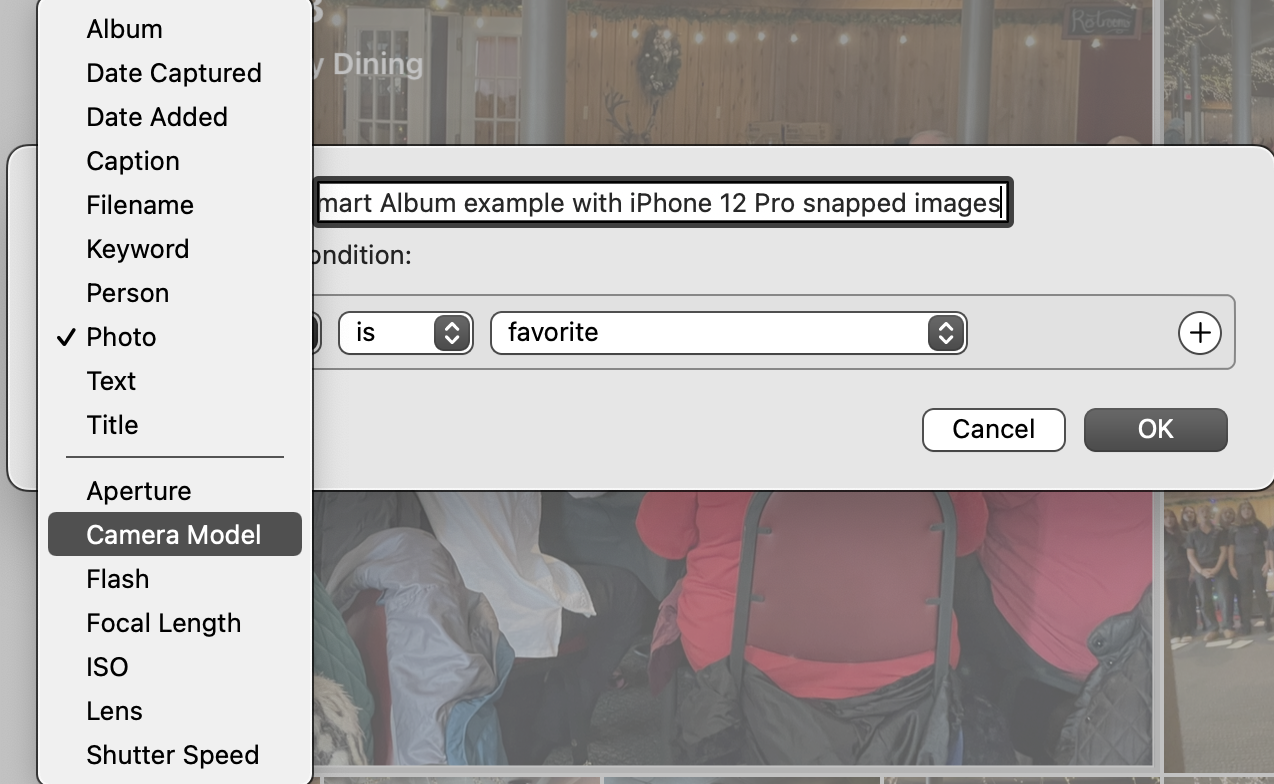

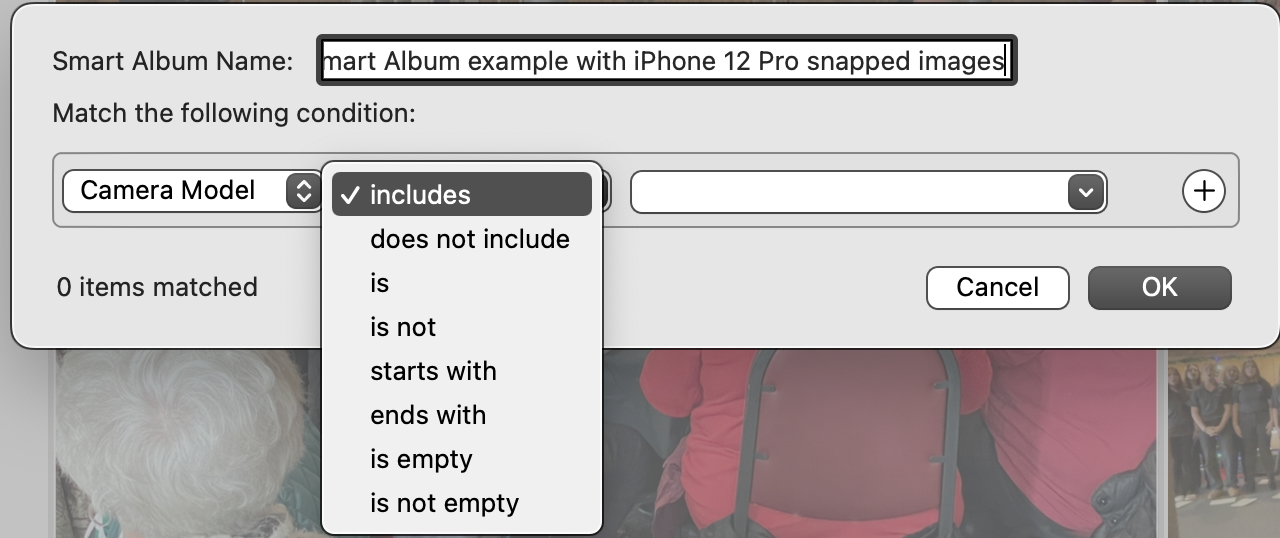
Second, select - Includes from the dropdown list


Third - If you've added images to your Photos library from more than one camera, scroll through the dropdown list and select the specific camera or device. If your library contains photos from only one device, that will be the only choice displayed.
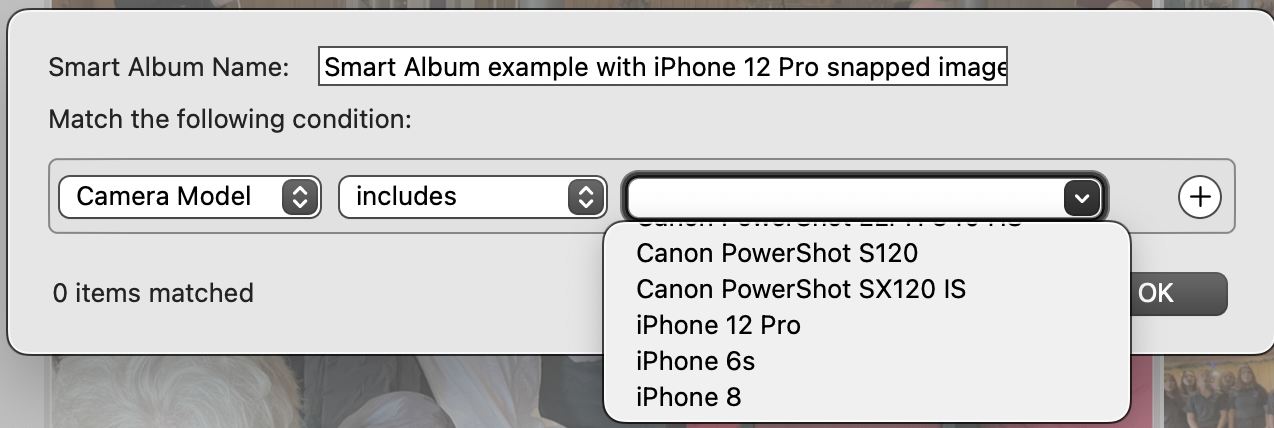

After you've selected the device, you'll see (numerals) items matched to your selected criteria
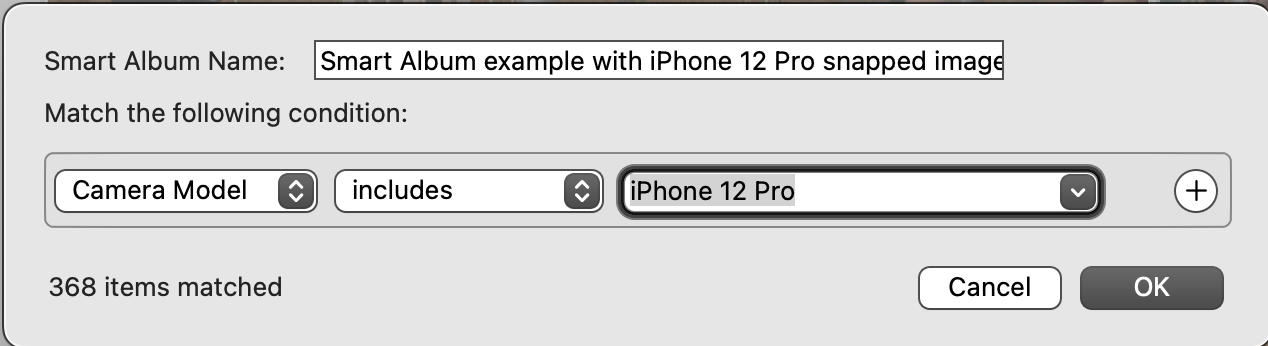

After you click OK, the thumbnails of all the images matching your criteria will be displayed.


These examples are from macOS Monterey 12.7.3 and Photos Version 7.0 (460.0.120)


Feb 7, 2024 7:16 AM in response to Richard.Taylor

Thanks Richard for explaining this. I was actually looking for a solution to create a separate album, in which only the photos clicked using my iphone are included and not the other downloaded photos or photos from other apps. Same goes for the case of videos, when I view the Videos partition from the Media types section, I see all kinds of videos together. Is there a way to separate them based on whether they were clicked using my phone vs they were downloaded from other sources ?

Feb 10, 2024 2:21 AM in response to kostby

That is a great work-around! Have you published it already as a user tip? If not, please consider to do so, it will make it easier to find it.


There is one problem - the list may not be complete, because it is very short. If we have used several iPhone models, the list may not be complete. When I search for "iPhone" on my current iPhone Pro Max, I am only seeing my older models listed, not my current iPhone 15 Pro Max.

I have to search for "iPhone 15" to see the photos from my current iPhone 15 pro Max as well.


Searching for iPhone:


Searching for iPhone 15:

Feb 11, 2024 7:38 PM in response to léonie

Thank you for clarifying that isolating snapped images from a specific iPhone model may require a more detailed search description than just 'iPhone'.


You're welcome to create a user tip for this workaround if you'd like.

I can't create a user tip because I'm not a Level 6.

At my current level of Apple Support Community participation, Level 6 won't happen for another 15 years or so!

This thread has been closed by the system or the community team. You may vote for any posts you find helpful, or search the Community for additional answers.

How to separate camera clicked photos from the other media on the photos app on an iphone ?

Welcome to Apple Support Community
A forum where Apple customers help each other with their products. Get started with your Apple Account.

