If the screen colours appear to be distorted or unnatural, you need to check some key Accessibility settings that are intended to compensate for specific colour-vision issues:
Settings > Accessibility > Display & Text Size
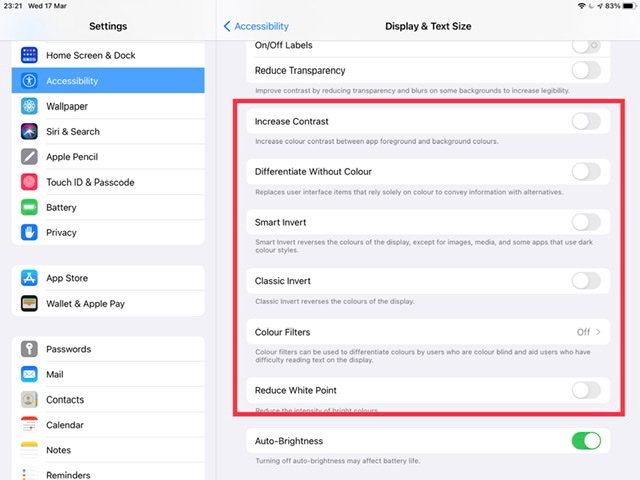
Ensure that all settings enclosed within the red box above are switched OFF/Disabled.
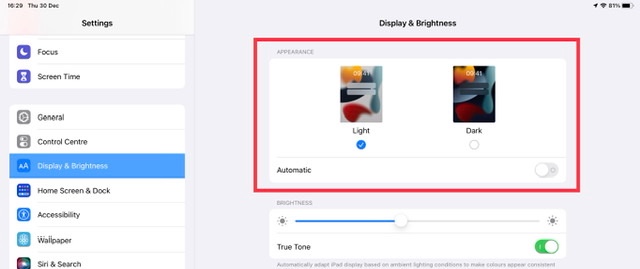
Otherwise, depending upon your installed version of iOS/iPadOS, you’ll need to look at your Dark Mode settings:
Settings > Display & Brightness > [Appearance]
If instead you notice a colour shift when sight pressure is applied to the iPad screen, your screen may have a defect requiring assessment by an Apple Technician. In such circumstances, you would be best advised to visit the Genius Bar at your local Apple Store or Apple Authorised Service Provider (AASP) - where the technicians will be able to offer assistance:
Genius Bar Reservation and Apple Support Options - Apple

