Apple Pay Settings

I have changes my address in apple settings and the App Store and on my Apple Pay CC yet when I purchase something on line with Apple Pay it fills in my old address for payment and my old address for shipping. How can this be?

iMac 24″, macOS 14.2

Posted on Feb 28, 2024 7:50 AM

Reply
Question marked as Top-ranking reply

Posted on Feb 29, 2024 4:57 AM

I may have the fix for this, but the individual merchant may be showing past shipping information if you’ve done Apple Pay transactions with them before.


Please follow this path,


iPhone > Settings app > Contacts > My Info > type your name into search field at top of screen > select contact Me (see photo below) > correct all contact information > save changes
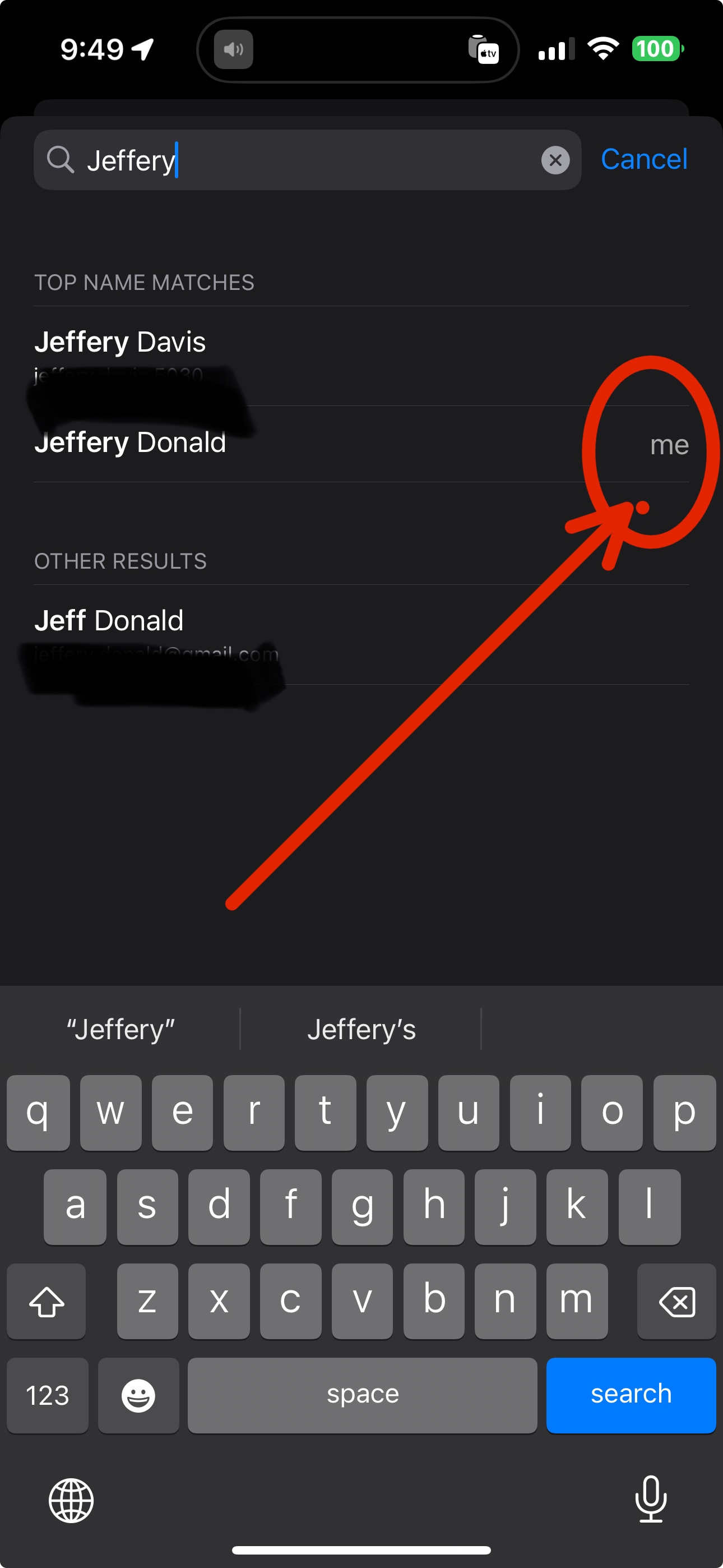


Next step is,


Settings app > Wallet & Apple Pay > scroll down to Transaction Defaults > Shipping Address > a blue check mark should be next to new/updated Shipping Address.


Address will used on all new transactions. If you have an existing transaction, that will need to be canceled and a new transaction started.


1 reply
Question marked as Top-ranking reply

Feb 29, 2024 4:57 AM in response to Bringo66

I may have the fix for this, but the individual merchant may be showing past shipping information if you’ve done Apple Pay transactions with them before.


Please follow this path,


iPhone > Settings app > Contacts > My Info > type your name into search field at top of screen > select contact Me (see photo below) > correct all contact information > save changes


Next step is,


Settings app > Wallet & Apple Pay > scroll down to Transaction Defaults > Shipping Address > a blue check mark should be next to new/updated Shipping Address.


Address will used on all new transactions. If you have an existing transaction, that will need to be canceled and a new transaction started.

This thread has been closed by the system or the community team. You may vote for any posts you find helpful, or search the Community for additional answers.

Apple Pay Settings

Welcome to Apple Support Community
A forum where Apple customers help each other with their products. Get started with your Apple Account.