A SafeBoot Use safe mode on your Mac - Apple Support will sort many anomalies
Does a quick disk repair before it fully boots up, and certain system caches get cleared and rebuilt, third party system modifications and system accelerations are disabled.
Login and test. Reboot as normal and test. Caches get rebuilt automatically.
ezfastway wrote:
Every time I turn on my Mac Studio I have to spend the first few minutes rearranging the desktops and the Mail, Calendar and WhatsApp windows according to the order I would like, and even the icons on the desktop reposition themselves not where I put them. I would like to point out that in the settings/background the photo that appears is the one I chose, but the usual Sonoma background appears...:-((( and in the desktop view options window I have not selected any order or alignment... it is really frustrating. When I contacted support they were unable to help me (which is happening more and more often now... unfortunately it's no longer the support it used to be...).
The last hope is to turn to the community, can anyone help me?
https://discussions.apple.com/content/attachment/031798be-d2c6-4a4c-b902-ac6cc911bf99
https://discussions.apple.com/content/attachment/45938daa-761d-46a6-b1a2-22d1bcaae7c7
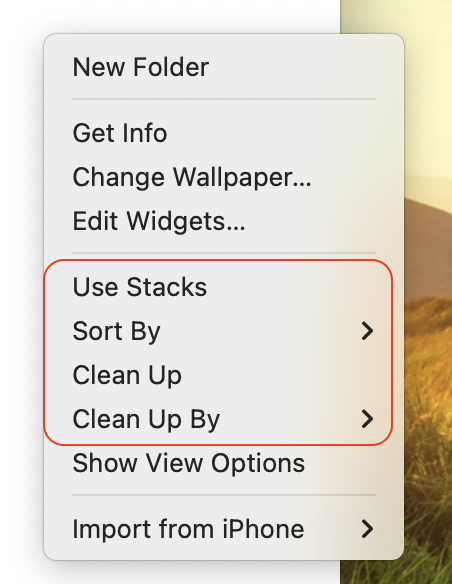
if Control click on the Desktop — review those options...
A SafeBoot Use safe mode on your Mac - Apple Support will sort many anomalies
Does a quick disk repair before it fully boots up, and certain system caches get cleared and rebuilt, third party system modifications and system accelerations are disabled.
Login and test. Reboot as normal and test. Caches get rebuilt automatically.

