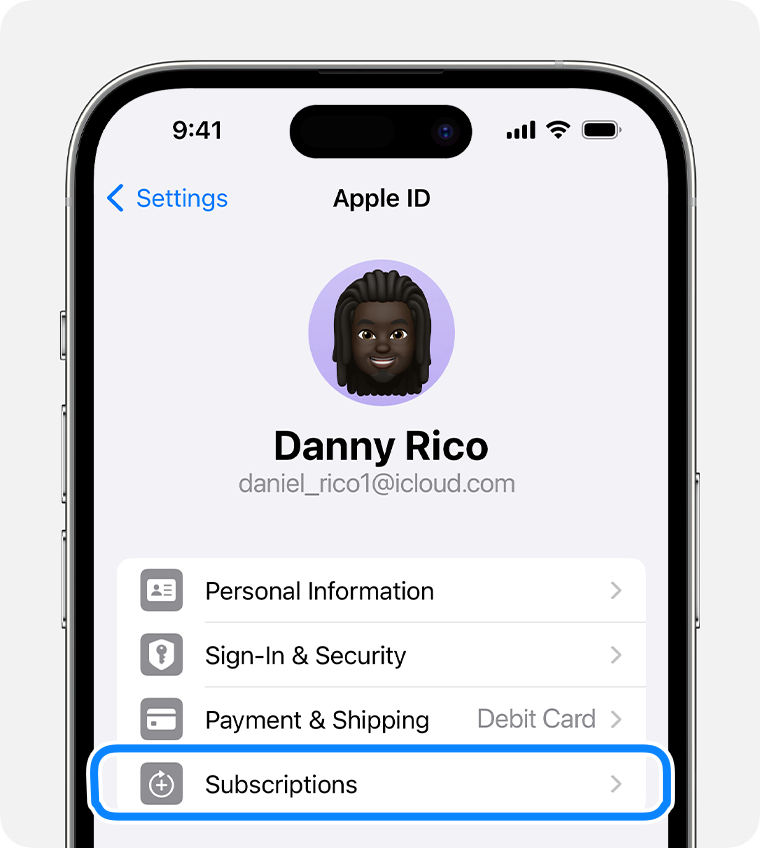
Tap Cancel Subscription. You might need to scroll down to find the Cancel Subscription button. If there is no Cancel button or you see an expiration message in red text, the subscription is already canceled.
Tap Cancel Subscription. You might need to scroll down to find the Cancel Subscription button. If there is no Cancel button or you see an expiration message in red text, the subscription is already canceled.
This thread has been closed by the system or the community team.
You may vote for any posts you find helpful, or search the Community for additional answers.
How do I take a previous purchase of my app
Welcome to Apple Support Community
A forum where Apple customers help each other with their products. Get started with your Apple Account.