
How can I find my lost iPhone with IMEI number?
I need to find my lost iPhone please I have the IMEI number
[Re-Titled by Moderator]
iPhone XR, iOS 16
I need to find my lost iPhone please I have the IMEI number
[Re-Titled by Moderator]
iPhone XR, iOS 16
Do's and Don'ts for lost iPhones - Switched Off - Offline - Beware of Phishing
Don'ts
If the device is removed from an account after it is erased, Activation Lock will be turned off. This allows another person to turn on and use the device.
An example of my iPhone 5 is given in the GIF below. There is no "Undo" after you remove it from your account.

iPhones are designed with strong security measures to protect the privacy and data of their owners. One of the key features that ensure this is the requirement of an Apple ID and password or a passcode to access the device's contents. This means that without the owner's authorization, it is nearly impossible for anyone else to open an iPhone and gain access to its data.
With these security measures in place, iPhones offer a high level of protection against unauthorized access. Even if someone physically possesses the device, they will find it extremely challenging to access its contents without the owner's Apple ID and password or the passcode. This helps safeguard sensitive information, personal data, and ensures the privacy of the iPhone's owner.
It is worth noting that while these security measures provide strong protection against unauthorized access, it is essential for iPhone owners to choose strong and unique passcodes or passwords. This minimizes the risk of brute-force attacks or password-guessing attempts.
Do's, If you had enabled "Find My" before it was lost
Find IMEI & Serial No. of the Lost Device: You cannot track using the IMEI number or Serial Number but you may need it so keep it handy
Beware of Phishing!
Be careful and be smart to --> Recognize and avoid phishing messages, phoney support calls ...
Note: Apple will never send you any info on Lost/Found iPhones. It (Phishing) may appear as the image given below.
Switched Off? Still traceable
Even if the iPhone is switched off it is findable, see the pic below.
Device Offline?
I see my device in Find My, but it's offline
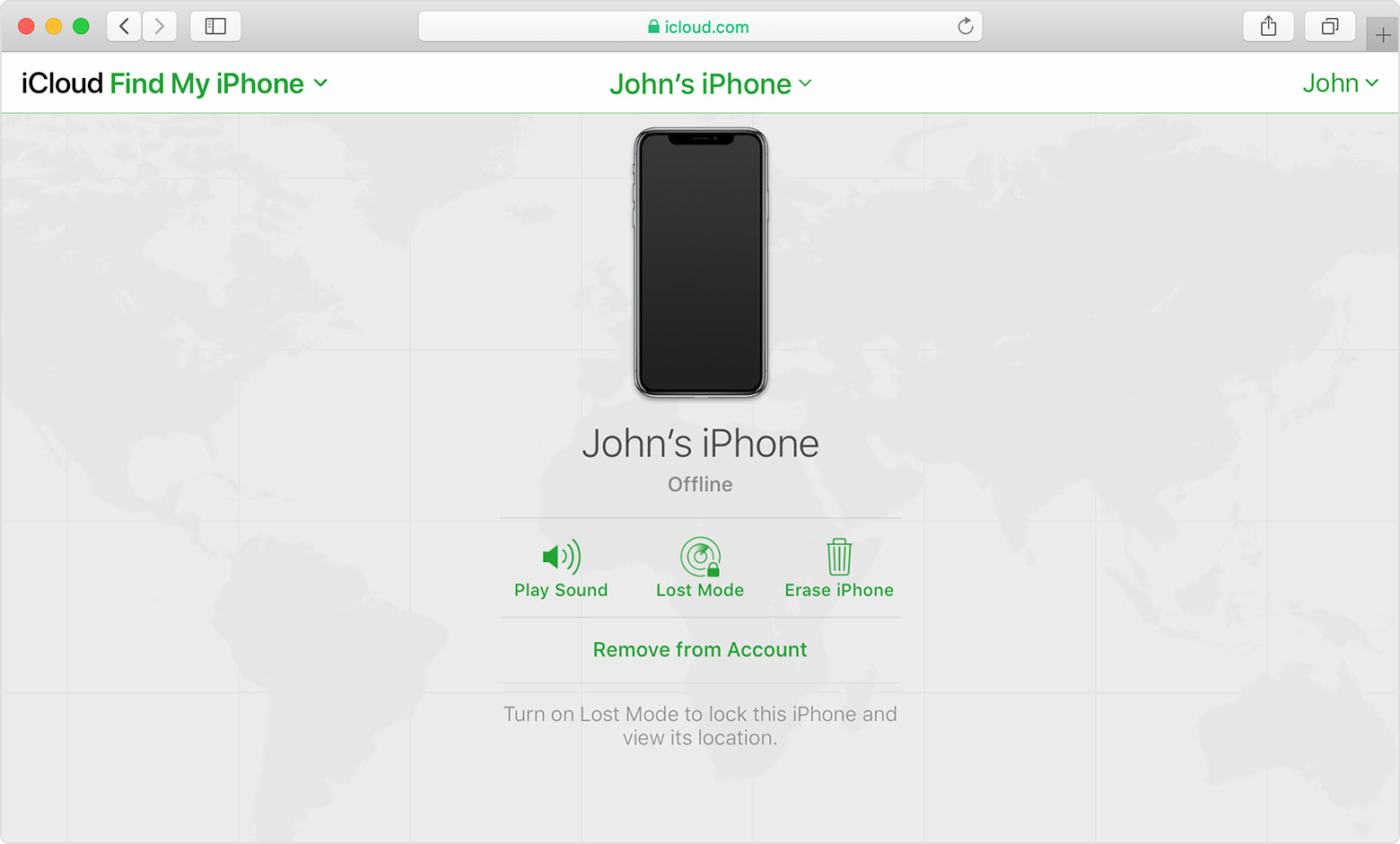
If you see "Offline," "No location available," or "Location Services Off," your device might be offline for one of these reasons:
Don't see your device?
Do's and Don'ts for lost iPhones - Switched Off - Offline - Beware of Phishing
Don'ts
If the device is removed from an account after it is erased, Activation Lock will be turned off. This allows another person to turn on and use the device.
An example of my iPhone 5 is given in the GIF below. There is no "Undo" after you remove it from your account.
iPhones are designed with strong security measures to protect the privacy and data of their owners. One of the key features that ensure this is the requirement of an Apple ID and password or a passcode to access the device's contents. This means that without the owner's authorization, it is nearly impossible for anyone else to open an iPhone and gain access to its data.
With these security measures in place, iPhones offer a high level of protection against unauthorized access. Even if someone physically possesses the device, they will find it extremely challenging to access its contents without the owner's Apple ID and password or the passcode. This helps safeguard sensitive information, personal data, and ensures the privacy of the iPhone's owner.
It is worth noting that while these security measures provide strong protection against unauthorized access, it is essential for iPhone owners to choose strong and unique passcodes or passwords. This minimizes the risk of brute-force attacks or password-guessing attempts.
Do's, If you had enabled "Find My" before it was lost
Find IMEI & Serial No. of the Lost Device: You cannot track using the IMEI number or Serial Number but you may need it so keep it handy
Beware of Phishing!
Be careful and be smart to --> Recognize and avoid phishing messages, phoney support calls ...
Note: Apple will never send you any info on Lost/Found iPhones. It (Phishing) may appear as the image given below.
Switched Off? Still traceable
Even if the iPhone is switched off it is findable, see the pic below.
Device Offline?
I see my device in Find My, but it's offline
If you see "Offline," "No location available," or "Location Services Off," your device might be offline for one of these reasons:
Don't see your device?
Adesola_sholly wrote:
I need to find my lost iPhone please I have the IMEI number
I don't believe that you normally can find a lost iPhone using just the IMEI number.
Apple's system for finding lost iPhones (Find My) depends on you enabling Find My before you lose your iPhone. Provided that the lost phone is able to report its location (requires power and an Internet connection; or Find My Network and enough luck for another Apple device to come within very close range), you would be able to see it using another Apple device signed into the same Apple ID, or by going to https://www.icloud.com/find .
Phone companies (carriers) can probably trace a phone by its IMEI number, but my guess is that they do so when cases involve law enforcement requests and court orders. They probably do not do this for people who have lost their phones.
If "Find My" was not enabled on your iPhone before it was lost – or if "Find My" can't determine a location, there is one other way of trying to find a lost iPhone.
Trying to remember where you were when you lost the phone, and then going and checking those places. (Hoping that it is still there or that anyone who found it was honest enough to turn it into a lost & found department that you are likely to check.)
How can I find my lost iPhone with IMEI number?

