
How do I enable cookies on iPhone 15 Pro?
How do I enable cookies on an iPhone 15 pro?
[Re-Titled by Moderator]
iPhone XR, iOS 17
How do I enable cookies on an iPhone 15 pro?
[Re-Titled by Moderator]
iPhone XR, iOS 17
Settings > Safari > Advanced >
Block cookies (some web pages might not work)
A cookie is a piece of data that a site puts on your device, so it can remember you when you visit again. To choose whether Safari blocks cookies, tap Settings > Safari > Advanced, then turn on Block All Cookies.
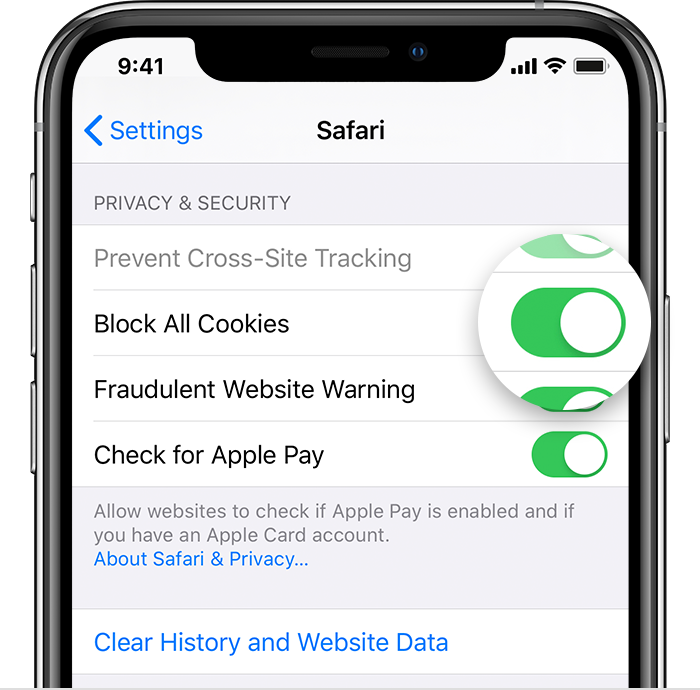
If you block cookies, some web pages might not work. Here are some examples:
lakija wrote:
amazon or eBay or any app that utilizes the internet,
For your Internet connection.
Connecting to Wifi is first part and then getting connected to Internet is the second
eBay is not an Apple product. Contact the app developer here --> App Support
Amazon is not an Apple product. Contact the app developer here --> App Support
Does it happen only while posting (uploading) or even while browsing (Downloading)?
Probable solutions:
Restart the device. That's it. If issue is not resolved... Force restart iPhone - Apple Support
Try to -> Clear the history and cookies from Safari on your iPhone, iPad ...
How do I enable cookies on iPhone 15 Pro?
