Unable to watch movies on Apple TV

I'm signed into Apple TV using my Apple ID. Signed into TV and my mobile app. Can't watch movies or shows. You get to the movie n can see trailers but try to watch movies and it shows ,How to watch, you select it n tells you to purchase or sign-in.

What's up with this any solution? I know there's something as I've watch movies and shows b4.

Joe


[Re-Titled by Moderator]

FireTVStick4K(2021),

Posted on Jun 11, 2024 12:27 PM

Reply
Question marked as Top-ranking reply

Posted on Jun 12, 2024 11:53 PM

The Apple TV app offers more than just Apple TV+ content. That other content is not included in your Apple TV+ subscription. Buy/​rent movies and additional in-app channels may want a payment for their services. Unfortunately, at this time, this is not supported directly on Fire TV. You will need to buy/​rent/​subscribe for these on a different compatible device (e.g. iPhone, iPad, Mac, PC), using the matching Apple ID account.


Need help? (Footnote 2) - Get the Apple TV app … - Apple Support

2. In the US, you can subscribe to Apple TV+ on Amazon Fire TV, but you can't can't purchase other content from the Apple TV app. On Amazon Fire TV (in other regions), Android TV, and Sony TV devices, you can't purchase content from the Apple TV app. You can buy, rent, or subscribe on another supported device and then watch in the Apple TV app on your Amazon Fire TV, Android TV, or Sony TV device.
3 replies
Question marked as Top-ranking reply

Jun 12, 2024 11:53 PM in response to GiuseppeOne

The Apple TV app offers more than just Apple TV+ content. That other content is not included in your Apple TV+ subscription. Buy/​rent movies and additional in-app channels may want a payment for their services. Unfortunately, at this time, this is not supported directly on Fire TV. You will need to buy/​rent/​subscribe for these on a different compatible device (e.g. iPhone, iPad, Mac, PC), using the matching Apple ID account.


Need help? (Footnote 2) - Get the Apple TV app … - Apple Support

2. In the US, you can subscribe to Apple TV+ on Amazon Fire TV, but you can't can't purchase other content from the Apple TV app. On Amazon Fire TV (in other regions), Android TV, and Sony TV devices, you can't purchase content from the Apple TV app. You can buy, rent, or subscribe on another supported device and then watch in the Apple TV app on your Amazon Fire TV, Android TV, or Sony TV device.

Jun 15, 2024 1:49 PM in response to GiuseppeOne

I can't do what I need to on my LG Smart TV.

To watch content from Apple TV on your LG smart TV:

- Verify that your LG TV supports the Apple TV app among its smart apps. This depends on the exact model and its year of introduction. Please specify the exact model.

- If unsupported, then you should be able to use an external TV-connected streaming device, such as e.g. Fire TV.

- Your non-Apple smart phone likely shouldn’t be needed. Unless the smart app asks to do a step for activation on your mobile.

- For the Apple TV app on your smart TV, sign in with your Apple ID account. If you don’t have one yet, then you should create one, to make use of the app.


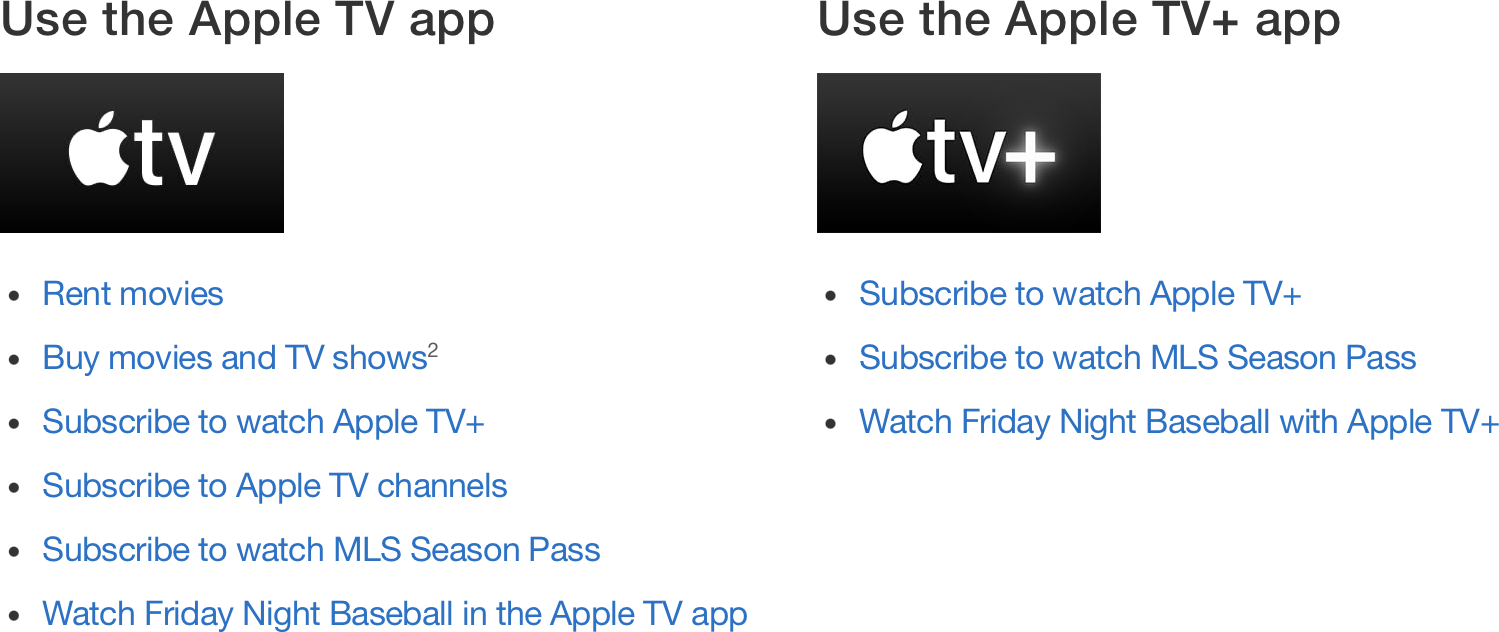
Apple has released two app editions: ① The full Apple TV app on select LG TVs from 2018 or later, and ② the specialized Apple TV+ app (with a Plus in the app name) on LG TVs from 2016 or later that didn’t get the full Apple TV app. The Apple TV+ app doesn’t have a Store or Library for buy or rent movies. Which edition is available to you is not user choice, but manufacturer choice per model as indicated above.

This doesn’t apply to Fire TV, as that has the full Apple TV app for all supported models.


Get the Apple TV app or Apple TV+ app on your smart TV or streaming device - Apple Support

Watch on these smart TVs and third party streaming devices - Apple Support

How to watch Apple TV+ and more - Apple Support


for example I can go and see the movie Abigail n then I am able to watch it on my Big TV.

For my region, Abigail (2024) is still on pre-order, awaiting VOD release as buy or rent movie from June 19th. It might be earlier in other regions; not sure.


To buy or rent movies from Apple’s Store, you would click the Buy or Rent button on the Details page for that title in the Apple TV app on any of the supported platforms that support financial transactions. Then the price would be billed to the payment method as linked to your Apple ID account. Your Samsung phone wouldn’t help with that, as it wouldn’t support the Apple TV app.

Consider doing the transaction in the Apple TV app on Windows PC, or on Mac, iPhone, iPad, iPod touch, Apple TV box, Roku, PlayStation (4, 5), Xbox (One, One S, X, S), LG TV, Samsung TV, Vizio TV (instead of Fire TV, Android TV, Google TV). I think those are your options.


Jun 13, 2024 9:13 PM in response to Urquhart1244

Thanks for replying to my little dilemma Urguhart1244. I appreciate your support and great job on sending back a true message. It was straight up and right to the point n I love it when someone responds the way I deal with others.


Ok now I'm going to ask this question which I believe I know the answer.


I can't do what I need to on my LG Smart TV. With that said I have a Samsung Galaxy S23 and according to what I see here is?


I think it means I sign-in to the app on my cellphone and , for example I can go and see the movie Abigail n then I am able to watch it on my Big TV.

Give me the correct instructions if you will please. Take into consideration I'm not too old, 68. I'm basically looking for the correct answer from People such as yourself give us old guys the straight forward answer?

Thanks in advance for your help. Watch a lot of movies and kick back a few. Old but still work out n play Basketball twice a week. Yes it's only half court. LMAO 🤣 😂! You get the picture.


Joe


This thread has been closed by the system or the community team. You may vote for any posts you find helpful, or search the Community for additional answers.

Unable to watch movies on Apple TV

Welcome to Apple Support Community
A forum where Apple customers help each other with their products. Get started with your Apple Account.