I want to refund a payment

I made a purchase but didn’t get it at all but they stole my money

iPhone 15, iOS 17

Posted on Aug 26, 2024 6:09 PM

Reply
Question marked as Top-ranking reply

Posted on Aug 26, 2024 6:18 PM

Request a refund for apps or content that you bought from Apple

Some purchases from the App Store, iTunes Store, Apple Books, or other Apple services might be eligible for a refund. You can use any device with a web browser to request a refund.


How to request a refund
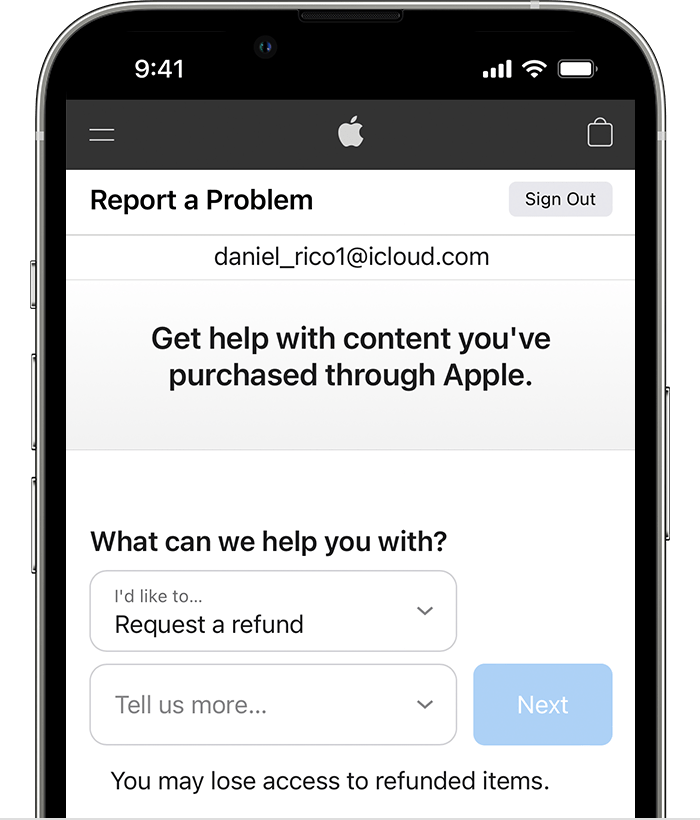
  1. Sign in to reportaproblem.apple.com.
  2. Tap or click "I'd like to," then choose "Request a refund."

  3. Choose the reason why you want a refund, then choose Next.
  4. Choose the app, subscription, or other item, then choose Submit. If you were charged for a subscription that you no longer want, you can also cancel the subscription.

Wait 24 to 48 hours for an update on your request

If your request is approved by Apple, it might take additional time for the funds to return to your payment method. Learn how to check the status of your refund request.


If you can't find the charge on reportaproblem.apple.com

Find out if another account was used to make a purchase.
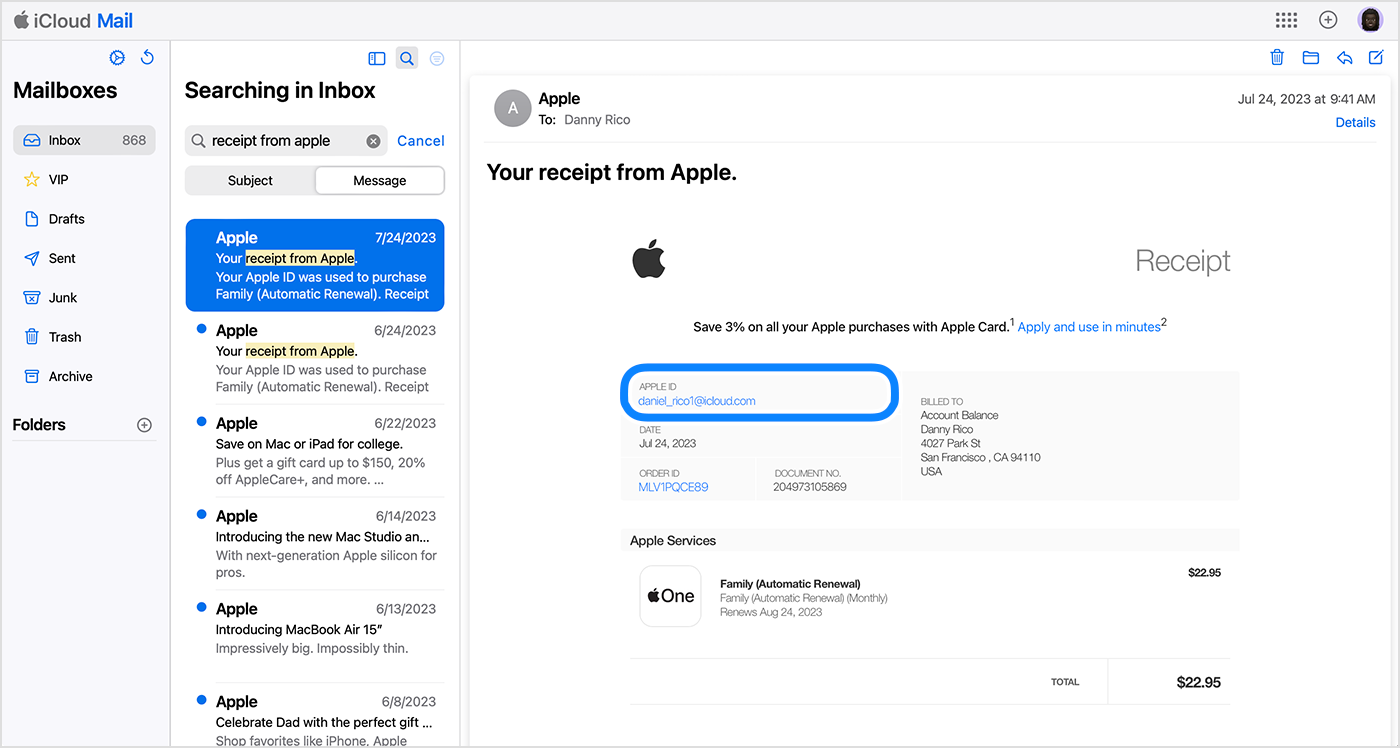
  1. Search your email for the words "receipt from Apple" or "invoice from Apple".
  2. Look for a receipt that matches the amount that you want to request a refund for.
  3. On the receipt, see what was purchased and which Apple ID was used.

Once you've found the receipt, try these steps:

  • If the receipt is for a member of your Family Sharing group and you're the family organizer, you can still request a refund on reportaproblem.apple.com. Tap or click the Apple ID button, then choose All. Purchases charged to your shared payment method appear.
  • If the receipt is for a different Apple ID, use that Apple ID to sign in to reportaproblem.apple.com.

If you can't find a receipt, try these steps:


2 replies
Question marked as Top-ranking reply

Aug 26, 2024 6:18 PM in response to Bigmike190

Request a refund for apps or content that you bought from Apple

Some purchases from the App Store, iTunes Store, Apple Books, or other Apple services might be eligible for a refund. You can use any device with a web browser to request a refund.


How to request a refund

  1. Sign in to reportaproblem.apple.com.
  2. Tap or click "I'd like to," then choose "Request a refund."

  3. Choose the reason why you want a refund, then choose Next.
  4. Choose the app, subscription, or other item, then choose Submit. If you were charged for a subscription that you no longer want, you can also cancel the subscription.

Wait 24 to 48 hours for an update on your request

If your request is approved by Apple, it might take additional time for the funds to return to your payment method. Learn how to check the status of your refund request.


If you can't find the charge on reportaproblem.apple.com

Find out if another account was used to make a purchase.

  1. Search your email for the words "receipt from Apple" or "invoice from Apple".
  2. Look for a receipt that matches the amount that you want to request a refund for.
  3. On the receipt, see what was purchased and which Apple ID was used.

Once you've found the receipt, try these steps:

  • If the receipt is for a member of your Family Sharing group and you're the family organizer, you can still request a refund on reportaproblem.apple.com. Tap or click the Apple ID button, then choose All. Purchases charged to your shared payment method appear.
  • If the receipt is for a different Apple ID, use that Apple ID to sign in to reportaproblem.apple.com.

If you can't find a receipt, try these steps:


This thread has been closed by the system or the community team. You may vote for any posts you find helpful, or search the Community for additional answers.

I want to refund a payment

Welcome to Apple Support Community
A forum where Apple customers help each other with their products. Get started with your Apple Account.
