Now Playing complication broken in watchOS 11?

Hi,


My Now Playing complication appears to be broken. When I click on it, it shows what's playing correctly, but not within the complication itself. This worked in watchOS 10, but seems to be broken in watchOS 11.


Any ideas? This is a Series 6.


Apple Watch Series 6

Posted on Sep 24, 2024 5:28 AM

Reply
Question marked as Top-ranking reply

Posted on Sep 24, 2024 6:10 AM

Did you try another watch face that also offers the Now Playing complication?

The Modular watch face seems not to support this feature anymore:

Apple Watch faces and their features - Apple Support


The new Smart Stack feature "Live Activities" on the Apple Watch has somehow replaced the "Now Playing" complication.

See timely widgets in the Smart Stack on Apple Watch - Apple Support


If you want the Now Playing Complications back, let Apple know directly by using the Feedback link:

Feedback - Apple Watch - Apple


5 replies
Question marked as Top-ranking reply

Sep 24, 2024 6:10 AM in response to jefvdv

Did you try another watch face that also offers the Now Playing complication?

The Modular watch face seems not to support this feature anymore:

Apple Watch faces and their features - Apple Support


The new Smart Stack feature "Live Activities" on the Apple Watch has somehow replaced the "Now Playing" complication.

See timely widgets in the Smart Stack on Apple Watch - Apple Support


If you want the Now Playing Complications back, let Apple know directly by using the Feedback link:

Feedback - Apple Watch - Apple


Sep 24, 2024 6:25 AM in response to Ingo2711

Interesting, but I guess it's not the full story.


Now Playing indeed suddenly disappeared from the Modular watch face according to Apple Watch faces and their features - Apple Support (MK).


But there are other watch faces that still support this Now Playing complication, e.g. Nike Compact. This is exactly the same complication and I can still create a watch face with it. However, Nike Compact doesn't show the currently playing song either...
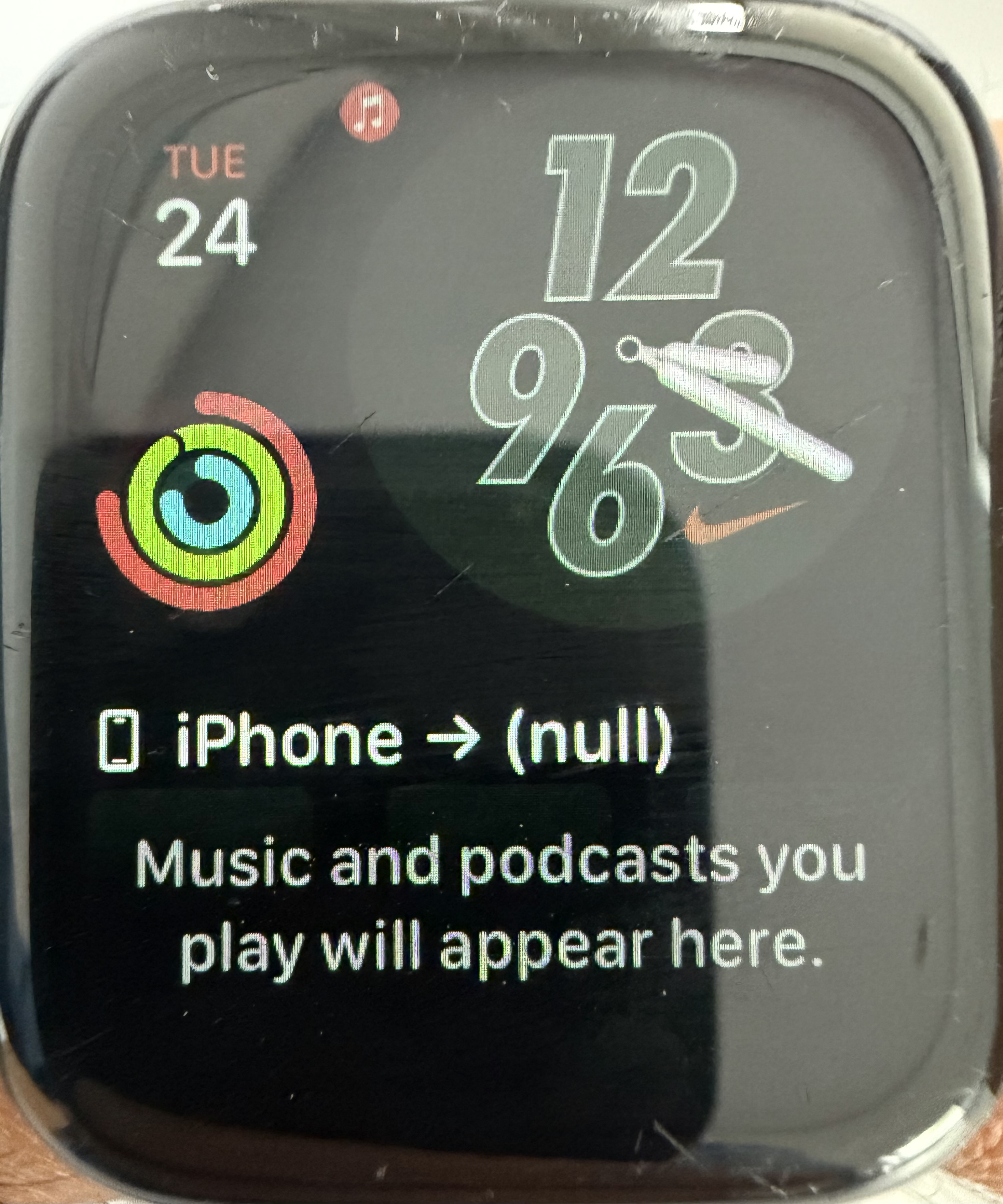


It also doesn't show my HomePod's name but it says (null)...


I still hope it's some kind of bug. It was really nice to just glance and see what's playing instead of having to resort to Smart Stack which is a button press.



This thread has been closed by the system or the community team. You may vote for any posts you find helpful, or search the Community for additional answers.

Now Playing complication broken in watchOS 11?

Welcome to Apple Support Community
A forum where Apple customers help each other with their products. Get started with your Apple Account.