
I can’t extend the screen time on my ipad air 2
I have followed the instructions that’s open settings=> display and brightness=> auto lock, but i can’t access to the auto lock setting. Can anyone help me?
iPad Air 2, iPadOS 15
I have followed the instructions that’s open settings=> display and brightness=> auto lock, but i can’t access to the auto lock setting. Can anyone help me?
iPad Air 2, iPadOS 15
iPad auto-lock will be fixed at two minutes if you have enabled Low Power mode:
Settings > Battery > Low Power Mode
If the problem persists after disabling Low Power Mode, perform a forced-restart of your iPad:
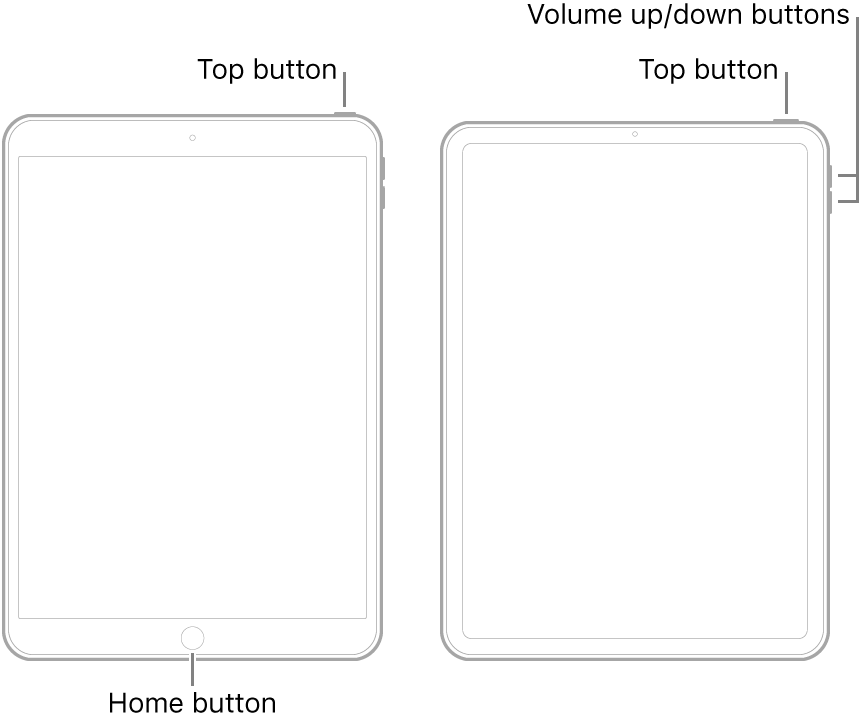
You might also check that Date & Time and TimeZone are also correctly set for your iPad - as these settings are known to cause various functional issues if incorrectly configured:
Settings > General > Date & Time
iPad auto-lock will be fixed at two minutes if you have enabled Low Power mode:
Settings > Battery > Low Power Mode
If the problem persists after disabling Low Power Mode, perform a forced-restart of your iPad:
You might also check that Date & Time and TimeZone are also correctly set for your iPad - as these settings are known to cause various functional issues if incorrectly configured:
Settings > General > Date & Time
I can’t extend the screen time on my ipad air 2
