Volume button on my iPhone stopped working after iOS 18 Update

Side volume increase button stopped working after upgrade to ios18 - I have a 15pro max. Also, there is just way too much to track and manage anymore. Not interested and looking to go to a cleaner more minimalist product for replacement.


[Re-Titled by Moderator]

Posted on Dec 2, 2024 3:27 AM

Reply
Question marked as Top-ranking reply

Posted on Dec 2, 2024 3:44 AM

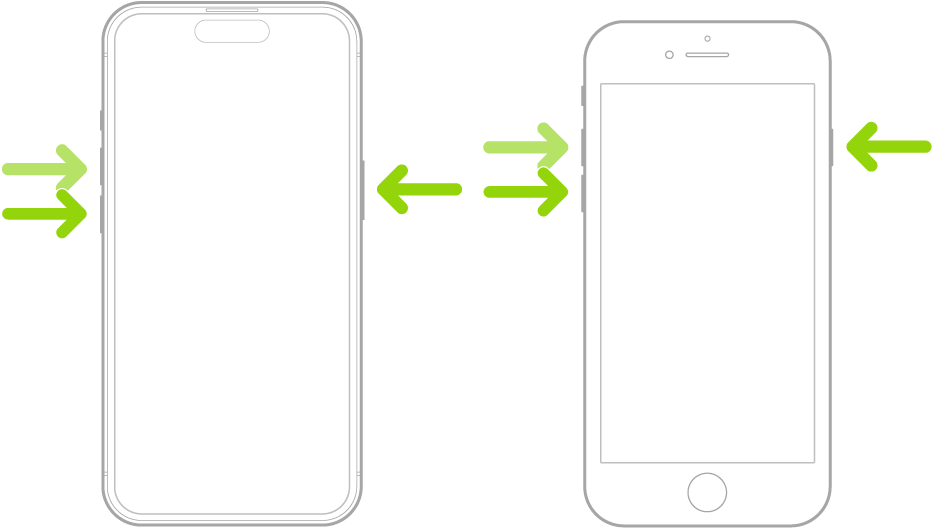
Have you done a forced restart of your device? A forced restart does much more than just turning your device off and on. If you’re not familiar with the procedure, please follow the step by step instructions below.


Force restart iPhone

If iPhone isn’t responding, and you can’t turn it off then on, try forcing it to restart.


  1. Press and quickly release the volume up button.
  2. Press and quickly release the volume down button.
  3. Press and hold the side button.
  4. When the Apple logo appears, release the side button.


Force restart iPhone - Apple Support


1 reply
Question marked as Top-ranking reply

Dec 2, 2024 3:44 AM in response to ShadyJP

Have you done a forced restart of your device? A forced restart does much more than just turning your device off and on. If you’re not familiar with the procedure, please follow the step by step instructions below.


Force restart iPhone

If iPhone isn’t responding, and you can’t turn it off then on, try forcing it to restart.


  1. Press and quickly release the volume up button.
  2. Press and quickly release the volume down button.
  3. Press and hold the side button.
  4. When the Apple logo appears, release the side button.


Force restart iPhone - Apple Support


This thread has been closed by the system or the community team. You may vote for any posts you find helpful, or search the Community for additional answers.

Volume button on my iPhone stopped working after iOS 18 Update

Welcome to Apple Support Community
A forum where Apple customers help each other with their products. Get started with your Apple Account.