Valid97 wrote:
How do you know? Did you open it?
If iPhone or iPad Safari is set to view links (rather than set to preview the target webpages), then (for instance) pressing and holding on the red-circled “go to” link (shown below) won’t be an Apple.com domain. Or won’t be whatever other website or service the particular scammers are trying to phish.
In Mail app, press and hold on the “from” in top of the message to view the sending email address, too. The green-circled detail (the sending address) usually won’t be Apple. Or whoever the scammer is trying to phish. This test is less reliable though, as the sending email addresses can be spoofed. Unlike the sending email address, the action links embedded in the spam message can’t go to Apple.com for the phishing to work, so those embedded links can’t be as easily spoofed.
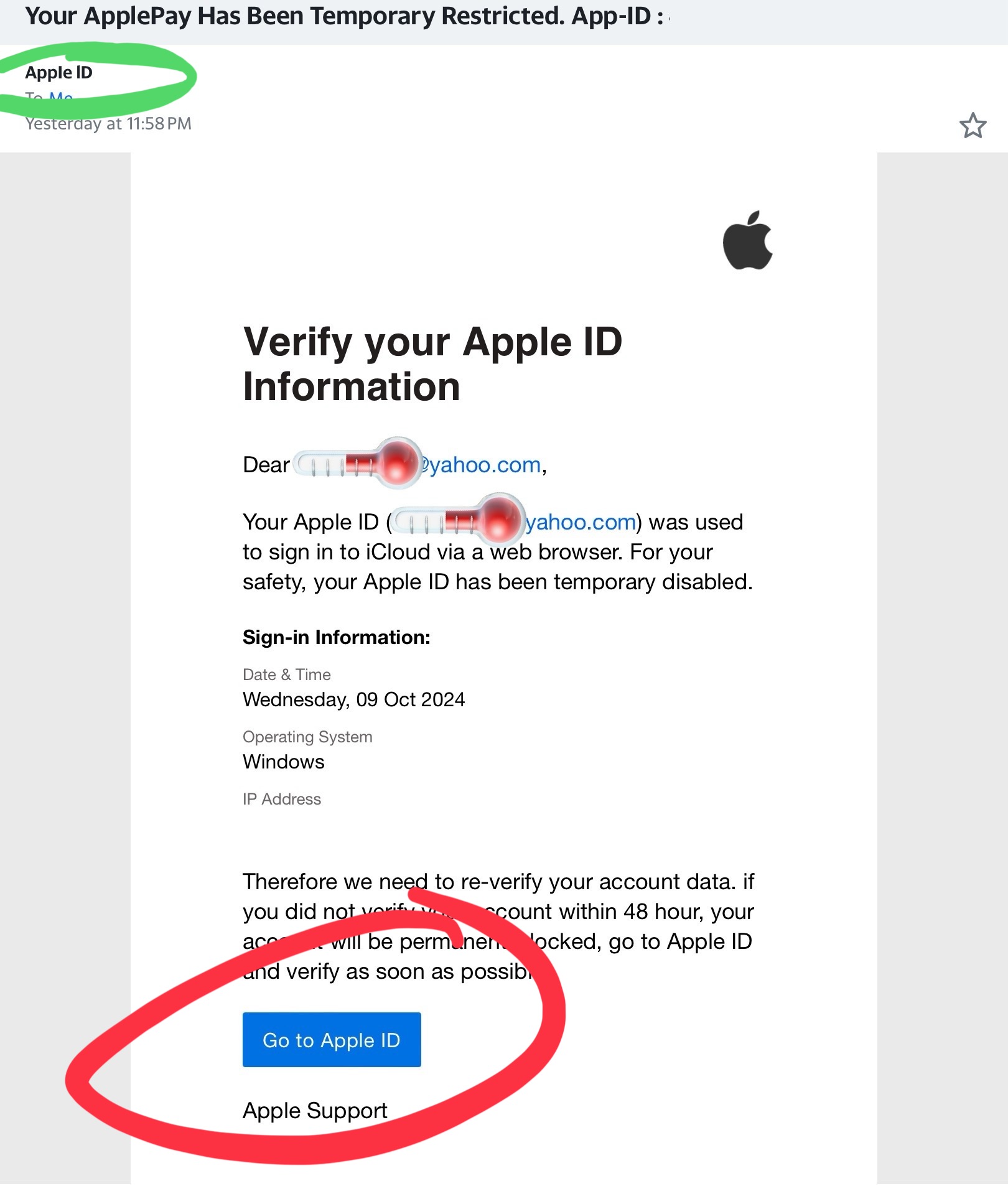
If not familiar with Safari settings, here is how to view a link (circled in blue):
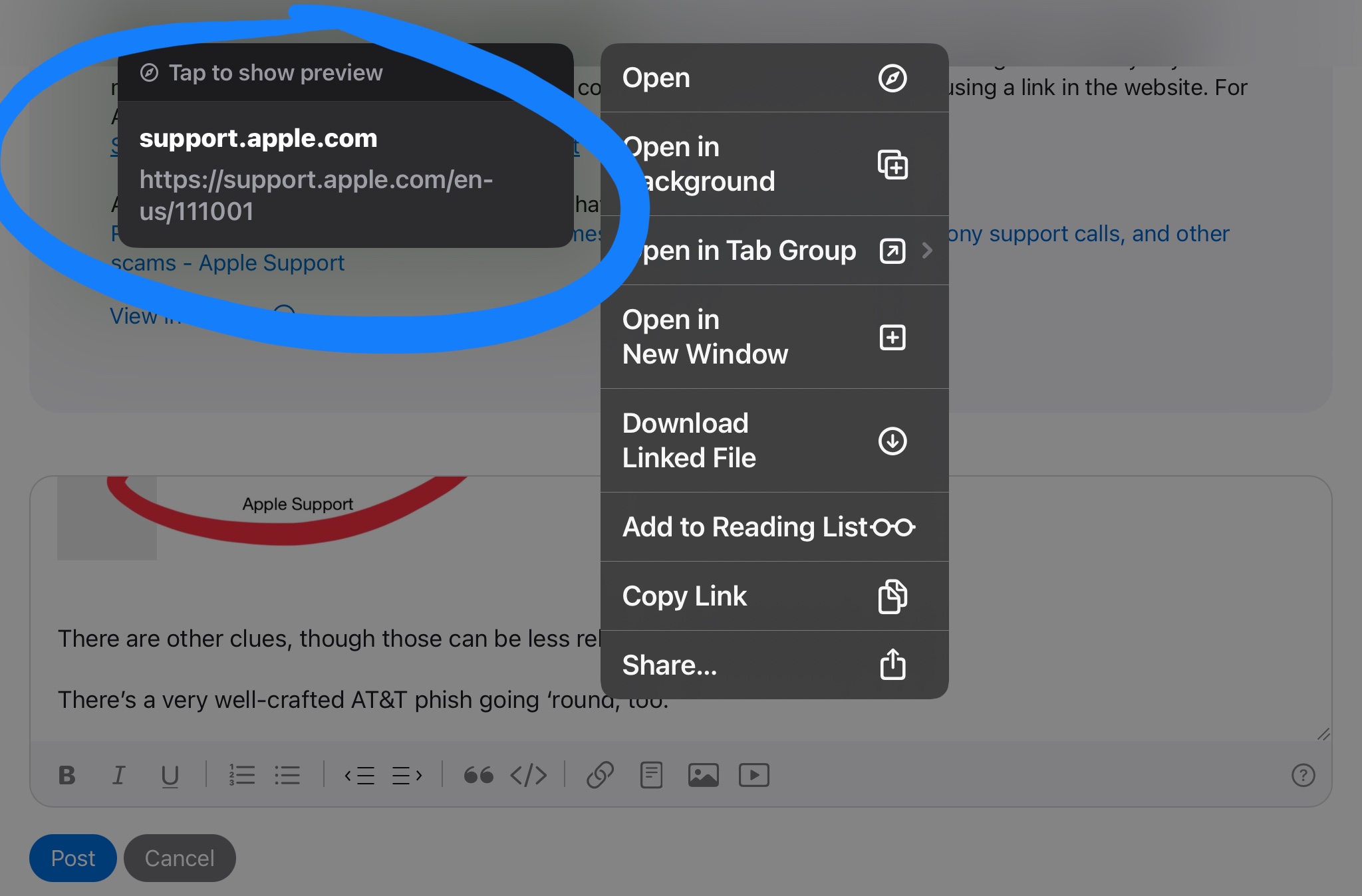
If you see the “tap to show preview”, you’re viewing the link. Which is the mode you want here. And in this case, the link shown (again, in the blue circle) shows an Apple.com link.
If you see the following (this is preview mode, with “hide preview” shown circled in yellow), then tap Hide preview:
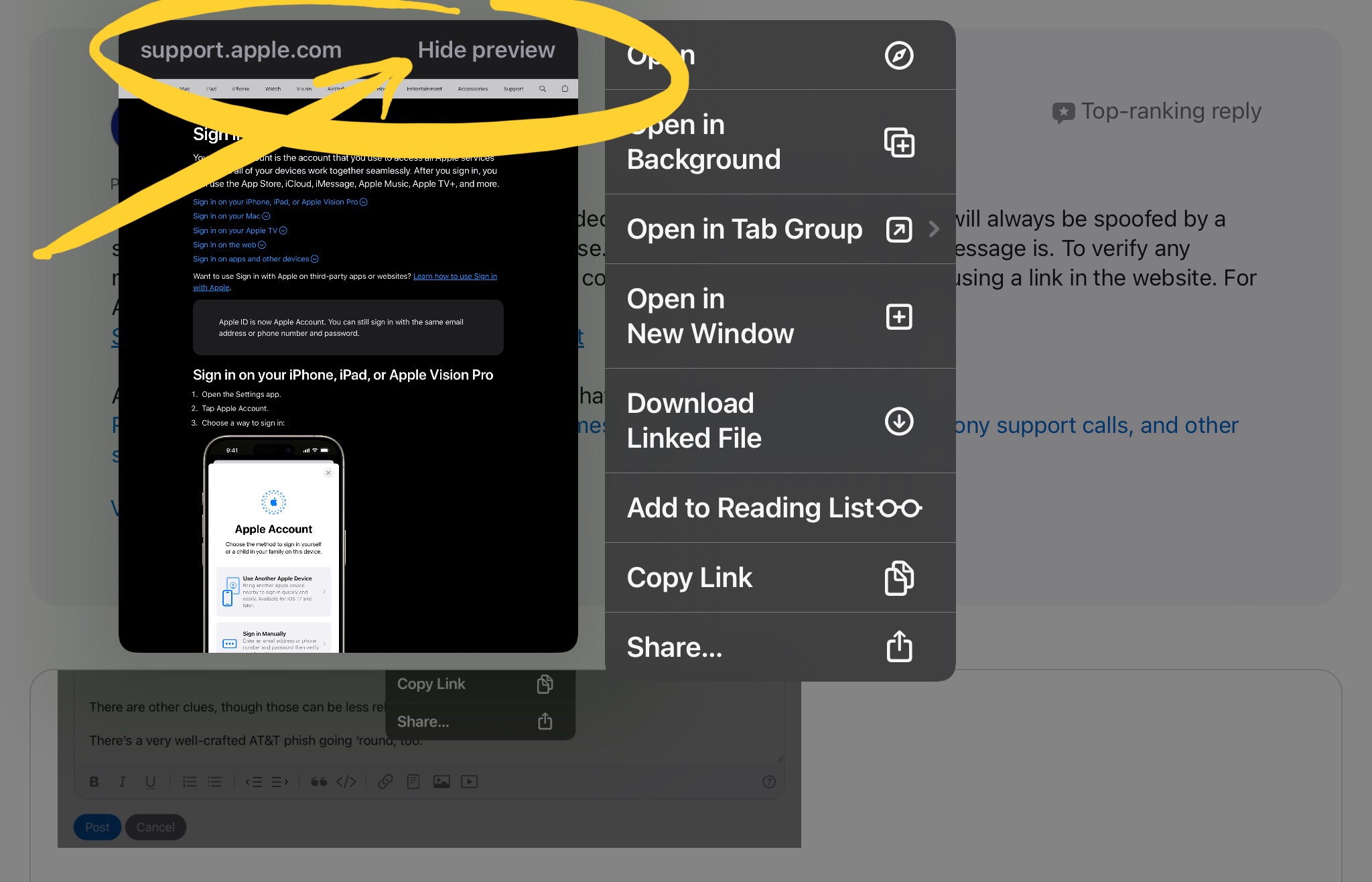
Safari remembers this setting too, and I usually have it set to view links / hide previews. To set the link-view or webpage-preview setting mode using some benign link, such as the links used on most any webpage you normally visit, press and hold on one of the links embedded in the webpage. Best don’t test or switch the Safari viewing modes right on a spam or scam message, though.
There can be other clues, though those can sometimes be less reliable with all the data breaches happening.
There’s a very well-crafted AT&T phish email going ‘round, as well. That phishing email is easily detected by the embedded links not going to AT&T.





