Meeting Updates being sent to my iPhone

Every now and again my iPhone sends out messages with the following text:


"The update for meeting <NAME> from your “Apple-iPhone15” device was rejected due to a conflicting update. Check the meeting and perform the update again"


I would like to know what causes these messages to be sent and how they can be prevented.


Thank you.


Posted on Jan 16, 2025 5:36 AM

Reply
1 reply

Jan 17, 2025 6:12 AM in response to Joey_Testa

Please check which is your Default email Account for the Calendar on your device? Settings > Calendar > Default Calendar



All the devices sync with an email client server which hosts your calendar. If you have a Calendar on iCloud that will not sync with Google Calendar. Settings > Calendar > Default Calendar [Choose what you want]. What you add (Event) on iPhone Calendar is synced with default calendar unless you have chosen a specific calendar at the time of event creation.


To which email account are the calendar events synced with your iPhone? This is not clear in your post

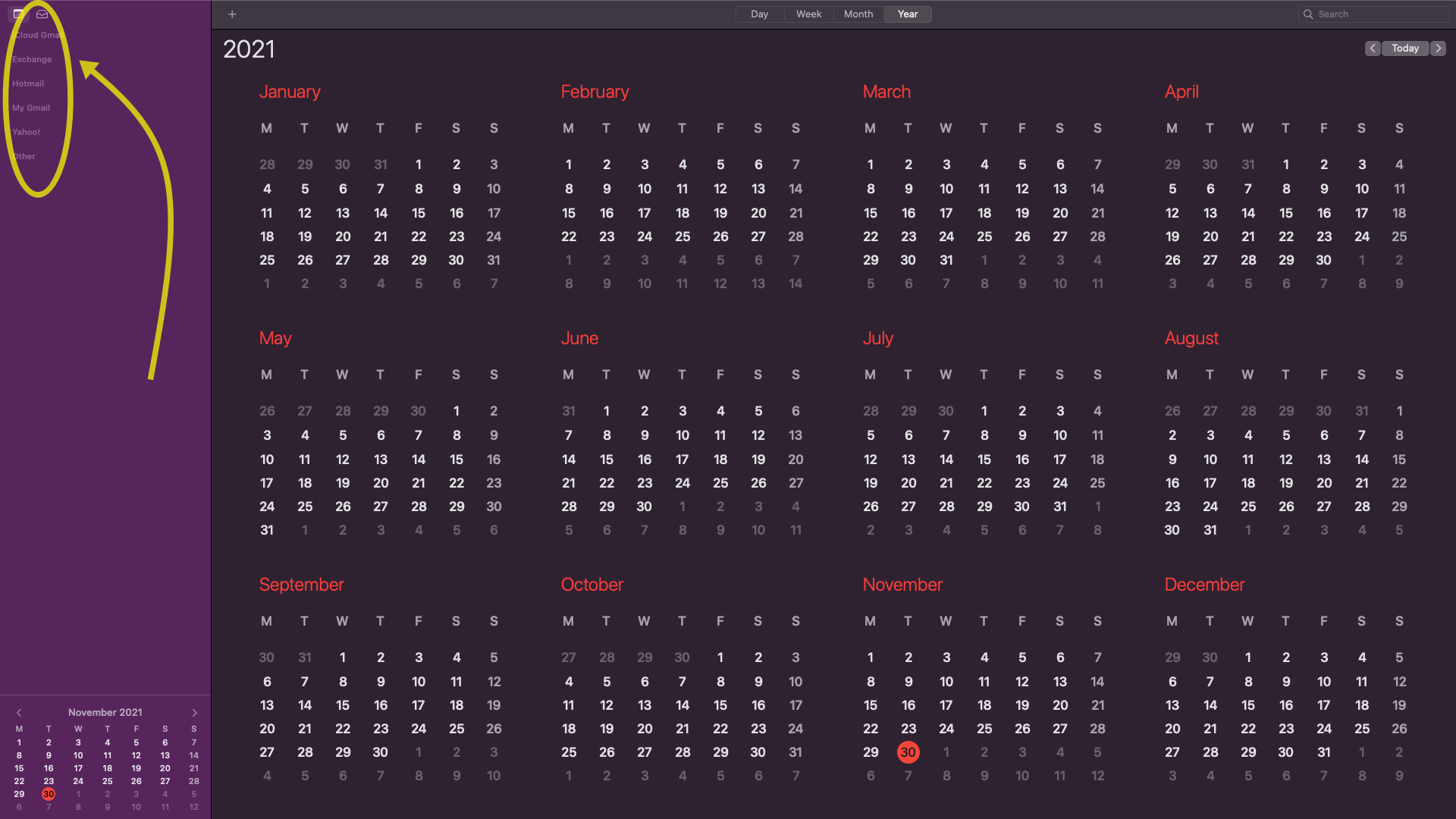
See the iPhone and Mac Calendar Pics below
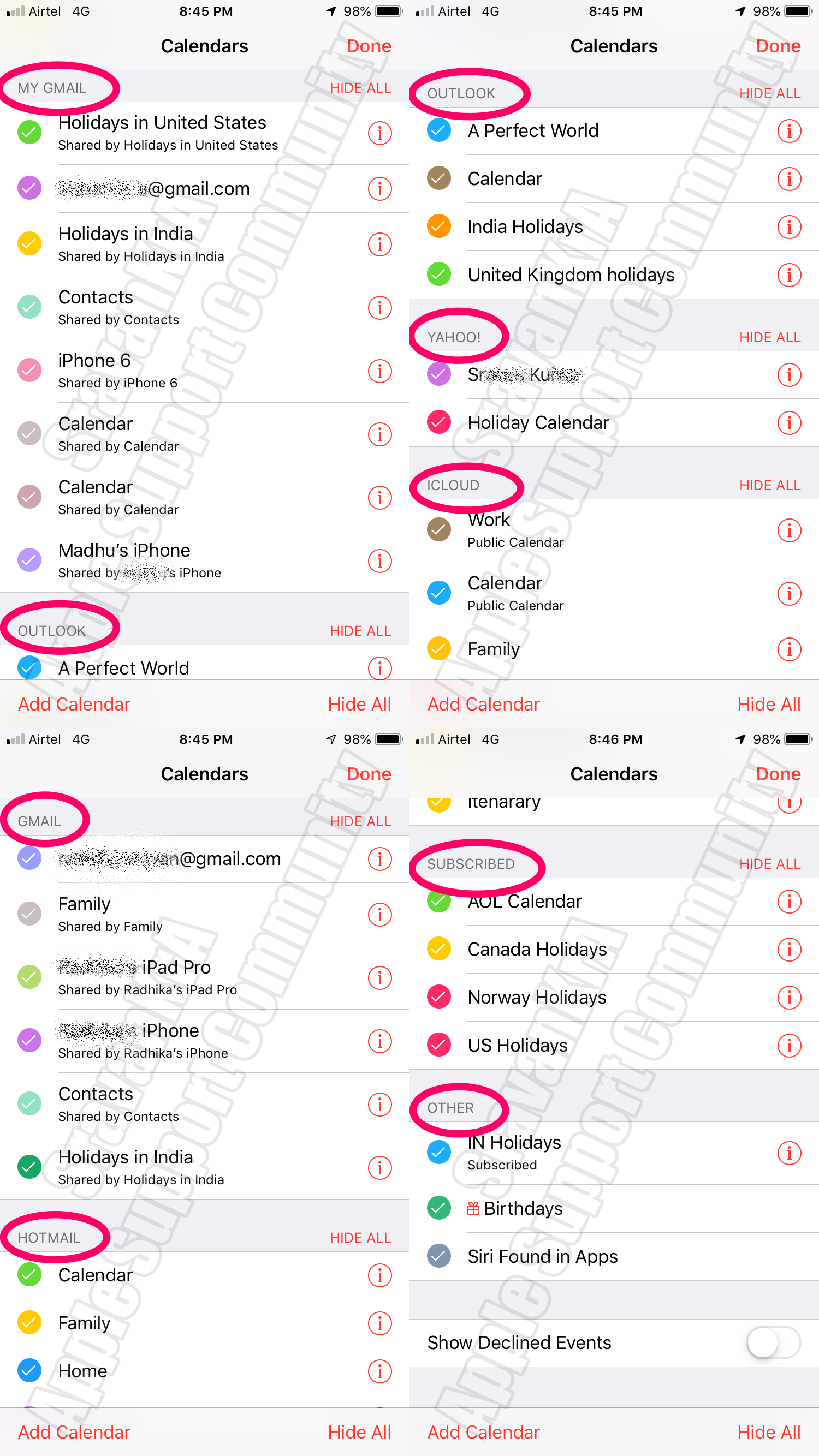


Which is your default calendar? Settings > Calendar > Default Calendar


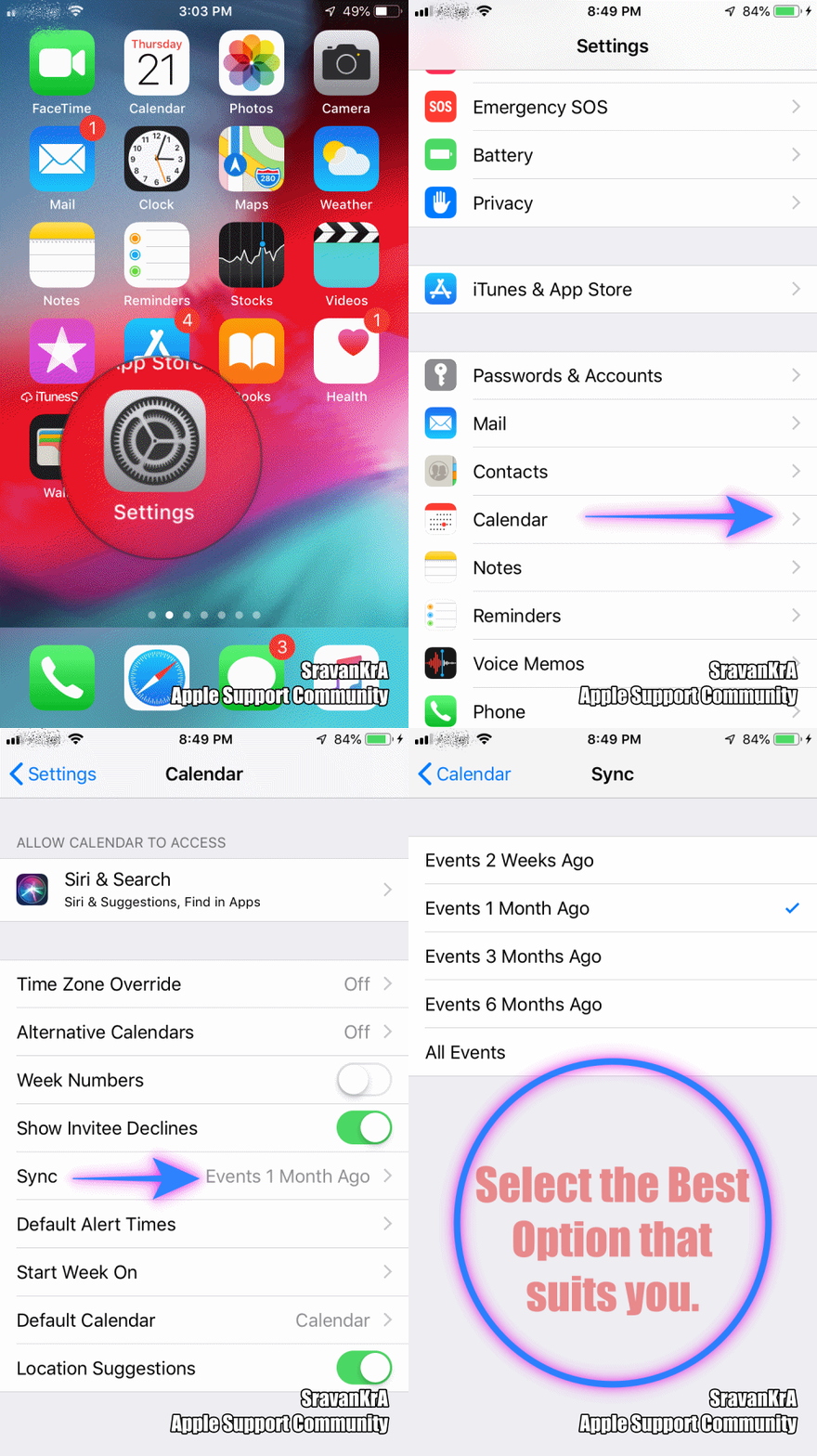
Settings > Calendar > Sync > [All Events] - Watch the GIF below

This thread has been closed by the system or the community team. You may vote for any posts you find helpful, or search the Community for additional answers.

Meeting Updates being sent to my iPhone

Welcome to Apple Support Community
A forum where Apple customers help each other with their products. Get started with your Apple Account.