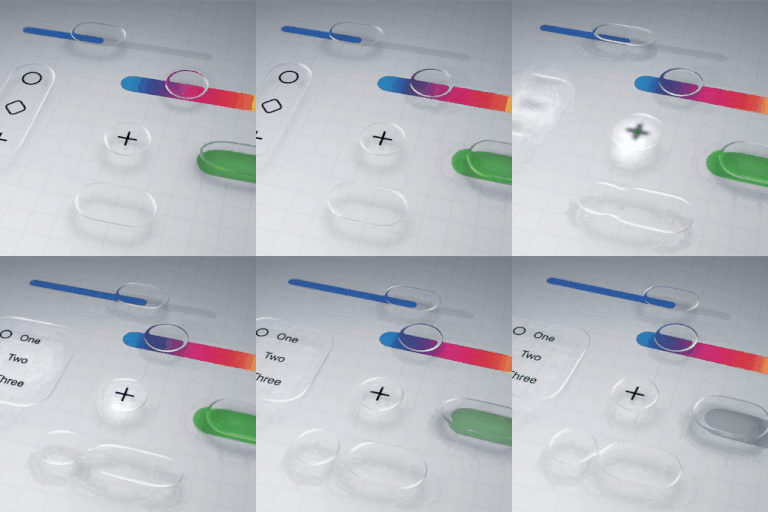
How to disable liquid glass in iOS 26?
Is there a way to completely disable the liquid glass functionality on iOS 26? I'm not going to get into a lengthy diatribe over why it's awful, I just want it gone.
iPhone 13 Pro Max, iOS 18
Is there a way to completely disable the liquid glass functionality on iOS 26? I'm not going to get into a lengthy diatribe over why it's awful, I just want it gone.
iPhone 13 Pro Max, iOS 18
amdc101 wrote:
There is a serious issue around accessibility with the Liquid Glass display, it’s not just an aesthetic issue. I do personally think it’s an unnecessary overlay, and don’t like it, but part of that is that I work for a charity for blind people and in terms of apples usual excellence with accessibility this is a huge fail.
iOS/iPadOS 26.1 introduced a new setting that subtly charges the appearance of Liquid Glass:
Settings > Display & Brightness > Liquid Glass - select Clear or Tinted
Sadly, for iPad, this new setting makes very little difference for those that struggle with both the appearance and overlapping screen elements introduced with Liquid Glass - an issue that is often not understood by those that have perfect eyesight.
If you are experiencing difficulty with the new Liquid Glass UI, there are other settings that can significantly improve the appearance and suppress the majority of unwanted effects:
Each if these settings can be used individually, or in combination. Setting Reduce Transparency alone (1) will likely suppress the majority of your issues. The Reduce Motion setting (3), if used, will eliminate the "lensing" effects of the Liquid Glass UI. Experiment; you should find a combination that works for you.
I suggest that you begin with setting Reduce Transparency to ON - and then, if needed, experiment with additional use of one or more of the other options.
NB: The new Display & Brightness > Liquid Glass setting can only be changed/toggled while Reduce Transparency is set to OFF. You might find that setting Liquid Glass to Clear, prior to enabling Reduced Transparency to ON, may give the best result.
Liquid Glass is here to stay - and will likely evolve throughout the lifespan of iOS/iPadOS 26. Hopefully, Apple will provide additional controls over time with which to selectively eliminate aspects of the new UI to better meet the functional and visual needs of the wider user population. Liquid Glass is very "pretty" - but for some is arguably form over function, reducing legibility and usability for some users.
You - and anyone else that has an issue with the Liquid Glass implementation - should submit constructive comments via Apple's Product Feedback portal. For iPhone:
Every Report counts.
They need to incorporate the option to turn this liquid glass effect off. It is annoying, looks ugly, has no real purpose and the founder of this company would never have allowed such nonsense.
Liquid Glass looks awful with my background photo. The photo is sentimental and I do not want to remove it for a dark background. There needs to be a way to turn this defeature off.
Actually, Liquid Glass is built off of the Aqua interface that was on macOS made under the leadership of Steve Jobs.
Apple Unveils Mac OS X - Apple
is there a way to atleast turn off the visual effects like the excessive glowing and all?
[Edited by Moderator]
There are a lot of frustrating bugs to fix. Can't read notifications in dark mode on my Lock Screen. Looks like mishmash of white and black with no clear letters.
Thats right. Please apple care do something
A cheap third party UI is exactly why it seems like and now that I am typing I noticed the keyboard looks like a cheap add on as well
I couldn’t agree more. It hurts my eyes.
I can not express enough how much I absolutely hate it. This will be the thing that drives me to Android. I can NOT look at this horrible UI every single day.
The transparency and motion recommendations CRIPPLE OTHER THINGS. These are not appropriate responses. The ONLY response I want to see is from Apple with a button to turn this garbage off.
How do you turn it off?
How to disable ios26 on my iPhone 12 Pro I don’t like it in don’t make my battery last any longer
29icebTc247 wrote:
How to disable ios26 on my iPhone 12 Pro I don’t like it in don’t make my battery last any longer
Downgrading has never been supported.
You can't disable your operating system, the phone wouldn't work. And downgrading the iOS isnt supported, you will have to live with it.
Im going in to a Genius bar on Sunday for a battery replacement and will ask them to roll it back to 24 or 25.
How to disable liquid glass in iOS 26?