Mac os 26 preview can't show how much text I select

I can select these lines, but there's no visual indication that they are selected. I can still copy and paste them, but I only know what I've selected after I paste it somewhere.


[Edited by Moderator]

MacBook Pro 14″, macOS 26.0

Posted on Sep 18, 2025 12:56 PM

Reply
Question marked as Top-ranking reply

Posted on Sep 18, 2025 3:48 PM

Momoca wrote:


[Edited by Moderator]


Have you shut down and restarted more than once since your upgrade...


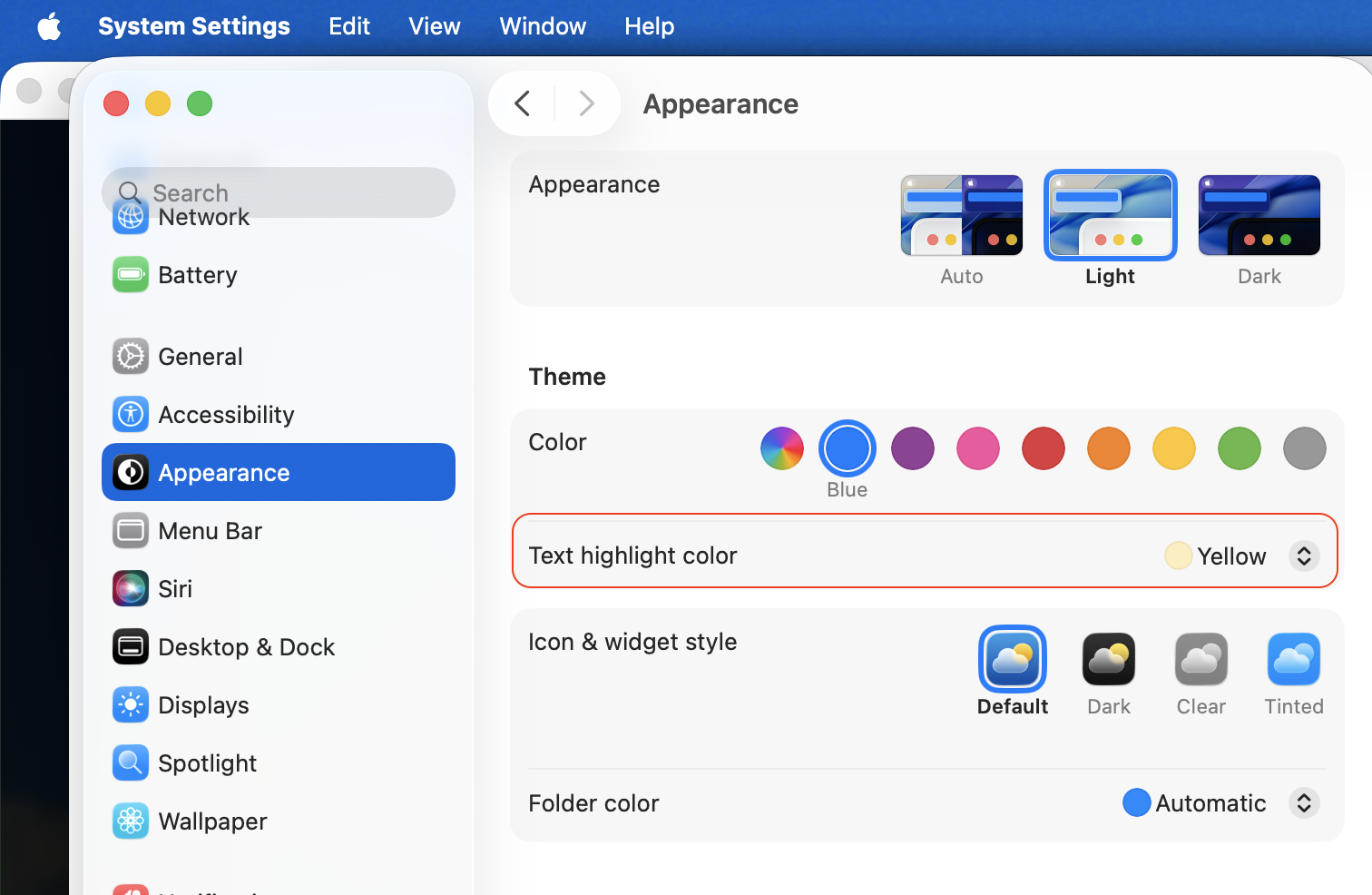
I have no heard this issue before...I have my Text Highlight color set to orange ( ex above.) Make some changes and compare your results...


Have you tried other documents, text, PDF's, browser windows to compare your results(?)


No insight or resolve—


To trouble shoot further you can:


—A SafeBoot Start up your Mac in safe mode - Apple Support will sort many anomalies


Does a quick disk repair before it fully boots up, and certain system caches get cleared and rebuilt, third party system modifications and system accelerations are disabled temporarily.

Login and test. Reboot as normal and test. Caches get rebuilt automatically.


This test will tell you if third party interference; most extensions etc are not loaded in safe boot mode.


—Test issue in another user (or guest user) account Change Users & Groups settings on Mac - Apple Support

This will tell you if it a universal issue or isolated to your user/admin account. 


***wireless keyboard with rechargeable batteries— connect the charging cable, this will make the wired keyboard successful Safe Boot your Mac.

unplug all non-essential peripherals when testing

Uninstall all third party apps that are Cleaners/Optimizers/VPN/Anti-Virus

all known to cause issues on the macOS


11 replies
Question marked as Top-ranking reply

Sep 18, 2025 3:48 PM in response to Momoca

Momoca wrote:


[Edited by Moderator]


Have you shut down and restarted more than once since your upgrade...


I have no heard this issue before...I have my Text Highlight color set to orange ( ex above.) Make some changes and compare your results...


Have you tried other documents, text, PDF's, browser windows to compare your results(?)


No insight or resolve—


To trouble shoot further you can:


—A SafeBoot Start up your Mac in safe mode - Apple Support will sort many anomalies


Does a quick disk repair before it fully boots up, and certain system caches get cleared and rebuilt, third party system modifications and system accelerations are disabled temporarily.

Login and test. Reboot as normal and test. Caches get rebuilt automatically.


This test will tell you if third party interference; most extensions etc are not loaded in safe boot mode.


—Test issue in another user (or guest user) account Change Users & Groups settings on Mac - Apple Support

This will tell you if it a universal issue or isolated to your user/admin account. 


***wireless keyboard with rechargeable batteries— connect the charging cable, this will make the wired keyboard successful Safe Boot your Mac.

unplug all non-essential peripherals when testing

Uninstall all third party apps that are Cleaners/Optimizers/VPN/Anti-Virus

all known to cause issues on the macOS


Oct 31, 2025 5:41 AM in response to neuroanatomist

Having the same issues. I may well be conflating causes here, but since the Tahoe update, Preview's text selection tool just isn't functioning normally. Prior to Tahoe, it would drag speedily over text in PDFs, highlighting the selection in light blue, until the selection is made. It would copy and paste efficiently into Pages (for example) with only minor errors over obscure type or symbols. Now, I drag the selection tool across the desired text. There is no highlighting to indicate the selection. I must click out of the PDF (into another app) to see the selected text but it is now blacked out with thick black bars. Successful copying and pasting is uncertain. Sometimes it works sometimes not. See the screenshot.

Nov 19, 2025 3:54 AM in response to Momoca

I have no issue selecting lines in a PDF with Tahoe 26.0.1 or 26.1 — provided it isn't a scanned PDF that has not yet been OCR'd.


What really irritates me is that in the System Settings > Appearance panel, I can select an optional screaming yellow zonker yellow for the Text highlight color and Preview makes the text selection olive. That alone is a good reason to use the current Adobe Acrobat Reader…


For those copying text from a PDF to a word processing application (e.g. Pages), every text line in the PDF ends with a line feed and that adds extra editing time after the paste. I wrote a very simple Shortcut application named Remove Paragraph Marks from PDF Text for this purpose. You select the text in the PDF and then right-click on that text and choose the preceding Shortcut from the Services menu. Afterward, you paste into the word processing application without all of those line feeds.


Nov 22, 2025 8:47 AM in response to tsgroup

No, that's completely unacceptable. I'm an arts-based person and I value (valued) Mac's nice, subtle handling of PDFs and superior text selection. I really, really don't see the need to boot in some emergency mode to have this available to me. It's clearly something that the techs at Apple don't value that much otherwise it would have been fixed by now. My only surmise is that don't read that much and don't value reading...

Mac os 26 preview can't show how much text I select

Welcome to Apple Support Community
A forum where Apple customers help each other with their products. Get started with your Apple Account.

