
Unable to swipe to delete iMessage on MacBook
After upgrading to macOS Tahoe 26.1, I'm unable to swipe left to delete messages through my trackpad on iMessage. Is there a setting I can enable to fix this?
MacBook Pro 16″, macOS 26.1
After upgrading to macOS Tahoe 26.1, I'm unable to swipe left to delete messages through my trackpad on iMessage. Is there a setting I can enable to fix this?
MacBook Pro 16″, macOS 26.1
I was experiencing the issue the OP described. I quit the Messages app and reopened it, and swipe to delete is back (on both my Magic Trackpad and my Magic Mouse).
So @backpropper – try quitting Messages and reopening it, and if no joy try rebooting your Mac.
I was experiencing the issue the OP described. I quit the Messages app and reopened it, and swipe to delete is back (on both my Magic Trackpad and my Magic Mouse).
So @backpropper – try quitting Messages and reopening it, and if no joy try rebooting your Mac.
YES it works to close the app and reopen it and then you can swipe again........BUT, I am having to do this multiple times a day. I use this app constantly and I am so frustrated that there isn not a permanent fix. I probably restart this app 5-10 times a day. I am so frustrated with Apple. Usually they come up with a fix faster than this.
However, this time all I had to do was quit Messages and relaunch it and it's working again. So clearly there is still a bit of a bug.
Restarting Messages also worked for me. The swipe to delete is back. It does sound like some kind of bug.
Please refer to the Apple Support document when using the Trackpad
Excerpt from above
Delete messages and attachments
 on your Mac.
Note: When you delete a message, it’s moved to the Recently Deleted folder on your device, but not anyone else’s. When you want to delete a message for everyone, use Undo Send within 2 minutes of sending it.
This appears to be be a bug in 26.1. Bugs can be reported to Apple here:
@Owl-53, see
Delete messages and conversations in Messages on Mac - Apple Support (I added the highlighting).
on your Mac. .
.Same here. M4 MacBook Air. Restarting messages fixes it, but it eventually fails again.
I've had this problem too ever since upgrading to Tahoe. M4 Pro Mac Mini w/ Magic Trackpad. I have to restart Messages at least once a day and then it works again temporarily.
SusanDeborah wrote:
Apple Genuses are you reading this? Are you working on this issue? Will you resolve it or leave us to Right Click forever which I can do with a mouse but not easily on my trackpad. Seriously, PLEASE FIX THIS PROBLEM!
Apple does not read this forum (other than moderators reviewing reported posts for compliance with the ToU).
Bugs can be reported to Apple here:
Right-click on a trackpad is as simple as tapping/clicking with two fingers instead of one, if you set it up that way.
Change Trackpad settings on Mac - Apple Support
Control-click items using only your trackpad
To Control-click items using only your trackpad, you may need to change its settings.
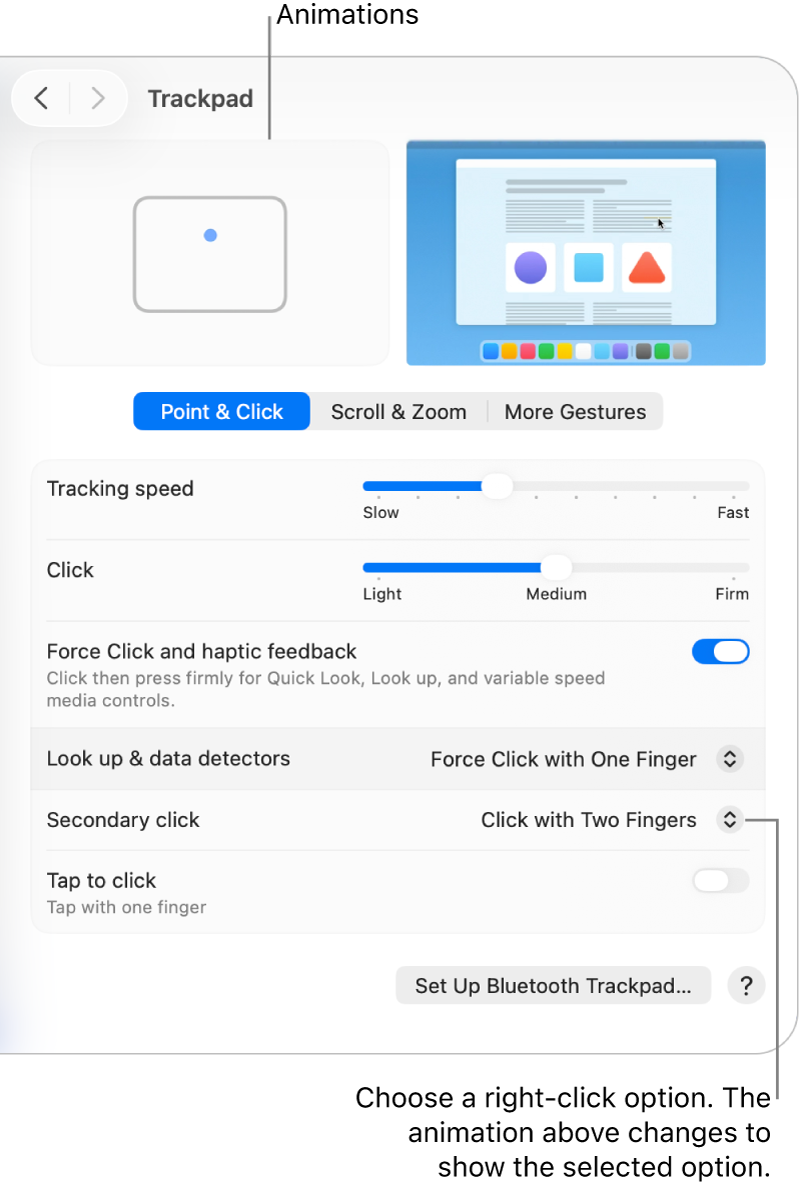
 on your Mac.
 in the sidebar. (You may need to scroll down.)
SusanDeborah wrote:
I am hoping with all hope that the APPLE folks read this and are tending to it sooner than later please! I have quit and restarted my iMessage app 5 times today and it's only 1:17. I am so so so frustrated. Yes it works to restart, but it doesn't sustain. I also restarted the computer, checked for software updates etc. This is not my first rodeo, but it is my longest frustration with APPLE to date!!!!!!!!!!!!!!!!!!!!!!!!!!!!
Only the forum moderators look at some of the posts, and those only for following the forum's terms of service, and then only after someone has raised an issue with a post.
Product managers, developers, etc... DO NOT typically read any of the posts in these forums.
You can send feedback via
Working on a M4 Desktop with Tahoe 26.1
Using Magic Mouse
To delete an individual message within a Conversation is doable
Secondary click >> Sub Menu appears
For what it is worth
So I restarted my computer again... and it actually worked.
Then the next day, without restarting, it stopped working again. So apparently it only works for a limited time after each restart?
HUM
Maybe I am misunderstanding at late stage in the day. Been at this since about 03:30 AM today so please be gentle with me, my friend
Using a 15 " M4 MBA with Taloe 26.1 and the builtin Trackpad
Swipe Left to delete the AMEX conversations appears to be working
As mentioned, been a very long day
lrez57 wrote:
My MacBook won't swipe delete messages after installing 26.1. I have close Messages and reopen for it to work but then it loses that function again. Delete key doesn't work either.
This would appear to be localized and unique issue with your computer setup
" Using a 15 " M4 MBA with Taloe 26.1 and the builtin Trackpad
Swipe Left to delete the AMEX conversations appears to be working "
Unable to swipe to delete iMessage on MacBook



