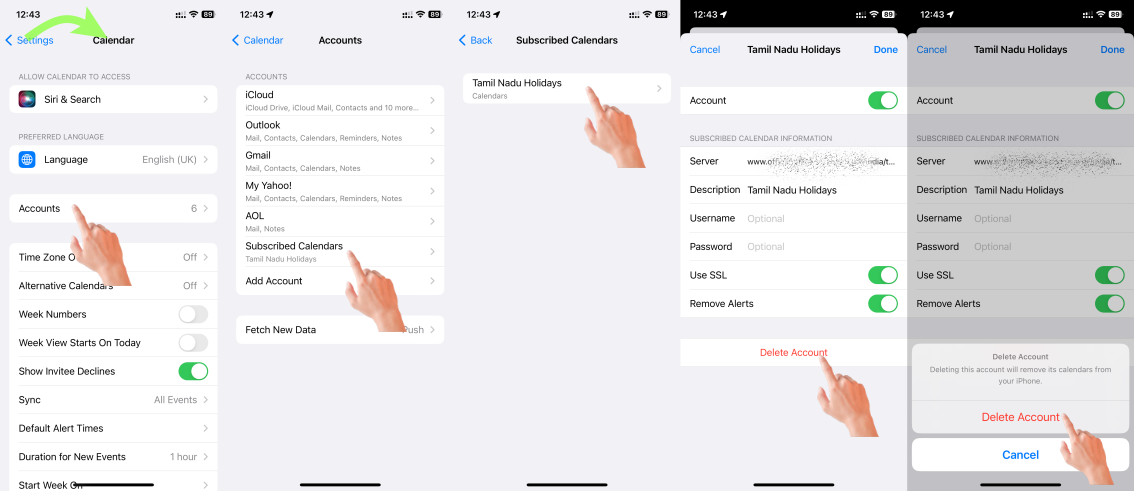
Your may have a subscribed Calendar or a CalDAV or a CardDAV/LDAP account for Contacts or Calendars.

What happens when you click the "Details" on the error popup message (See the Pic below)

The best would be to Delete and Add the email account that is creating the issue.
You may also try changing SSL settings
Settings > Password & Accounts > [Select the Mail account} > [Tape on Account with the email ID} > Advanced > SSL Settings > [Disable]
Click <Account (in Blue)
Click on DONE (in Blue) when exiting in the previous screen

Probably you may have accepted an offer or subscribed for a spam Calendar accidentally. Watch the GIF below to know how to unsubscribe from these calendars. Look for an unknown Calendar on the device under subscribed calendars.
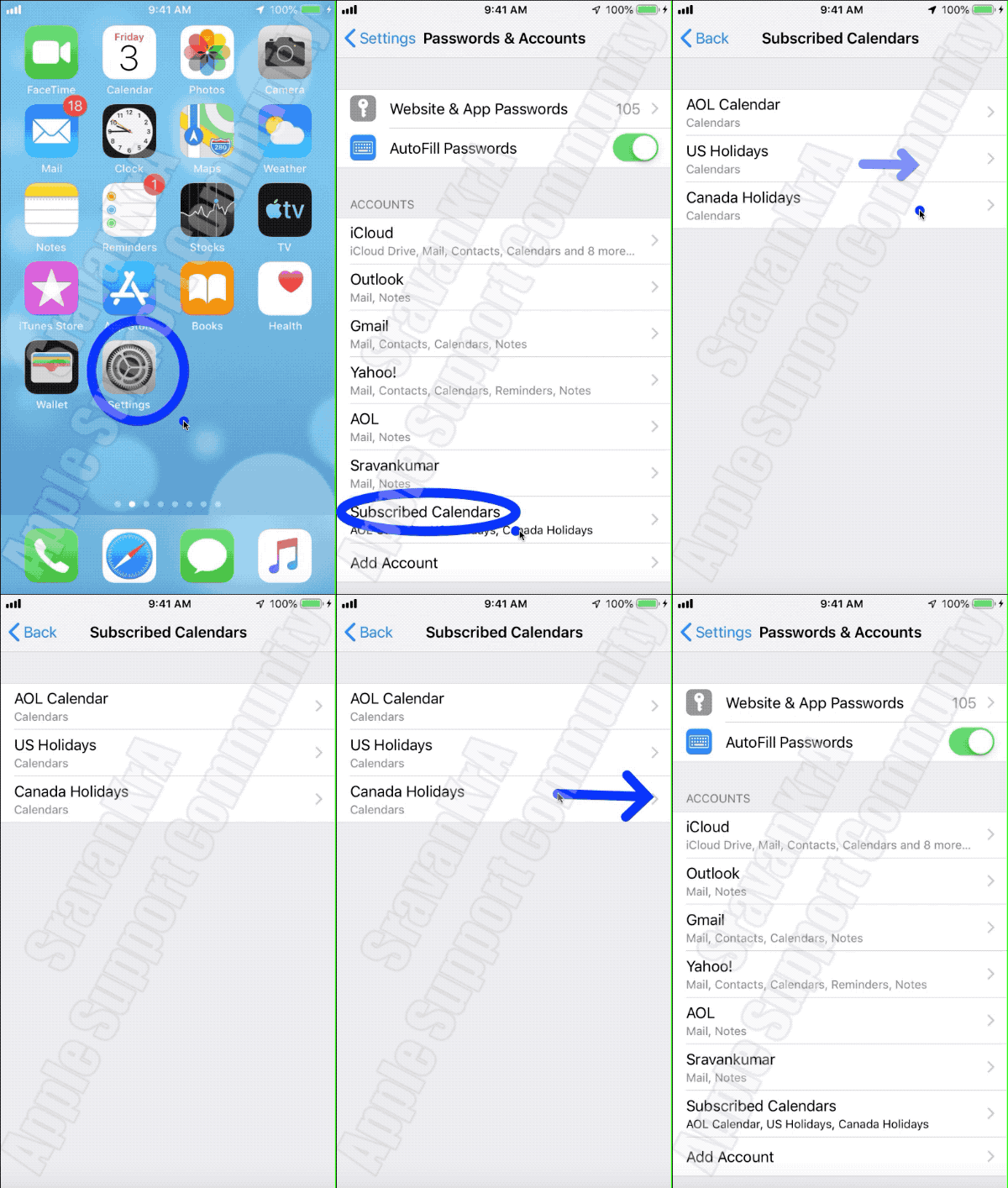
The pic below is self-explanatory if you have subscribed to a calendar.