How to delete a downloaded iOS update file on iPhone

Hello everyone!

Please help me solve the problem.

I have an iPhone 11 and iOS 18.7.2 installed.

I want to stay on this version of the operating system, I don't want to update to ios 26.

However, there is no such file in the repository with the update to 26.1. But at the same time, the update itself has already been downloaded and an annoying offer to install the update to version 26.1 has appeared.

I want to delete this downloaded file.

I couldn't find information on the Internet about why the installation file before the new version of ios is not displayed in the data storage.

Does anyone know how to solve the problem?

iPhone 11

Posted on Dec 2, 2025 10:54 PM

Reply
4 replies

Dec 2, 2025 11:26 PM in response to YupWi

Was your device Jailbroken? If that's the situation, please be informed that attributing the issues to iOS updates may not be accurate.


I have been updating my devices ever since I bought my first device in 2009. iPhone 3Gs, 4S, 5, 6, SE (1st Gen), 7, 8 and iPhone 12 Pro, iPad Pro, iPhone 13, Macbook Air 2019, MacBook Pro 16"
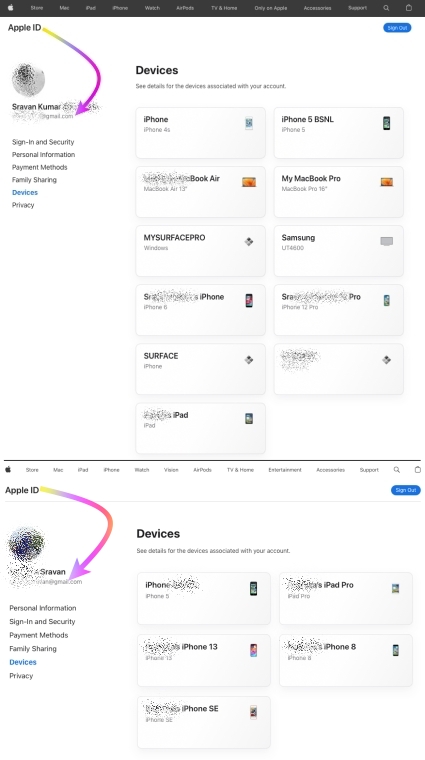


I never had any issues with any iOS, iPadOS, or macOS updates to date.


I would personally recommend everyone update their devices instead of listening to rumors from people who may not have kept their devices free from any spurious software.


iOS / iPadOS devices cannot be hacked or infected with Virus / Malware / Spyware if it is updated to the latest iOS/iPadOS unless you have intentionally downloaded spurious software or unauthorized apps directly from the internet and installed them on your device or/and have Jailbroken


iOS updates generally aim to enhance user experience, boost security, and fix bugs rather than disrupt core features. Issues after updates might stem from underlying, unmentioned factors. Updates won't typically alter personal data but may refine settings or features. Backup before major updates for safety. Review Apple's update details and backup advice for a smooth process.


This seems purely coincidental, so please check the settings on your device.


See what each update does: OS — iOS 26, About iOS 18 Updates, About iOS 17 Updates, About iOS 16 Updates, About iOS 15 Updates, About iOS 14 Updates, About iOS 13 Updates, About iOS 12 Updates, and so on...



Dec 3, 2025 1:21 AM in response to SravanKrA

I had a deplorable experience of updating on 4s. I regretted it very much when I updated to the latest version. I don't remember exactly which version was initially installed on my phone, like 7.1.2 everything worked perfectly, but after updating to ios 8. The phone began to slow down, the latest updates did not help to fix constant lags and hangs, after such an experience of use I sold it and no longer used equipment from this company. If the situation happens again with this phone. Then I will never buy anything from this manufacturer again in my life.

This thread has been closed by the system or the community team. You may vote for any posts you find helpful, or search the Community for additional answers.

How to delete a downloaded iOS update file on iPhone

Welcome to Apple Support Community
A forum where Apple customers help each other with their products. Get started with your Apple Account.
