How to increase email retention period on iMac Sequoia 15.6.1?

On my iMAC Sequoia 15.6.1 I have an email account only keeps my mail for about 40 days. How can that be fixed.


[Re-Titled by Moderator]

Original Title: Access to older emails.

iMac 24″, macOS 15.6

Posted on Dec 10, 2025 6:00 PM

Reply
Question marked as Top-ranking reply

Posted on Dec 10, 2025 10:30 PM

Your Mac is not deleting the emails — your email provider or POP settings are. Check whether the account is POP, disable “remove from server” rules, and adjust your provider’s retention settings. Switching to IMAP is the most reliable long-term fix.

2 replies

Dec 11, 2025 12:11 AM in response to NODDY55

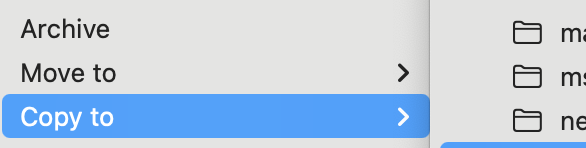
Tip: I periodically copy gmail and more seldomly used iCloud mail from the cloud to Mail.app's Local folder in ~/Library/Mail. Select desired messages and via right-click > Copy (or Move) to the Local mailbox:
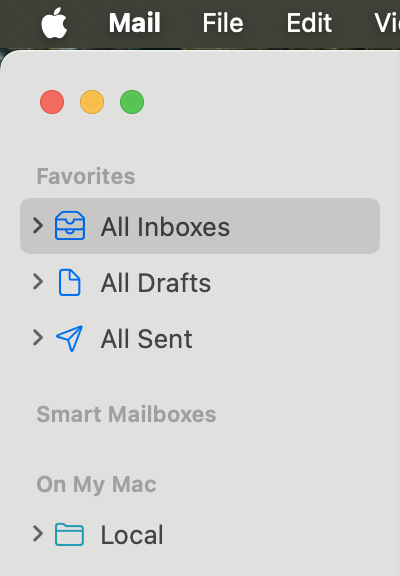


Periodically maybe once a year I zip and backup that (usually hidden) ~/Library/Mail folder or transfer it to another Mac or new macOS: Mail > File > Import Mailboxes... > Apple Mail > choose ~/Library/Mail folder > choose all Items. Then on the left-hand-side under "On My Mac" > Import, ..., look for and move "Local" and all mailboxes inside it up under "On My Mac". Right-click and delete "Import" Mailbox (it has gmail mailboxes that are online), YMMV.



How to increase email retention period on iMac Sequoia 15.6.1?

Welcome to Apple Support Community
A forum where Apple customers help each other with their products. Get started with your Apple Account.