When you start watching a video, Focus can activate automatically and silence incoming calls depending on your configured conditions. Review your Focus automations to see if any of them are responsible for muting calls.
There are three primary factors that trigger the automatic activation of the Focus modes. Users have the flexibility to deactivate each of these factors based on their individual preferences.
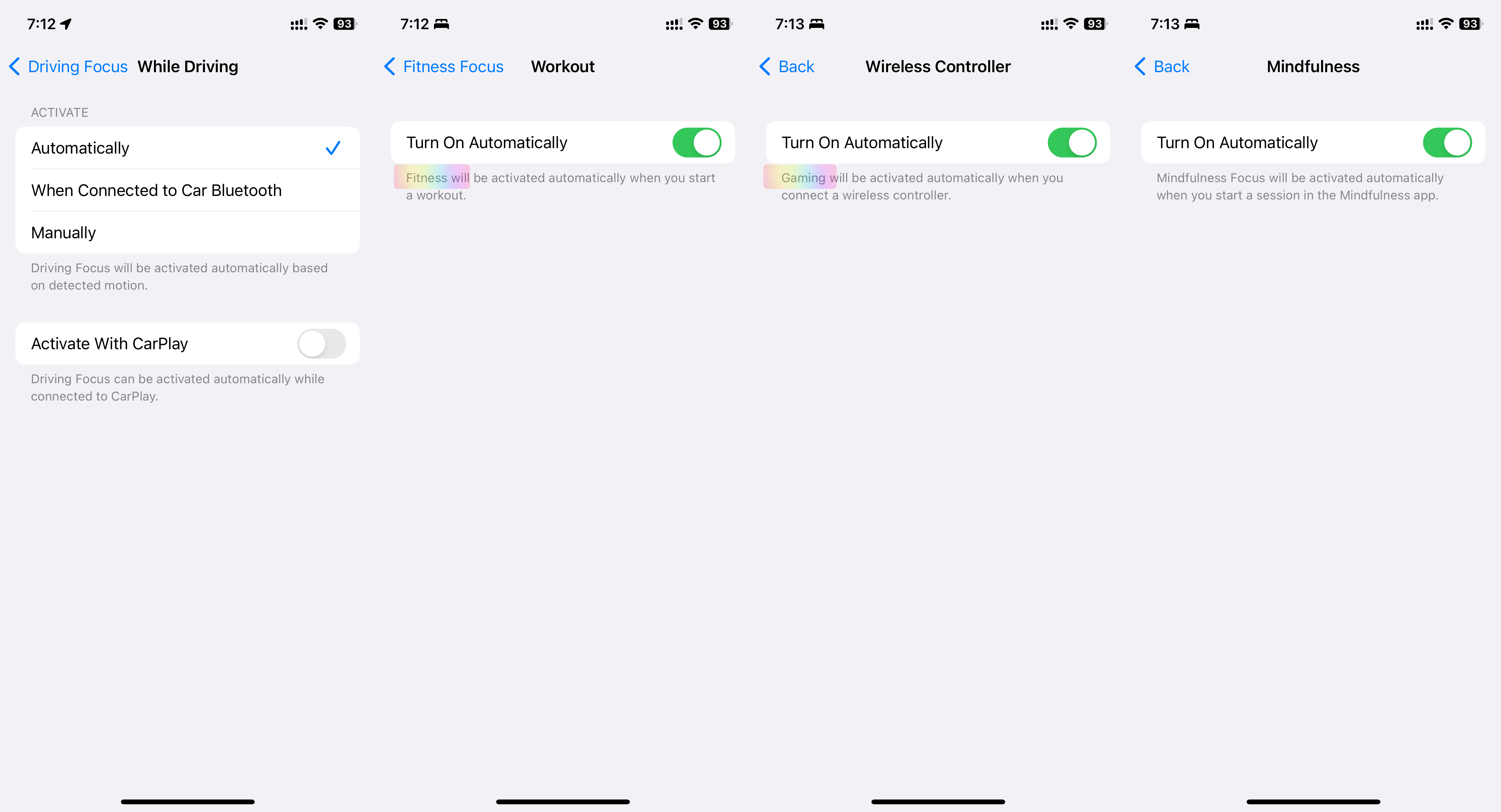
- Automatic Activation: Driving, Fitness, Gaming, Mindfulness
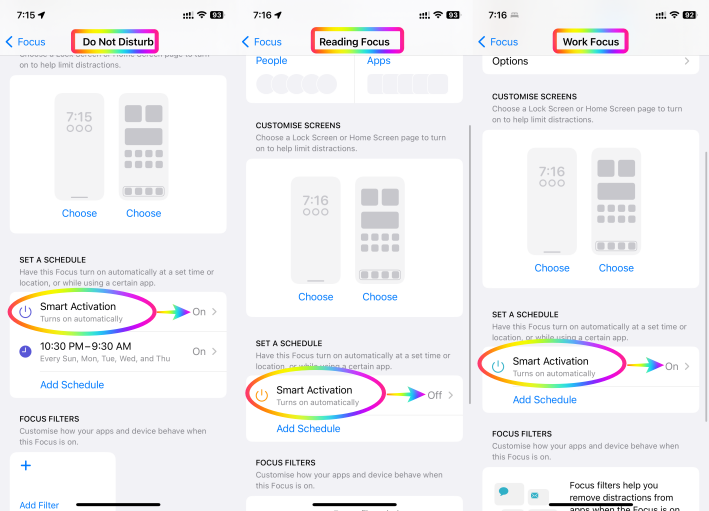
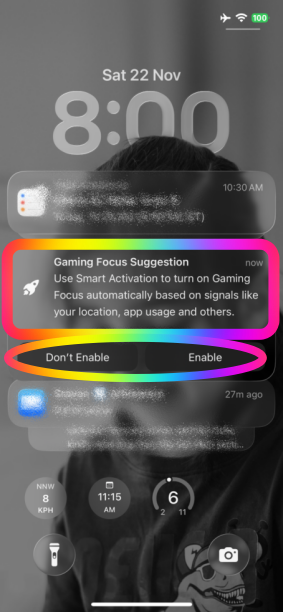
- Smart Activation: Work, Reading, DND
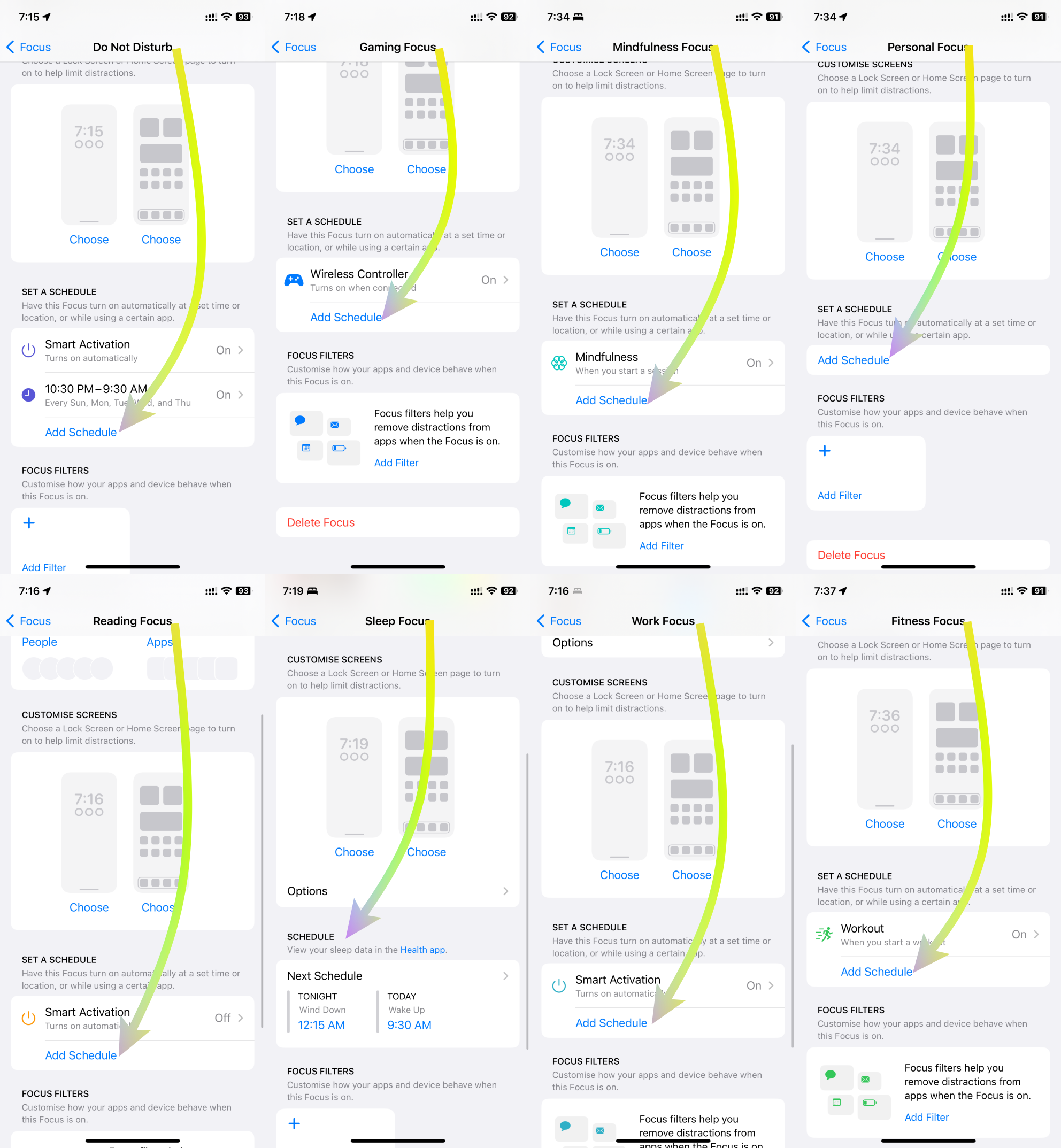
- Scheduled Activation: DND, Gaming, Mindfulness, Personal, Reading, Sleep, Work, Fitness
Elaborated below are comprehensive explanations for each of these three triggers.

1. Automatic Activation:
DND's Automatic Activation innovatively responds to specific contexts, improving user engagement and well-being. In driving scenarios, it identifies motion through GPS, accelerometers, and Bluetooth to ensure safer driving by silencing distractions. During fitness activities, it synchronizes with fitness trackers, ensuring uninterrupted workouts for optimal results. For gaming, it intuitively activates DND, heightening immersive experiences. In mindfulness practices, it triggers DND for focused meditation. Users can customize these triggers to suit their preferences, harmonizing technology with life.
See the pic below
2. Smart Activation:
Smart Activation introduces intelligent functionality by activating DND during tasks that require focus. When sharing screens, it suppresses notifications to aid presentations. During screen recording, it enables uninterrupted capturing. While streaming to TV, it elevates content consumption without disturbances. When mirroring screens, it ensures seamless interactions. This feature adeptly aligns technology with multitasking, streamlining interactions and fostering efficient engagements.
See the pic below
3. Scheduled Activation:
DND's Scheduled Activation empowers users with versatile control over privacy and focus. It accommodates contexts like work, exercise, reading, mindfulness, gaming, personal time, and sleep. By scheduling DND during work hours, users can enhance productivity. During fitness routines, DND preserves concentration. For leisure activities like reading and mindfulness, it creates tranquil settings. In gaming sessions, DND blocks distractions. This scheduling flexibility harmonizes technology usage with diverse lifestyle needs.
See the pic below
In essence, the integration of these activation triggers redefines DND's role beyond simple interruption management. It transforms the user experience across domains, from driving safety and focused fitness to immersive gaming and mindful introspection. With each trigger customizable to individual preferences, this innovation reflects technology's adaptability to enhance well-being and productivity in a digital age

