atyree wrote:
I have an Apple Watch Ultra 3, and even though I have Optimized Charging turned off, my watch still only charges to 80% by default. It drives me crazy. I've seen others on Reddit complain about this. Is there really no way to have it ALWAYS charge to 100%? And why even have a toggle for the setting if the OS is just going to ignore it?
(I understand that it's for battery health, but I'd rather have the max charge now and shorten my battery life later.)
There are two things to be aware of and you can turn both of them off. I think you have turned only one of them off so far.
Optimized Battery Charging
How to turn off Optimized Battery Charging
- Open the Settings app on your Apple Watch.
- Scroll down, then tap Battery.
- Tap Battery Health.
- Turn off Optimized Battery Charging.
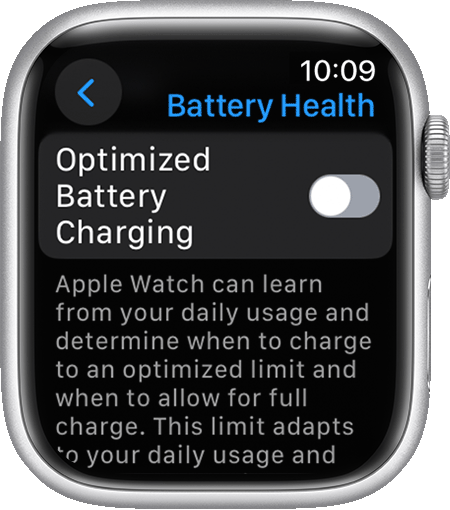
Optimized Charge Limit on Apple Watch
In addition to Optimized Battery Charging, supported Apple Watch models offer Optimized Charge Limit. This feature requires watchOS 10 or later and is available on Apple Watch SE and later, Apple Watch Series 6 and later, and Apple Watch Ultra and later.
Optimized Charge Limit learns from your daily usage to determine when to charge to an optimized limit and when to allow a full charge. This feature is on by default when you set up your watch.
With Optimized Charge Limit active, an open charge ring appears when you connect your Apple Watch to its charger.
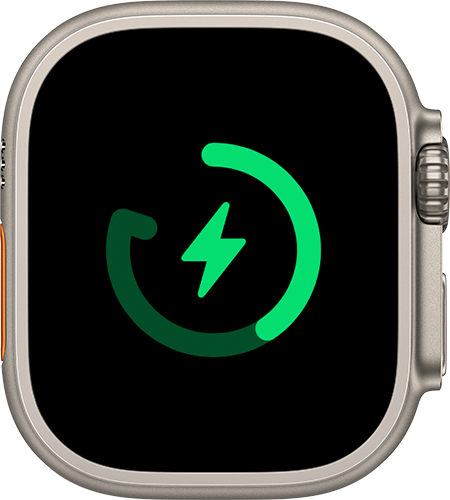
How to charge your Apple Watch beyond the Optimized Charge Limit:
Keep your Apple Watch connected to its charger.Tap your watch to show the charging screen, then tap the circle with the green or yellow charging icon. Tap Charge to Full Now.
Your Apple Watch takes time to learn your charging patterns before it uses Optimized Battery Charging or Optimized Charge Limit. If your watch is new, the charging screen will say Charging to full. Optimized Charge Limit changes dynamically depending on how you use your watch. Based on your usage patterns, your watch might charge to 100% on some days, and less on others.
How to turn off Optimized Charge Limit
Open the Settings app on your watch.
Scroll down, then tap Battery.
Tap Battery Health.
Turn off Optimized Charge Limit.
Choose Turn Off Until Tomorrow or Turn Off.



